
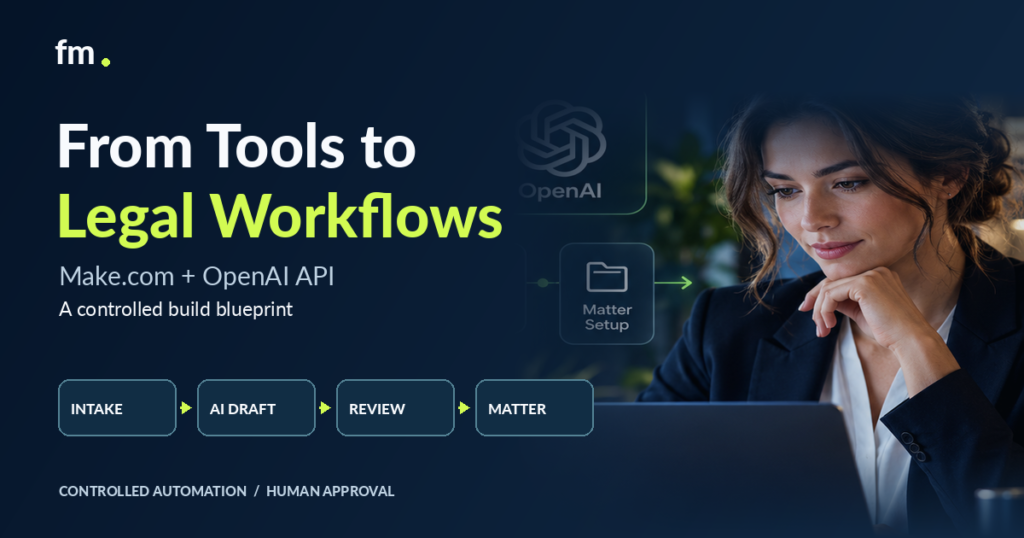
Connecting Make.com with the OpenAI API can help law firms automate information handling, document preparation, intake classification, and internal workflows. But effective legal automation requires more than connecting applications. This guide explains how to design a controlled system with structured inputs, defined workflow states, attorney approval gates, reliable integrations, and recovery procedures.
Quick Answer
Make.com and the OpenAI API can work together to automate repetitive legal operations while keeping professional judgment under attorney control.
Make.com manages workflow triggers, application connections, routing, and downstream actions. The OpenAI API can assist with defined tasks such as extracting information, classifying requests, summarizing documents, or preparing drafts for review.
A controlled legal workflow should validate incoming information, limit what AI is authorized to do, verify its output, and require attorney approval before consequential actions.
The key is to treat AI as one component inside a governed operating system, not as the system’s decision-maker.
In This Guide
- How Make.com and the OpenAI API fit into a law firm’s technology stack
- Which legal tasks are suitable for AI assistance
- A practical architecture for controlled workflows
- How to build an intake-to-review automation
- Where attorney approval gates belong
- How to protect client information and preserve data integrity
- How to handle failures, retries, and duplicate events
- A production-readiness checklist for law firms
Why Connecting Make.com and OpenAI Is Not Enough
A law firm may already use case management software, document automation tools, email, online forms, and payment platforms. Yet staff may still transfer information between those systems manually.
A new intake arrives. Someone reads the submission, identifies the service requested, enters client details into a spreadsheet or CRM, forwards the information to an attorney, and waits for instructions.
An AI-enabled workflow could reduce several of those administrative steps.
However, connecting an intake form to OpenAI through Make.com does not automatically create a reliable legal operating system.
Consider what happens when the intake contains contradictory information, a required field is missing, two submissions describe the same matter, or an AI-generated summary incorrectly identifies the client’s request.
If the automation continues without checking these conditions, the firm may create inaccurate records or initiate communications that were never authorized.
The actual design question is not simply whether the applications can communicate.
It is what must be true before the next action is allowed to happen.
A production-ready workflow must know when to continue, wait, request clarification, escalate, reject an action, or stop.
This is the difference between basic application integration and governed legal workflow automation.
What Make.com and the OpenAI API Each Do
The two platforms serve different purposes. Understanding their responsibilities helps prevent AI from controlling actions that should be handled through explicit rules.
| Component | Primary responsibility | Example in a law firm |
| Make.com | Workflow orchestration | Receive intake submissions and route tasks |
| OpenAI API | AI-assisted information processing | Classify intake requests or draft summaries |
| CRM or case management system | Maintain authoritative records | Store approved client and matter information |
| Document automation platform | Generate documents using structured information | Prepare a draft retainer or legal document |
| Attorney approval gate | Control professional decisions | Approve representation or document release |
| Monitoring and audit records | Support reliability and accountability | Record execution status, failures, and approvals |
Make.com coordinates the operational sequence. The OpenAI API produces information that the sequence may use.
For example, the AI might return a suggested category for an incoming inquiry. Make.com can then validate that category against an allowed list and create an internal review task.
The AI should not independently determine that the firm will represent the prospective client.
That decision belongs to the appropriate attorney after the firm’s required review process.
This separation allows law firms to use AI for repetitive information handling without transferring legal authority to a language model.
Where AI Fits in Legal Workflow Automation
Not every legal workflow step requires artificial intelligence.
A useful architecture separates deterministic tasks, AI-assisted tasks, and professional decisions.
Deterministic tasks
These follow known rules and can generally be handled without AI.
Examples include checking whether a required field exists, matching a matter identifier, calculating a prescribed deadline from an approved rule, creating an administrative task, or recording a verified payment event.
The software should perform these steps using structured data and explicit logic.
AI-assisted tasks
These involve interpreting unstructured information where a language model may help.
Examples include:
- Categorizing a prospective client’s inquiry
- Extracting named fields from a document
- Preparing a preliminary intake summary
- Identifying information that appears to be missing
- Producing a draft client communication for review
- Summarizing internal notes for an attorney
The output should be treated as proposed information, not automatically accepted fact.
Attorney-controlled decisions
These require professional responsibility, legal analysis, or firm authorization.
Examples include accepting representation, resolving conflict concerns, deciding legal strategy, approving legal advice, signing off on substantive documents, and authorizing consequential client communications.
The workflow can prepare the materials needed for those decisions. It should not make the decisions itself.
A sound legal automation design follows one principle:
Automate the handling. Keep the judgment.
The Controlled Build Blueprint
The architecture should begin with the operating process and the data that moves through it.
Adding an AI module before defining those elements often creates a fragile workflow that is difficult to test or maintain.
Reference architecture: controlled intake workflow
Conceptual workflow. Validation failures, declined approvals, and system errors branch into controlled stop, correction, or recovery paths rather than continuing to the final action.
1. Define the workflow trigger
Every workflow needs a clear starting event.
For a client intake process, the trigger might be a submitted form, a new CRM record, or an authorized update from an existing matter.
The trigger should include a stable event identifier and enough information to locate the original record.
Avoid using broad triggers such as every email received by a shared inbox when the downstream workflow expects only a specific type of request.
2. Normalize the incoming data
Different applications may use different field names, formats, and identifiers.
Before sending information to AI, create a consistent internal data structure.
For example:
{
“intake_id”: “INT-1042”,
“matter_type_requested”: “unknown”,
“submission_status”: “new”,
“source”: “website_form”,
“review_status”: “not_reviewed”,
“ai_processing_status”: “pending”
}
This is a conceptual internal record, not a mandatory Make.com or OpenAI API format.
It gives downstream modules predictable fields to reference and helps prevent mismatched records.
3. Establish the AI task boundary
Define exactly what the model can produce.
For example:
Review the submitted intake description and propose one category from the permitted categories. Identify missing information and produce a factual summary. Do not assess legal merit, promise representation, invent information, or provide legal advice.
The model should receive only the information required for that task.
Avoid sending an entire client file when a limited, approved extract will provide enough context.
4. Validate the AI result
The model’s response should pass through a separate validation stage.
This stage checks whether required fields exist, values match approved categories, and information follows the expected format.
A valid format alone does not establish factual accuracy.
Where accuracy matters, compare extracted values against the source, flag inconsistencies, and route uncertain results for human review.
5. Require appropriate approval
Approval should be a defined workflow state, not an assumption based on the absence of an error.
For example:
pending_review → approved → authorized_action
A declined or unresolved review should not enter the approved branch.
6. Update the system of record
After a verified approval, Make.com can perform the specifically authorized downstream action.
That might mean updating a CRM field, creating a task, passing approved information to document automation, or preparing a communication for sending.
Use the existing record identifier whenever possible rather than creating another version of the same client or matter.
7. Record the outcome
The system should preserve enough information to identify what occurred.
Useful metadata includes the workflow event ID, processing status, relevant version identifiers, reviewer identity, approval decision, and authorized downstream action.
Sensitive content should not be retained in logs merely because it is available.
Step-by-Step: Building a Controlled Legal Intake Workflow
Consider a law firm that receives consultation requests through its website.
The firm wants to reduce manual intake administration without automatically accepting clients, providing legal advice, or creating matters before attorney approval.
The following is an illustrative implementation blueprint, not a claim that every listed platform has been configured in a single production deployment.
Step 1: Receive and identify the intake event
Start with a defined trigger in Make.com.
A form submission or CRM event initiates the scenario. Make.com retrieves the submitted fields and assigns or retrieves a unique intake identifier.
The first processing stage should check that the event is authorized and has not already been handled.
If the same submission arrives twice, the system should update or recognize the existing processing record rather than create two separate intake files.
Step 2: Check the required information
Before calling the OpenAI API, validate basic fields through deterministic rules.
For example, the firm’s required fields might include contact details, an inquiry description, and consent or acknowledgment fields.
If mandatory information is missing, the workflow should enter an incomplete-intake state.
An AI model should not invent missing client information to satisfy a field requirement.
Step 3: Send an approved data packet to OpenAI
Once the input passes validation, Make.com can call the OpenAI API through an appropriate integration or authenticated HTTP request.
The request should specify the precise task, permitted output categories, and structured response requirements.
For an intake classification task, a conceptual output might look like this:
{
“intake_category”: “personal_injury”,
“summary”: “Inquiry concerning a vehicle collision.”,
“missing_information”: [
“incident_date”,
“incident_location”
],
“requires_human_review”: true
}
This illustrates an application-level output contract, not a complete API request or a factual assessment of a real client.
OpenAI supports structured outputs designed to conform to developer-supplied JSON schemas. These can help downstream systems receive predictable data, although they do not guarantee that the model’s factual interpretation is correct.
OpenAI API
The firm should use a supported model and verify its current API configuration against the official documentation.
Step 4: Validate and store the proposed result
After receiving the API response, Make.com should verify that the result is complete and follows the approved structure.
An unrecognized category, missing summary, failed request, or contradictory result should trigger an exception path.
The proposed information can then be attached to the intake record with a clear status such as pending_review.
At this stage, it remains an AI-assisted internal draft.
Step 5: Create the attorney review task
The workflow can notify the responsible attorney or intake reviewer that the submission is ready.
The reviewer should be able to access the original submission alongside the AI-generated summary.
The review process should distinguish three actions:
- Approve: Authorize the specified next workflow step.
- Request correction: Return the item for clarification, amendment, or another review cycle.
- Decline: Stop the relevant progression and follow the firm’s approved handling procedure.
A reviewer should not have to change technical scenario settings to make these decisions.
The approval control can live in an approved operational interface connected to the workflow.
Step 6: Execute the authorized action
Only after a valid approval should the automation enter the relevant downstream branch.
Depending on the firm’s process, Make.com might update a CRM record, initiate approved retainer generation, prepare a draft communication, or create an administrative follow-up.
An approval to proceed with intake processing must not be interpreted as unrestricted authorization for every later action.
Separate approvals may be necessary before forming representation, issuing legal advice, or releasing substantive documents.
Step 7: Confirm completion
An attempted action is not the same as a completed action.
For example, a successful API request to create a matter should be followed by confirmation that the intended record exists and is associated with the correct client.
The workflow should then update its status and preserve the resulting identifier.
If confirmation fails, the workflow should not simply repeat a create action without checking whether the first attempt succeeded.
This distinction is critical to preventing duplicate records.
Attorney Approval Gates: Where the Workflow Must Stop
A legal automation system needs explicit boundaries between administrative processing and professional decisions.
An approval gate is a deliberate pause requiring an authorized person to review information and decide whether a particular action may proceed.
| Workflow stage | Automation can assist with | Human control required |
| Initial inquiry | Extract and organize submitted information | Evaluate legally significant concerns |
| Conflict screening | Gather names and flag possible matches | Resolve conflicts and determine eligibility |
| Representation | Prepare review materials | Decide whether to accept the engagement |
| Retainer preparation | Populate approved document templates | Approve terms and release when required |
| Document production | Generate drafts from structured data | Review substantive legal accuracy |
| Client communication | Prepare routine drafts | Approve legal advice and consequential messages |
| Filing or delivery | Coordinate approved administrative steps | Authorize submission or release as applicable |
These controls should be mapped to the firm’s specific services, policies, jurisdiction, and professional responsibilities.
A useful implementation technique is to store approvals as defined states with the approving person’s identity, timestamp, record version, and scope of authorization.
That prevents an earlier approval from being mistakenly reused after the underlying document or matter facts have materially changed.
A system that cannot distinguish an approved version from a newly edited version is not adequately controlling document release.
Data Privacy, Confidentiality, and API Security
Legal workflows frequently involve sensitive information. Privacy and security must therefore be addressed before routing client content through external automation services.
Connecting Make.com and OpenAI introduces multiple processing locations, permissions, and potential data-retention considerations.
The firm should review its professional obligations, contracts, client commitments, and the terms of every service used.
Minimize client data
Only transmit the information needed for the approved AI task.
For instance, a workflow categorizing an initial inquiry may not require full identification documents or unrelated confidential communications.
Where practical, use anonymized or pseudonymized data and retain the authoritative records within the firm’s approved systems.
Control credentials and access
API keys should be managed through secure credential mechanisms rather than embedded in ordinary documents, prompts, or publicly accessible URLs.
Use appropriate service accounts, access restrictions, and credential rotation procedures.
Administrative access to Make.com scenarios should also be restricted because scenario configurations may expose connections and operational data.
Review retention and logging behavior
Privacy assumptions should be verified for the exact API features and organization settings in use.
OpenAI documents API data controls, retention arrangements, and feature-specific considerations. Firms should review those conditions instead of assuming that all API processing is automatically exempt from storage or retention.
platform.openai.com
Make.com also provides a Keep data confidential scenario setting. Its documentation explains that execution data is otherwise retained in logs for troubleshooting, while enabling this setting restricts retained payload information and reduces diagnostic visibility.
Help Center
The configuration should reflect the sensitivity of the workflow and the firm’s operational requirements.
Treat incoming content as untrusted
A client submission or uploaded document may contain text that resembles instructions to the AI.
The system must distinguish task instructions supplied by the firm from information supplied by external parties.
For example, a document should not be able to instruct the model to disregard the firm’s review requirements.
Use tightly scoped prompts, restricted output categories, external validation, and independent approval controls.
No single prompt instruction should be treated as a complete security boundary.
Designing for Errors, Retries, and Recovery
A controlled workflow must work beyond the successful demonstration.
Production systems encounter unavailable services, missing fields, unexpected responses, interrupted connections, and competing updates.
The architecture should account for these conditions before launch.
Handle failed API requests
When an OpenAI request encounters a temporary failure, Make.com may be configured to retry the operation according to a defined policy.
Retries should distinguish temporary technical errors from conditions that require manual intervention.
For example, repeatedly retrying an invalid request is unlikely to repair missing required information.
Make.com documents retry handlers and other scenario error-handling options.
Help Center
Prevent duplicate execution
Duplicate events can occur when webhooks are resent, connections fail after an action has succeeded, or users submit the same form more than once.
A reliable workflow uses persistent event identifiers and checks whether an operation has already completed.
This is called idempotency: repeating an operation should not produce an unintended duplicate result.
For example, if a matter was created successfully but the response was lost, the recovery workflow should retrieve and verify that matter before attempting another creation.
Control concurrent processing
Make.com instant webhooks may run in parallel by default. Its Process data in order setting allows executions to run sequentially.
Help Center
Sequential processing can help in certain workflows, but it is not a replacement for record-level concurrency controls.
Two separate scenarios might still attempt to update the same matter.
For important shared records, use explicit locking, version checks, or other appropriate coordination mechanisms supported by the chosen architecture.
Create recoverable states
Every important workflow needs a known status when an operation cannot continue.
Possible states include:
pending_input, processing, pending_review, correction_required, approved, completed, and failed_needs_attention.
The system should preserve the relevant processing state so a staff member can identify what happened and resume safely.
The objective is not to eliminate all failures.
It is to make failures visible, contained, and recoverable.
Firm in Motion Field Note: The Hard Part Is Controlling Progression
Firm in Motion has worked on attorney-controlled legal service automation connecting tools such as Gavel, Clio Manage, Make.com, Stripe, Gmail, and Google Calendar.
These implementation patterns include intake, conflict review, attorney approve-or-decline gates, retainer generation, payment-triggered progression, matter creation, document handling, and client notifications.
A recurring architecture lesson is that connecting the applications is only one part of the work.
The more consequential challenge is defining precisely when a process can move forward.
A payment event, for example, must correspond to the correct client and service stage. A document revision may require another approval. A failed conflict review must prevent the representation workflow from continuing.
These requirements call for explicit workflow states and controlled handoffs rather than one long chain of automatically executing actions.
The same principle applies when introducing the OpenAI API.
AI can assist with preparing information, but the operational system must still determine what information is trusted, who can approve the next step, and how exceptions are handled.
Firm in Motion’s broader implementation approach is described in its Systems Built examples and Legal Workflow Automation service.
A Production-Readiness Checklist
Before activating a Make.com and OpenAI workflow with live legal information, confirm that the system has been tested against actual operating requirements.
Launch checklist
0 of 12 verified
Every trigger is authenticated or otherwise appropriately verified.
Required inputs are validated before AI processing.
AI tasks have restricted purposes and structured output contracts.
Sensitive information is minimized and vendor processing has been reviewed.
AI-generated facts are checked before authoritative records are updated.
Attorney decisions have explicit approval states.
Declined or incomplete requests cannot enter approved branches.
Duplicate events cannot create duplicate matters or documents.
Retry and recovery procedures are documented and tested.
Logs, access permissions, credentials and retention are governed.
An accountable person owns monitoring and incident handling.
Changes to prompts, models and integrations require regression testing.
Reset Copy checklist
Completing these checks supports readiness assessment. It does not replace professional, security, or compliance review.
Testing should include incomplete submissions, duplicate requests, conflicting field values, declined approvals, changed documents, unavailable services, and unexpected API output.
A successful test of the normal path is not sufficient evidence that the workflow is ready for production.
How to Evaluate Whether the Build Is Worthwhile
A legal workflow should solve a measurable operational problem.
Before implementation, map the current process and identify the repetitive actions that consume staff time.
Then assess which actions can be standardized without removing necessary legal review.
A useful evaluation compares the existing process with the proposed system across several dimensions.
| Evaluation area | Question to answer |
| Manual handling | Which repeated actions can be removed? |
| Data consistency | Will information be entered and verified in fewer places? |
| Attorney involvement | Are necessary decisions retained without routine coordination? |
| Reliability | Can the system detect and recover from common failures? |
| Maintainability | Can staff understand, monitor, and safely update the workflow? |
| Total cost | Do platform, API, support, and maintenance costs justify the benefit? |
Cost analysis should include Make.com usage, OpenAI API consumption, integration subscriptions, implementation effort, monitoring, and future maintenance.
Model pricing and platform limits can change, so estimates should use current vendor documentation and realistic task volumes rather than assumed fixed costs.
The OpenAI API pricing page provides current model pricing information.
A narrow pilot involving one high-volume, repeatable process is often easier to evaluate than an attempt to automate the firm’s entire operating model at once.
Frequently Asked Questions
Can Make.com connect to the OpenAI API?
Yes. Make.com can orchestrate API requests through supported integrations or authenticated HTTP modules. The exact configuration depends on the selected endpoint, credentials, model, and required response format.
Can OpenAI automatically review legal documents?
The OpenAI API can assist with extraction, summarization, classification, and drafting tasks. These outputs require validation and appropriate attorney review, particularly when legal interpretation, document accuracy, or professional judgment is involved.
Is Make.com suitable for confidential law firm workflows?
Suitability depends on the firm’s security requirements, configuration, contracts, permissions, retention settings, and applicable professional obligations. Sensitive workloads require a vendor and architecture assessment before deployment.
Should AI create client matters automatically?
AI should not independently decide whether a firm accepts representation. After the appropriate human authorization, a deterministic workflow may create or update a matter using validated information and the firm’s established rules.
What happens when an OpenAI API request fails?
The workflow should enter a controlled error state. Depending on the cause, it may retry, request corrected data, alert an administrator, or route the matter for manual handling. It should never treat a failed or uncertain response as approval.
Conclusion: Build the Legal System Before Adding AI
Make.com and the OpenAI API can support useful automation across legal intake, document preparation, internal administration, and client communication.
Their value depends on how they are incorporated into the firm’s operating model.
The essential work is defining reliable data structures, clear triggers, permissible AI tasks, attorney approval gates, and recoverable workflow states.
A successful implementation does not ask the AI model to manage the entire legal process. It gives the model a narrow, useful responsibility within a system that remains accountable to the firm.
Start by documenting one repetitive workflow. Identify where information changes, where decisions occur, what should happen after each event, and how the process should recover when something goes wrong.
Only then decide which steps need Make.com, which benefit from OpenAI, and which must remain human-controlled.
The result is not simply another automation. It is a more deliberate way to move legal work through the firm.
For practical examples of connected legal operations and attorney-controlled automation, explore Firm in Motion’s Legal Systems Library or learn more about its systems-first implementation approach.
Technical Sources and Further Reading
The following official resources support the platform-specific considerations discussed in this article:

