
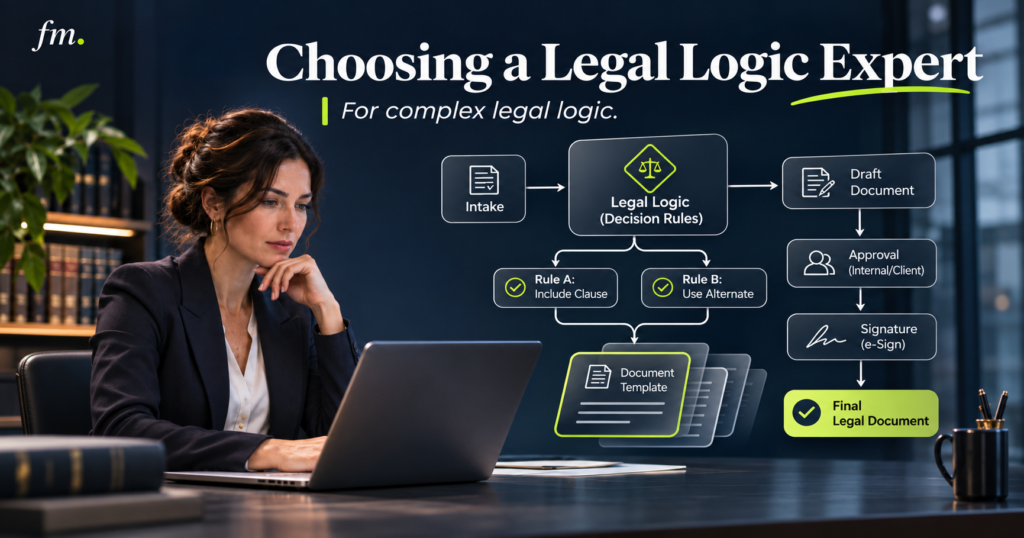
Choosing a document automation consultant requires more than checking software experience. Learn how to evaluate technical architecture, legal drafting logic, data consistency, quality assurance, and long-term maintainability before hiring.
Quick Answer
A document automation consultant helps law firms transform existing legal templates, drafting rules, and client information into structured systems that generate consistent documents.
For complex legal work, the right consultant must understand more than document formatting and variable insertion. They need to design conditional clauses, reusable data structures, role assignments, calculations, exception handling, and approval workflows.
The strongest candidates can explain how a legal decision becomes an automation rule, how that rule affects multiple documents, and how the system prevents inconsistent outputs.
Law firms should evaluate consultants through real workflow examples, architecture discussions, and a controlled proof-of-concept before committing to a larger implementation.
In This Guide
- What a document automation consultant actually does
- Why complex legal logic requires specialized expertise
- Essential technical and legal workflow capabilities
- Questions to ask before hiring
- How to test a consultant’s abilities
- What a successful implementation should include
- Common hiring mistakes and warning signs
- How to measure long-term value
What Does a Document Automation Consultant Do?
A document automation consultant designs and implements systems that produce legal documents from structured information and predefined drafting rules.
At a basic level, the work may involve inserting client names, dates, addresses, and other variables into existing templates.
However, advanced legal document automation involves much more.
Consider an estate-planning firm preparing a package containing wills, trusts, powers of attorney, and healthcare documents.
The same individual may appear as a beneficiary in one document, an executor in another, and a successor trustee in a third.
Each role may require different wording, appointment conditions, and successor provisions.
A basic template system may insert the correct name into each document. A properly designed automation system must also determine which role applies, which provisions are required, and how the instructions remain consistent throughout the package.
That distinction changes the consultant’s responsibilities.
A qualified consultant should be able to:
- Translate attorney-approved drafting rules into logical conditions.
- Create reusable data models for people, entities, and matters.
- Design interviews that collect information without unnecessary duplication.
- Coordinate conditional provisions across multiple documents.
- Build validation and exception-handling processes.
- Establish attorney review and approval points.
- Test complete document packages before deployment.
- Document the system so the firm can maintain it.
The objective is not simply faster document generation. It is a predictable drafting process that reduces repeated administrative work while keeping substantive legal decisions with attorneys.
For a broader explanation of the underlying architecture, explore Firm in Motion’s legal document automation solutions.
Why Complex Legal Logic Changes the Hiring Decision
Not every document automation project requires the same level of expertise.
A straightforward engagement letter may only need a few variables and conditional paragraphs.
A sophisticated estate-planning package, commercial agreement, or family-law document set can contain hundreds of relationships between facts, roles, legal choices, and drafting outcomes.
The challenge is coordinating those relationships reliably.
Conditional Clauses Are Only the Beginning
Conditional logic determines what appears in a document based on the information collected.
For example, a commercial agreement might include different provisions depending on whether:
- The contracting party is an individual or business entity.
- The agreement contains multiple service providers.
- Payment depends on project milestones.
- An optional service has been selected.
- Certain contractual conditions require additional language.
A consultant must distinguish between independent conditions and conditions that depend on earlier decisions.
If one clause appears only when several requirements are satisfied, the underlying logic needs to account for all of them.
The consultant should also understand what happens when information changes after the first draft is generated.
Relationships Create Additional Complexity
Some legal documents depend on relationships between multiple people, organizations, or assets.
For example, a client might name three successor fiduciaries in a ranked order.
The automation must preserve the intended sequence, handle missing or ineligible appointments according to attorney-approved rules, and produce the correct language in every relevant instrument.
A poorly designed system may treat each role as a separate text field.
A stronger approach stores the underlying person once, then connects that person to the relevant appointments and responsibilities.
This reduces the risk of inconsistent identities across the document package.
Multiple Documents Must Work Together
In a coordinated document package, changing one answer may affect several outputs.
A revised fiduciary appointment could require updates to a trust, will, and related instruments.
The system must recognize these dependencies instead of treating each document as an isolated drafting task.
Gavel’s legal document automation guide describes multiple levels of automation logic, including questionnaire conditions, document selection, internal document rules, calculations, and repeating data.
The consultant’s responsibility is to organize these capabilities into a system that reflects the firm’s approved drafting process.
Five Capabilities to Look for in a Document Automation Consultant
1. Structured Data Architecture
Data architecture determines how information is collected, stored, connected, and reused.
This is one of the most important capabilities in complex legal automation.
A consultant should understand how to build a central data structure instead of creating unrelated fields throughout multiple templates.
For example, a people-first data model could store an individual’s identifying information once and associate that record with several legal roles.
A well-designed structure should answer questions such as:
- Where is each person’s information stored?
- How does the system identify the same person across different documents?
- How are role changes reflected in the generated package?
- What happens when an existing record is corrected?
- Which system owns the authoritative information?
The consultant should be able to explain these decisions before starting template configuration.
Without a reliable data model, even a visually polished automation can become difficult to maintain.
2. Conditional Logic and Rule Management
Complex document automation requires clear rules governing which provisions appear, when they appear, and how different conditions interact.
The consultant should know how to organize these rules so they are understandable and reusable.
For example, an attorney may approve different distribution provisions depending on beneficiary categories, selected planning instructions, and other matter-specific facts.
Rather than copying similar conditions into several documents, the consultant should identify opportunities to centralize the underlying decision.
This creates one controlled place to update the rule when the attorney changes the drafting standard.
The important question is not simply whether the consultant can build conditional logic.
It is whether they can build logic that remains understandable after the system grows.
3. Interview Design and Data Validation
A document automation system depends on the quality of the information entering it.
A poorly structured questionnaire may produce incomplete answers, contradictory instructions, or unnecessary administrative follow-up.
An experienced consultant designs the interview around the information required for the final documents.
The interview should display relevant questions, hide unnecessary sections, validate important fields, and identify incomplete responses before generation.
For example, if a client indicates that no successor has been selected, the system should follow a defined process rather than silently inserting an empty appointment clause.
The appropriate next step may be an additional question, a warning, or an attorney review requirement.
Good interview design makes the process easier for users without concealing legally significant decisions.
4. Attorney-Controlled Review and Approval
Document automation should support professional judgment rather than replace it.
The consultant must understand where automation can safely perform repetitive production and where an attorney must review or approve the result.
This separation is also relevant to lawyers’ professional responsibilities.
The American Bar Association’s Model Rule 1.1 and its comments address professional competence, including the benefits and risks of relevant technology.
The ABA’s guidance on nonlawyer assistance also addresses supervision of outside service providers.
These model rules are guidance, and applicable professional obligations depend on the jurisdiction.
In practical terms, a document automation system should make it clear when:
- The attorney must confirm a substantive legal choice.
- The system has identified conflicting or incomplete instructions.
- A generated draft requires review.
- A document is approved for delivery or execution.
- A change requires another approval cycle.
The consultant should be comfortable building around these controls.
5. Testing, Documentation, and Maintainability
A successful demonstration is not the same as a production-ready system.
The automation must behave correctly across routine matters, unusual scenarios, corrections, and missing information.
A qualified consultant should create a testing process that covers different input combinations and document outcomes.
They should also document the data structure, conditions, template dependencies, and known limitations.
When an attorney changes a clause six months later, the firm should be able to identify which rules and documents may be affected.
Maintainability is not an optional final step. It should influence the architecture from the beginning.
Questions to Ask Before Hiring a Consultant
The hiring process should focus on how candidates think through real legal workflow problems.
Use the following questions during interviews or technical discovery sessions.
| Question | What a Strong Answer Should Demonstrate |
| How do you handle one person serving multiple legal roles? | Reusable identity records and role-based relationships |
| How do you organize nested conditional clauses? | Centralized rules, clear dependencies, and readable logic |
| How do you prevent conflicting information across documents? | Shared data structures and validation checks |
| What happens when a client changes an answer? | Controlled regeneration and review of affected outputs |
| How do you test unusual drafting scenarios? | Scenario-based test cases and expected results |
| Where should attorney approval occur? | Explicit decision gates and release controls |
| How will our team maintain the system? | Documentation, training, change management, and clear ownership |
Ask candidates to explain their reasoning using an example.
A strong consultant should be able to move beyond software terminology and describe what happens when a fact changes, a prerequisite is missing, or an approved rule needs revision.
Be cautious when a candidate consistently responds with platform features but cannot explain the underlying workflow.
How to Test a Consultant Before a Full Implementation
One of the most reliable ways to evaluate a document automation consultant is through a limited, paid proof-of-concept.
This should represent an actual challenge from the firm’s document production process without requiring the entire system to be built.
Step 1: Choose a Meaningful Test Scenario
Select a document or small document set involving several dependent conditions.
For example, an estate-planning test could involve:
- One person appearing in multiple roles.
- Primary and successor appointments.
- Conditional language based on selected instructions.
- Information reused across two documents.
- An incomplete or conflicting response.
Use fictional or properly anonymized information.
The exercise should test legal logic and system architecture, not merely the candidate’s ability to format a template.
Step 2: Provide Attorney-Approved Rules
The supervising attorney should identify the intended drafting outcomes for each scenario.
This creates a clear distinction between legal judgment and technical implementation.
The consultant should not be expected to independently determine what the law requires or which substantive provision is appropriate.
Instead, they should demonstrate how they translate approved instructions into a consistent automation process.
Step 3: Test Changes and Exceptions
Once the first output is generated, change a significant answer.
For example, replace the primary appointment with a successor and examine how that modification affects the relevant documents.
Check whether the system:
- Updates affected provisions consistently.
- Preserves unrelated information.
- Identifies missing required answers.
- Produces the expected documents.
- Flags conditions requiring attorney review.
Step 4: Review the Architecture
Ask the consultant to explain the variables, rules, data relationships, and template structure.
A visually correct final document does not necessarily indicate good architecture.
The firm needs to understand whether the solution can support additional documents, changing rules, and future maintenance.
The proof-of-concept should end with a clear assessment of technical quality, usability, and the remaining implementation work.
Comparing Different Types of Document Automation Specialists
The right provider depends on how complex the firm’s requirements are.
| Provider Type | Best Fit | Potential Limitation |
| General automation specialist | Simple template workflows and routine integrations | May lack experience with complex legal drafting dependencies |
| Platform-specific implementer | Configuration within an established document automation product | Expertise may focus on product features rather than broader architecture |
| Legal document automation architect | Multi-document packages, structured data, and intricate conditional rules | Usually requires more discovery and specification work |
| Internal legal operations team | Ongoing workflows with established internal ownership | May require outside technical expertise for complex builds |
These categories overlap. A capable platform specialist may also be an excellent systems architect.
The deciding factor should be demonstrated ability, not the job title.
For firms producing relatively simple documents, a focused implementation may be sufficient.
For firms generating coordinated packages with complex dependencies, data architecture and exception handling become more important.
What a Successful Implementation Should Include
Before signing an agreement, define the actual deliverables.
A project described only as “automate our templates” leaves too much room for misunderstanding.
A properly scoped engagement should cover the complete document production process.
Discovery and Rule Mapping
The consultant should begin by reviewing representative templates, questionnaires, drafting procedures, and known exceptions.
The goal is to identify repeated information, substantive decisions, conditional provisions, and dependencies.
The attorney should confirm the approved legal rules and identify decisions that cannot be automated.
Architecture and Build
The implementation phase should establish shared data structures, interview conditions, document logic, and output templates.
Where appropriate, the system should also connect with existing practice management or document storage platforms.
The consultant should clarify which information will be synchronized and which application remains the system of record.
Quality Assurance and Acceptance Testing
Testing should cover ordinary matters, unusual combinations, incomplete information, and corrections after initial generation.
Acceptance criteria should be agreed upon before the build is declared complete.
Examples include consistent identity information across documents, correct conditional provisions, predictable exception handling, and successful attorney review.
Training and Handoff
The final deliverables should include working automation, documentation, staff training, and a defined process for requesting changes.
The firm should understand how to modify approved language, report defects, and evaluate new requirements.
If the consultant becomes unavailable, the firm should not lose the ability to operate or maintain its document system.
A useful implementation approach is to start with one high-friction document package, validate the architecture, and expand only after the initial system performs reliably.
Firm in Motion describes this broader systems approach in How We Work.
Firm in Motion Field Note: Estate-Planning Document Automation
Complex estate planning illustrates why document automation is fundamentally an architecture challenge.
In one Firm in Motion implementation, a Gavel-based automation system coordinated six core legal instruments through a shared data and logic structure.
The architecture used people-first records, centralized identity handling, ranked fiduciary appointments, successor levels, acting-mode resolution, and context-specific clause outputs.
Instead of treating every document as an independent template, the system reused structured information and coordinated drafting decisions across the package.
The reported preparation process changed from approximately four to five hours of manual work to about 15 minutes of structured intake.
This was a project-specific result. It should not be interpreted as a guaranteed outcome for other firms or as a measurement of every downstream review and execution activity.
The central implementation lesson was that consistency depended on organizing people, roles, decisions, and document logic before focusing on output generation.
The same principle applies to other complex drafting environments.
A commercial agreement system may need to coordinate entity information, payment conditions, service selections, and related schedules.
A family-law system may require repeated information about parties, children, property, and case-specific choices.
In each situation, the consultant’s value comes from designing how information and approved rules move through the system.
Explore additional implementation examples through Firm in Motion’s Systems Built.
Common Hiring Mistakes and Warning Signs
Choosing Based Only on Software Certifications
Platform familiarity is valuable, but certification or software experience alone does not prove architectural ability.
Ask candidates to demonstrate how they solve complex data and logic problems.
Automating Existing Templates Without Reviewing the Process
Templates may contain inconsistent language, duplicated fields, outdated clauses, or drafting choices that rely on informal staff knowledge.
Automating them without review can reproduce those problems at a larger scale.
Attorneys should approve the underlying drafting standards before the consultant encodes them.
Ignoring Data Ownership and Confidentiality
A consultant may need access to sensitive client information, templates, or connected systems.
Before granting access, determine what data is required, where it will be stored, who can access it, and how access will be revoked.
The ABA’s Model Rule 1.6 on confidentiality addresses lawyers’ responsibility to make reasonable efforts to protect information relating to client representation.
Firms should use appropriate agreements, permissions, access controls, and supervision consistent with their applicable obligations.
Failing to Budget for Maintenance
Legal forms, internal drafting standards, software integrations, and operational requirements can change.
An automation system needs a defined maintenance process.
The proposal should explain how changes are requested, tested, approved, and released.
Accepting a Demo Without Testing Exceptions
A demonstration with complete information and a straightforward scenario proves only that the basic path works.
The firm should also test incomplete responses, changed appointments, unusual combinations, and situations requiring attorney intervention.
A production system must know when to continue, wait, request correction, or stop.
How Much Should a Document Automation Consultant Cost?
The cost of hiring a document automation consultant depends on the complexity and scope of the project rather than the number of documents alone.
A document package containing ten straightforward forms may require less development effort than two documents with extensive conditional dependencies.
Major cost factors include:
- Number and complexity of drafting rules.
- Quality and consistency of existing templates.
- Number of people, entities, or records that must be modeled.
- Required integrations with existing software.
- Number of test scenarios and approval stages.
- Data migration requirements.
- Training, documentation, and ongoing support.
When comparing proposals, look beyond the quoted development price.
A lower initial cost may become less attractive if the system requires repeated manual corrections or depends entirely on the original developer.
Ask each candidate to separate discovery, architecture, implementation, testing, training, and post-launch support in the proposal.
This makes the scope easier to compare and reduces uncertainty about what is included.
A Practical Checklist for Choosing the Right Consultant
Before making a final hiring decision, confirm that the candidate can demonstrate the following:
- Legal workflow understanding: Can identify which rules are approved by attorneys and which decisions require human judgment.
- Data architecture: Can build reusable records for people, entities, and matter information.
- Conditional logic: Can manage dependent drafting rules without unnecessary duplication.
- Multi-document consistency: Can coordinate information and provisions across an entire package.
- Exception handling: Can identify missing information, contradictory inputs, and situations requiring review.
- Testing discipline: Can demonstrate expected outcomes using realistic and unusual scenarios.
- Security awareness: Can explain data handling, access permissions, and confidentiality safeguards.
- Documentation: Can deliver understandable system records and maintenance instructions.
- Clear project ownership: Can define responsibilities, acceptance criteria, and post-launch support.
A consultant who performs well across these areas is more likely to deliver infrastructure the firm can operate and improve over time.
The strongest selection process combines technical evaluation, attorney review, and evidence from previous implementations.
Frequently Asked Questions
What is the difference between a document automation consultant and a software developer?
A document automation consultant focuses on translating drafting workflows, structured information, and document rules into a usable production system.
A software developer may have broader programming expertise but might not specialize in legal document logic.
The skills can overlap. The best candidate is the person who can demonstrate both appropriate technical competence and an understanding of the firm’s workflow requirements.
Can a document automation consultant work with existing legal templates?
Yes. Existing Word documents, eligible PDF forms, questionnaires, and drafting procedures can provide the foundation for automation.
However, the consultant should assess whether the templates contain inconsistent fields, duplicated information, or rules requiring attorney clarification before implementation.
Does a consultant need to be a lawyer?
Not necessarily. Technical consultants can implement attorney-approved rules and document workflows without making substantive legal decisions.
The law firm should define responsibilities clearly and provide appropriate supervision.
Professional obligations and permitted activities depend on the applicable jurisdiction.
Should a law firm automate every document?
No. The strongest opportunities usually involve repeatable documents with identifiable inputs and consistent drafting rules.
Highly unusual matters or provisions requiring significant individual legal judgment may be better handled through attorney-led drafting supported by selective automation.
How long does a document automation implementation take?
The timeline depends on the number of documents, complexity of the rules, condition of the templates, availability of attorney reviewers, and integration requirements.
A simple workflow may be relatively quick to implement, while a coordinated package with extensive dependencies requires more architecture and testing.
A discovery assessment should establish a realistic scope before a timeline is agreed upon.
Conclusion: Choose an Architect, Not Just a Template Builder
Hiring the right document automation consultant is an investment in how a law firm organizes and produces its legal work.
For straightforward documents, basic automation may be enough. For complex legal logic, the consultant needs to understand structured data, interconnected drafting decisions, conditional provisions, and quality controls.
The most useful evaluation is not a list of software skills. It is evidence that the candidate can translate attorney-approved rules into a reliable, maintainable system.
Start with a clearly defined workflow, request a meaningful technical demonstration, and evaluate how the proposed system handles changes and exceptions.
The goal is to reduce repeated administrative work without compromising attorney oversight or the quality of the legal documents.

