
The best legal intake software is not necessarily the platform with the longest feature list. It is the system that helps your law firm capture inquiries, qualify potential clients, manage follow-up, preserve attorney approval, and transfer accurate information into the next stage of representation.
Quick Answer
The best legal intake software depends on your firm’s practice areas, client volume, existing technology, and intake process.
Platforms such as Clio Grow, Lawmatics, MyCase, and Lead Docket offer different approaches to collecting inquiries, managing prospective clients, automating follow-up, and connecting intake with legal operations.
Clio Grow may deserve consideration for firms using Clio Manage. Lawmatics is worth evaluating for configurable lead nurturing and workflow automation. MyCase offers intake capabilities within a broader practice management environment. Lead Docket focuses on legal lead tracking and intake operations.
Clio
+3
However, no platform should be considered the best choice without testing how it handles the firm’s actual process.
The most important question is whether the software can reliably move a prospective client from first inquiry to an attorney-approved engagement without lost information, unnecessary manual work, or uncontrolled automation.
In This Guide
- What legal intake software does
- Essential intake features and integration requirements
- A practical comparison of leading platforms
- How to evaluate software for different practice needs
- The role of automation and attorney approval
- A vendor demonstration and scoring framework
- Common implementation mistakes and next steps
What Is Legal Intake Software?
Legal intake software helps law firms collect, organize, and manage information from prospective clients before and during onboarding.
It replaces or coordinates processes that might otherwise rely on phone notes, email inboxes, spreadsheets, paper forms, and manual reminders.
A typical intake process begins when someone contacts the firm through a website, telephone call, referral, email, or advertising campaign.
The firm must then determine what the inquiry concerns, gather relevant details, identify potential conflicts, decide whether to offer a consultation, and establish whether representation will be accepted.
Legal intake software can organize these steps in a central system.
Depending on the product, it may support digital intake forms, lead pipelines, scheduling, automated communications, document generation, electronic signatures, reporting, and connections with practice management tools.
Legal intake software versus legal CRM software
Legal intake software and legal customer relationship management (CRM) software overlap, but their emphasis may differ.
Intake software concentrates on collecting information and moving prospective clients through initial qualification and onboarding.
Legal CRM software generally provides broader relationship management capabilities, including pipeline tracking, communication history, lead nurturing, referral tracking, and marketing attribution.
Many platforms combine both.
The firm should therefore evaluate the activities a product supports rather than relying only on whether the vendor calls it an intake platform or a CRM.
Why intake software matters operationally
Client intake affects several later stages of legal work.
Incomplete information may delay conflict screening. Unclear responsibilities may result in missed follow-ups. Repeated data entry may introduce errors when a new matter is opened.
A well-designed intake system helps establish dependable information and clear responsibilities before representation begins.
The benefit extends beyond quicker response times.
It creates a more consistent process for determining whether a matter should move forward and what must happen before it does.
Essential Features of the Best Legal Intake Software
Not every firm needs every available feature. However, several capabilities deserve careful examination.
1. Customizable intake forms
Forms should capture information relevant to the firm’s practice areas without overwhelming prospective clients.
For example, a family law inquiry may require different questions than a personal injury or estate-planning inquiry.
Conditional fields can help by displaying additional questions when a response makes them relevant.
The firm should also determine whether forms work well on mobile devices, can be embedded on its website, and transfer submitted information into the correct records.
2. Lead capture and pipeline visibility
The system should help staff identify where each inquiry stands.
Useful statuses might include new inquiry, awaiting information, consultation scheduled, attorney review, accepted, declined, and engagement pending.
The goal is not to create the most elaborate pipeline possible.
It is to ensure that staff can identify which inquiries require action and who is responsible.
3. Automated follow-up and reminders
Follow-up automation can send acknowledgments, intake requests, consultation confirmations, and reminders.
It can also create tasks when a prospective client has not supplied required information.
However, automated communications should reflect the firm’s actual decisions.
A prospective client should not receive a message implying that representation has been accepted when no authorized professional has made that decision.
4. Conflict-screening support
Conflict screening is a critical control point.
An intake system should help gather the names and relationships needed for an appropriate conflict review.
Some platforms provide searchable records and dedicated conflict-checking capabilities.
However, collecting information or producing possible matches is not equivalent to resolving a conflict.
The firm’s authorized professionals must determine whether representation can proceed under applicable professional obligations.
5. Consultation scheduling
Scheduling features can reduce repeated emails and phone calls.
Evaluate calendar synchronization, appointment types, reminders, cancellation handling, and support for paid consultations.
The software should also prevent appointments from moving matters forward when mandatory preliminary checks or approvals have not occurred.
6. Engagement letters and electronic signatures
Many legal intake platforms support document templates and electronic signing.
These capabilities can help move an approved prospective client toward formal engagement.
The firm should examine how documents are populated, who approves the agreement, and where signed records are stored.
Document generation should never be confused with authorization to accept a matter.
7. Practice management integrations
Information collected during intake often needs to move into a matter management system.
This might include contact information, matter details, documents, notes, appointments, and communications.
A reliable integration can reduce duplicate entry, but the firm must establish which system owns each type of information.
Poorly configured synchronization may create duplicate contacts or transfer incomplete records.
8. Security and reporting
Law firms should examine access permissions, audit records, data storage, retention settings, and vendor security information.
Reporting should also provide useful operational visibility.
Measures such as inquiry volume, response time, consultation completion, accepted matters, and reasons for declining inquiries can help identify workflow problems.
These metrics are valuable when their underlying definitions and data are reliable.
Comparing Leading Legal Intake Software Platforms
Several platforms deserve consideration when a law firm begins evaluating intake technology.
The following comparison focuses on documented capabilities and likely operational fit. It is not an independent performance ranking, and no single product has been established as the best overall option.
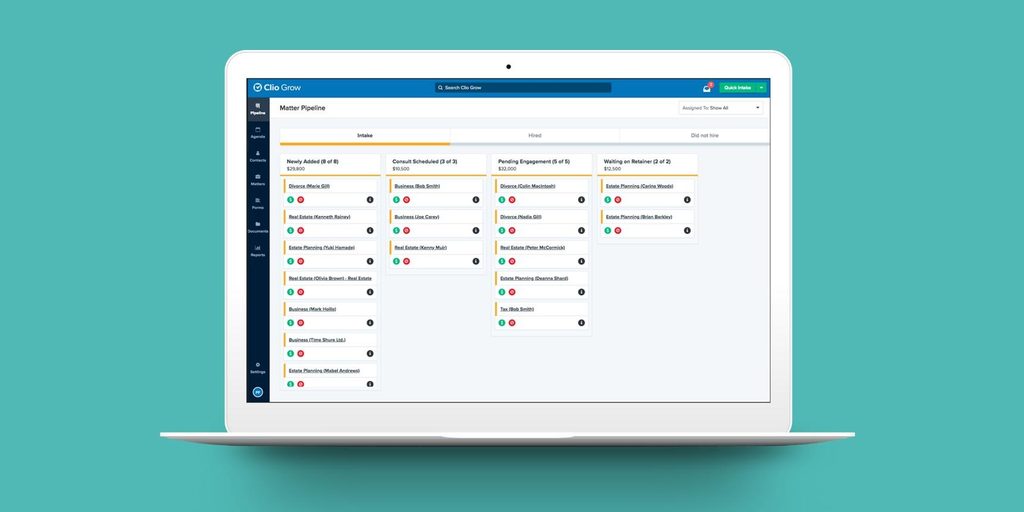
Clio Grow
Potential fit: Firms using Clio Manage
Provides intake forms, lead pipelines, scheduling, conflict-checking support, document preparation, e-signatures, and transfer of approved client information into Clio Manage.
Clio
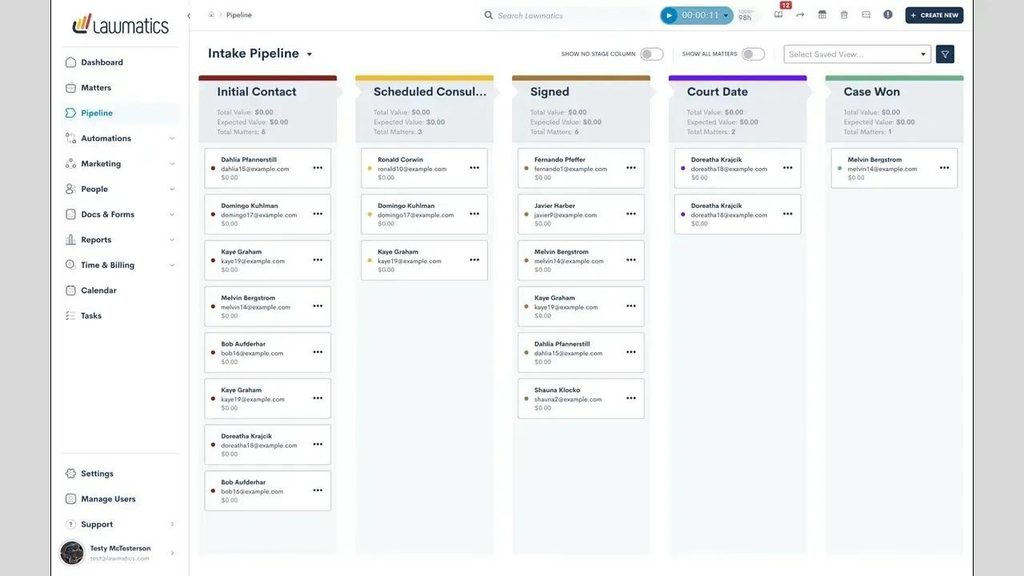
Lawmatics
Potential fit: Firms prioritizing lead nurturing and automation
Offers customizable forms, pipeline management, automated communications, scheduling, e-signatures, and configurable workflow actions. Features vary by plan.
Client Relationship Manager for Law Firms
+1
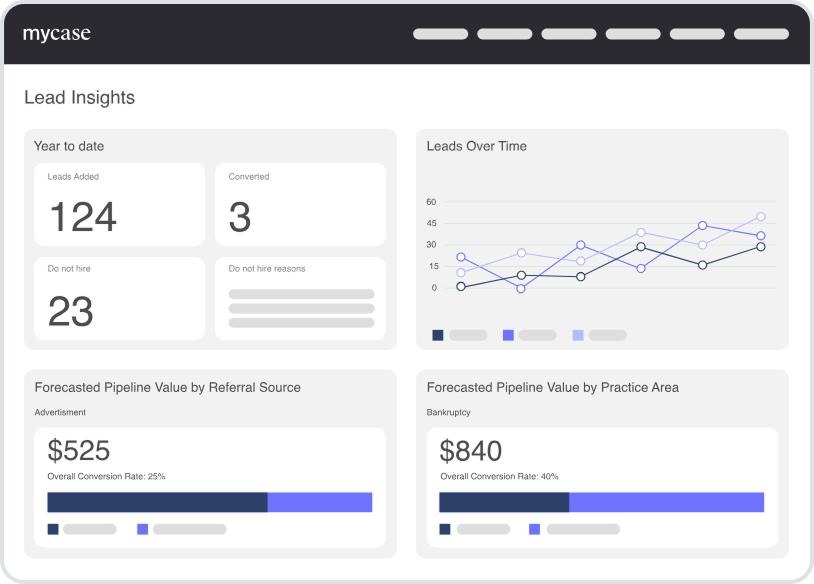
MyCase
Potential fit: Firms seeking intake within practice management
Supports dynamic forms, lead tracking, consultation scheduling, follow-up, signatures, and payment-related intake tasks.
MyCase
+1
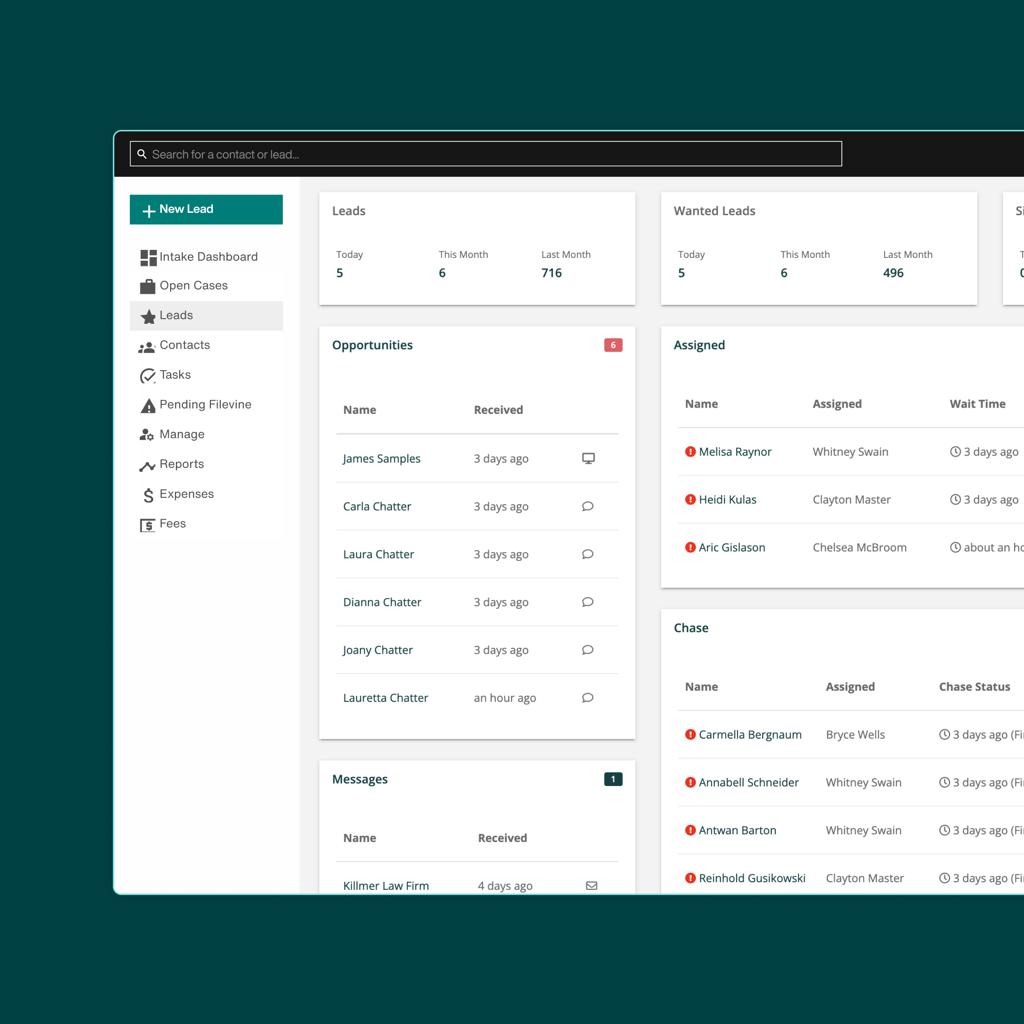
Lead Docket
Potential fit: Lead-intensive firms and Filevine workflows
Focuses on inquiry tracking, follow-up automation, document collection, e-signatures, and integration with Filevine for case handoff.
Filevine
+1
Clio Grow: Intake connected to matter management
Clio Grow is particularly relevant when a firm already uses Clio Manage.
Its documented features include online intake forms, lead pipelines, consultation booking, engagement documents, signatures, and transfer of intake information into the practice management system.
Clio
This may reduce the need to maintain separate client and matter records.
However, firms should test how contact matching, conflict checks, custom fields, and conversion rules operate in their own configuration.
Lawmatics: Configurable intake and lead nurturing
Lawmatics provides CRM functionality with customizable forms, lead pipelines, automated email workflows, and other client engagement features.
Its published plan comparison distinguishes between entry-level intake capabilities and more advanced automation, reporting, and conflict-checking features.
Lawmatics
It is worth evaluating when prospective-client follow-up involves multiple stages, practice areas, or communication sequences.
The important consideration is whether those sequences can be controlled by meaningful intake statuses and attorney decisions.
MyCase: Intake within a broader practice management environment
MyCase combines lead management and digital intake capabilities with its practice management environment.
Its product documentation describes conditional forms, consultation scheduling, automated follow-up, signatures, and payment options.
MyCase
This approach may be attractive to firms seeking to reduce the number of separate applications used during onboarding.
A demonstration should show how an inquiry becomes a matter and which records transfer automatically.
Lead Docket: Lead operations and structured handoff
Lead Docket, part of Filevine’s product ecosystem, focuses on capturing, tracking, and managing potential matters.
Its documented integrations include transferring information to Filevine and mapping custom fields between systems.
Lead Docket
This may be relevant to firms managing numerous inquiries, referral channels, and intake staff.
However, firms should examine how the platform supports lead rejection, attorney approval, reporting, and exceptions before introducing automated case creation.
Which Legal Intake Platform Fits Your Firm?
The comparison should begin with the firm’s existing workflow, not with a vendor ranking.
| Firm requirement | Platform worth evaluating | Primary reason |
| Existing Clio Manage workflow | Clio Grow | Connected intake and matter records |
| Complex lead nurturing | Lawmatics | Configurable CRM and communications |
| Integrated intake and case management | MyCase | Intake features within a broader platform |
| High-volume lead tracking with Filevine | Lead Docket | Intake management and case handoff |
These are starting points, not exclusive recommendations. Another platform may be a better fit after requirements, costs, security, and actual workflows are evaluated.
A firm using Clio Manage, for example, should not automatically purchase Clio Grow if a different system better supports its intake requirements.
Likewise, powerful marketing automation does not necessarily solve problems involving attorney approvals or incomplete intake information.
What the Best Legal Intake Software Must Handle Beyond Features
A product demonstration can make intake appear straightforward.
A prospective client submits a form, receives an email, books a consultation, signs an agreement, and becomes a matter.
Actual intake work is rarely that linear.
Prospective clients may submit incomplete forms, provide conflicting information, fail to attend consultations, request changes, or need attorney review before progressing.
A dependable system must account for those conditions.
Attorney approval and decline decisions
An automated intake process should distinguish administrative qualification from the professional decision to accept representation.
A completed questionnaire does not establish that the firm has accepted a client.
The process may require conflict review, attorney evaluation, scope confirmation, and other internal approvals.
When representation is declined, the system should follow an appropriate closeout process rather than continuing to send engagement messages.
Waiting for required information
A workflow may need to pause when the client has not supplied a required document or answer.
The system can send appropriate reminders and create staff tasks.
However, it should not proceed as though missing information has been verified.
Correcting information without creating duplicate records
Client information frequently changes during intake.
A prospect may submit a second inquiry, correct a spelling error, or provide a different address.
The software should allow staff to identify duplicates, verify updates, and maintain accurate records.
This requires both product capabilities and clearly defined internal procedures.
Keeping systems synchronized
When a firm connects intake software to practice management, scheduling, signatures, and payments, it must determine which events trigger updates.
For example, an engagement letter being generated should not automatically create an active matter unless the firm’s process authorizes that action.
The proper trigger might require attorney approval, completed signatures, and satisfaction of agreed payment conditions.
These rules should be defined before integration.
Firm in Motion Field Note: Controlling the Intake-to-Matter Workflow
Firm in Motion has implemented attorney-controlled law-firm workflows involving Gavel, Clio Manage, Make.com, Stripe, Gmail, and Google Calendar.
The implementation patterns include structured intake, conflict review, attorney approval or decline decisions, retainer generation, signatures, payment-dependent progression, and matter creation.
The work also involves document review loops, notifications, record updates, and cleanup when a matter reaches the appropriate closing stage.
A recurring systems-design lesson is that the hardest part is not necessarily connecting the applications.
It is deciding when the process should continue, stop, wait, repeat, or require an attorney.
For example, an intake workflow should not interpret the completion of a form as permission to move directly into representation.
Instead, the system can gather information, organize the record, present it for review, and proceed only when the necessary approval is recorded.
This approach keeps automated administrative tasks separate from attorney judgment.
The lesson applies regardless of which intake platform a firm ultimately selects.
Learn more about
systems implemented by Firm in Motion
.
A Practical Legal Intake Workflow
The following process illustrates how a law firm might structure intake from first contact to matter creation.
Example: Attorney-controlled intake process
New inquiry
Capture contact, source, and preliminary matter details
Information collection
Request and validate necessary intake information
Conflict review
Identify potential conflicts and obtain professional review
Attorney decision
Approve, decline, or request more information
Consultation and engagement
Schedule, generate approved agreements, and collect signatures
Conditions satisfied?
Verify required approvals and onboarding steps
Create active matter
Transfer approved information into practice management
Illustrative workflow only. A declined matter or unresolved condition should branch to an appropriate stop, follow-up, or closeout process rather than proceeding to matter creation.
A platform may provide many of these capabilities directly. Other steps may require integration with additional software.
The important requirement is that every transition has a clear purpose and an appropriate control.
For more on connected processes, see Firm in Motion’s
.
How to Compare Legal Intake Software Pricing and Total Cost
Software subscription pricing is only one part of the decision.
A firm should consider the full cost of implementing and maintaining the intake process.
This includes subscriptions, required add-ons, user licenses, implementation services, data migration, integrations, employee training, and ongoing support.
For example, Lawmatics publishes an Essential, Premium, and Enterprise structure with different capabilities and custom pricing options. Its published comparison also identifies usage limits and separately available features.
Lawmatics
Other vendors may package intake features within broader practice management subscriptions or require particular plans for advanced capabilities.
Because pricing and packaging change, firms should request written quotes based on their actual requirements.
Questions to ask about pricing
- Which intake features are included in the proposed subscription?
- Are there minimum user requirements or contact limits?
- Do SMS, email, AI, or automation usage limits apply?
- Are integrations, setup, migration, and training included?
- What happens if the firm exceeds its usage allowances?
- Can the firm export its data if it changes vendors?
The lowest subscription price may not represent the lowest operating cost.
A less expensive platform that requires extensive manual work or additional integrations may cost more to operate than a solution with a higher subscription fee.
A Vendor Evaluation Framework for Law Firms
Rather than relying on product demonstrations alone, law firms can score vendors against consistent criteria.
The following framework provides a starting point.
| Evaluation area | Suggested weight |
| Intake forms and data quality | 20% |
| Workflow automation and controls | 20% |
| Practice management integrations | 20% |
| Security and access management | 15% |
| Reporting and pipeline visibility | 10% |
| Usability and implementation support | 10% |
| Total cost of ownership | 5% |
| Total | 100% |
These weights are illustrative. Firms should adjust them to reflect their priorities. Mandatory security, confidentiality, and professional responsibility requirements should be treated as pass/fail conditions rather than traded against a high overall score.
Interactive vendor scorecard
Score each vendor from 1 (poor fit) to 5 (excellent fit). Use verified demonstrations and documentation rather than marketing claims.
Vendor comparison scorecard
Select a platform and assess it against your firm’s requirements.
Intake forms and data quality
20% weight
1
2
3
4
5
Workflow automation and controls
20% weight
1
2
3
4
5
Practice management integrations
20% weight
1
2
3
4
5
Security and access management
15% weight
1
2
3
4
5
Reporting and pipeline visibility
10% weight
1
2
3
4
5
Usability and implementation
10% weight
1
2
3
4
5
Total cost of ownership
5% weight
1
2
3
4
5
Clio Grow weighted score
Incomplete
Complete all seven categories to calculate the weighted score.
An effective comparison should include a live demonstration using a realistic inquiry.
Ask each vendor to show how its system handles an incomplete form, a potential conflict, an attorney decline decision, an engagement agreement, and the transfer of an accepted matter.
Observe how many steps require manual intervention and whether information is accurately preserved.
Common Mistakes When Choosing Legal Intake Software
Law firms frequently encounter implementation problems because they select technology before defining the process.
One mistake is choosing software based primarily on automated messaging capabilities. Fast follow-up is useful, but it does not resolve unclear ownership, inadequate conflict review, or inconsistent acceptance procedures.
Another mistake is transferring every inquiry into practice management before it has been appropriately approved. This may create unnecessary records and confusion between prospective and active clients.
Firms may also underestimate data migration and integration work. Two platforms may both support custom fields but use different structures, requiring careful mapping and testing.
Finally, automation can become difficult to maintain when numerous conditions, messages, and triggers are added without documentation.
The solution is to begin with a controlled workflow, test common exceptions, and expand automation only when the underlying process works reliably.
Frequently Asked Questions
What is the best legal intake software for small law firms?
The best option depends on the firm’s current systems and intake requirements. Clio Grow and MyCase are worth evaluating when connected practice management matters, while Lawmatics offers configurable lead engagement capabilities. A small firm should prioritize usability, predictable costs, reliable data transfer, and clear approval controls.
Can legal intake software automate client follow-up?
Yes. Many platforms support automated emails, text messages, reminders, and task creation. The firm should configure these communications according to intake status and ensure they do not incorrectly imply that representation has been accepted.
What is the difference between legal intake software and practice management software?
Legal intake software primarily manages prospective clients and onboarding. Practice management software supports active matters, documents, billing, tasks, and other ongoing legal operations. Some platforms combine these functions.
Can intake software perform conflict checks?
Some platforms help search records, collect relevant names, and identify possible matches. However, conflict detection features do not replace the professional responsibility to assess and resolve conflicts under applicable rules.
How much does legal intake software cost?
Pricing varies by provider, subscription, users, add-ons, and usage. Firms should obtain current written quotes and account for implementation, integrations, training, and ongoing maintenance.
Should a law firm choose an all-in-one intake platform?
An all-in-one solution can reduce the number of applications the firm maintains. However, a specialized platform may be preferable when the firm needs advanced lead tracking or automation. The decision should depend on actual workflow requirements and proven integrations.
Conclusion: Choose the Platform That Supports Your Entire Intake Process
The best legal intake software is not determined by the longest list of features or the most impressive demonstration.
It is determined by how effectively the platform supports the firm’s actual intake requirements.
Clio Grow, Lawmatics, MyCase, and Lead Docket provide different combinations of intake, CRM, automation, and integration capabilities. Each may be appropriate in the right operational environment.
Before selecting a platform, firms should examine how inquiries arrive, how information is verified, who approves prospective matters, and when data should move into practice management.
The strongest intake systems reduce repetitive work without allowing automated actions to bypass attorney judgment.
A well-designed process should make it easier for staff to identify the next required action, preserve accurate information, and move approved clients into representation.
The technology matters, but the workflow determines how reliably the system operates.
Schedule Your Law Firm Audit
If your firm is comparing legal intake platforms or struggling with disconnected intake, follow-up, and matter management processes, Firm in Motion can help evaluate your existing workflow and identify opportunities for practical automation.
to explore how your intake technology can work as one connected system.
Sources and Further Reading
The following vendor resources support the platform descriptions and feature comparisons: