
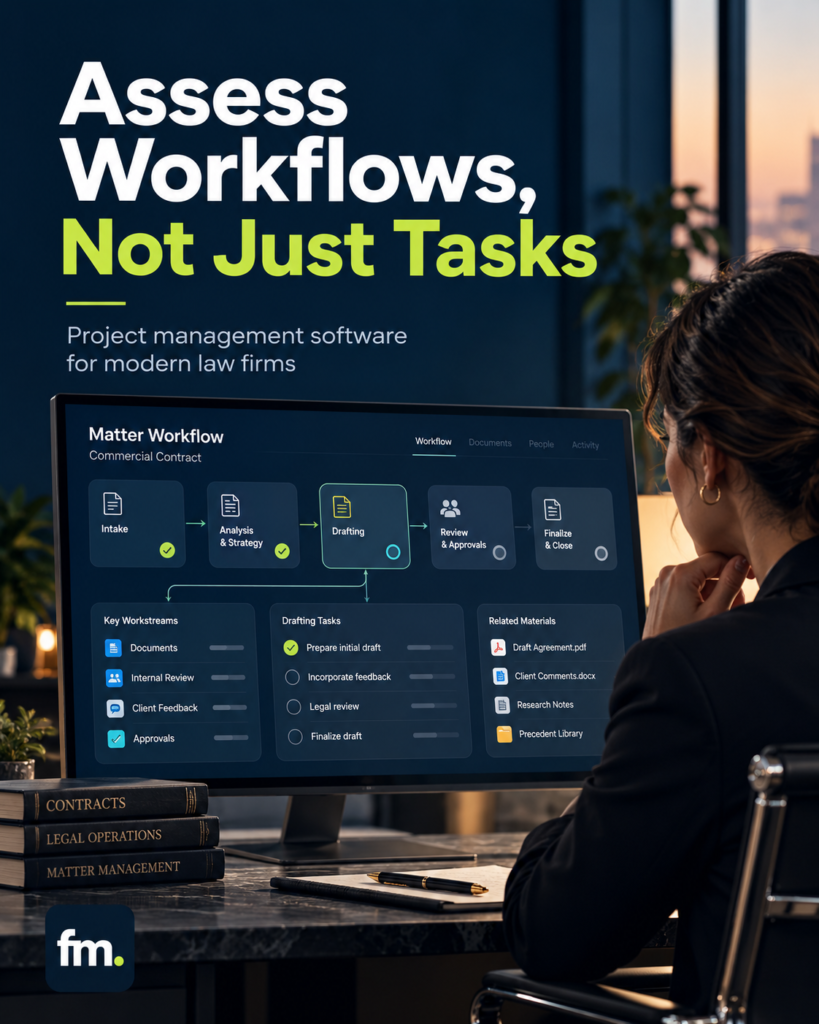
Choosing legal project management software requires more than comparing task boards and deadlines. This guide evaluates how leading platforms manage matter workflows, coordinate legal teams, connect information, and preserve attorney control.
Quick Answer
The best legal project management software is the platform that supports how a law firm actually moves work from one stage to another.
For firms managing repeatable client matters, platforms such as Clio Manage, Filevine, MyCase, PracticePanther, and Smokeball are worth evaluating.
However, there is no universal winner.
A platform may provide excellent task assignment while still requiring staff to move client information, obtain approvals, initiate documents, and update matter records manually.
The better buying question is not simply, “Which software manages tasks?” It is, “Which system can reliably coordinate the complete legal workflow while keeping attorneys in control of consequential decisions?”
In This Guide
- The difference between task management and legal project management
- Essential software capabilities beyond checklists
- A comparison of leading legal platforms
- How to assess workflows, integrations, and attorney approvals
- A practical matter lifecycle example
- Firm in Motion implementation experience
- A software evaluation scorecard and buying checklist
Why Legal Project Management Is More Than Task Management
A law firm does not operate as a collection of unrelated tasks.
Every matter has a lifecycle. Information enters the firm, decisions are made, documents are prepared, approvals are required, and records change as the work progresses.
A task list can tell someone to prepare an engagement agreement.
It does not necessarily determine whether the conflict review is complete, whether the client has been approved for representation, whether the agreement contains the correct information, or whether the next step should proceed.
Those distinctions matter.
Task management tracks assignments
Traditional task management focuses on individual activities.
A task typically includes an owner, deadline, priority, description, and completion status.
These features are useful for organizing staff responsibilities, but they do not automatically coordinate the entire matter.
For example, completing a task called “Review Retainer” may not trigger signature collection, payment verification, or matter creation.
Someone may still have to initiate those actions.
Workflow management controls how work progresses
Legal workflow management considers the relationship between tasks, data, events, and decisions.
A workflow should establish:
- What triggers the process
- Which information is required
- Who owns each action
- Which conditions must be satisfied
- When attorney approval is necessary
- What happens after approval or rejection
- Where completed records are stored
- How failures and exceptions are handled
The software becomes more valuable when these elements work together.
A completed conflict review, for example, may allow a retainer preparation step to begin. A rejected conflict review should stop that branch.
This is more precise than simply marking another task complete.
Project management and case management are related, but different
Legal case management generally organizes the information associated with a client’s matter, including contacts, documents, communications, dates, and billing.
Legal project management focuses on planning, assigning, monitoring, and coordinating the work required to complete that matter.
A well-designed law firm operating system needs both.
| Capability | Task management | Legal workflow management |
| Assign work | Yes | Yes |
| Track deadlines | Yes | Yes |
| Organize matter stages | Sometimes | Core requirement |
| Trigger downstream actions | Limited or configurable | Central consideration |
| Require attorney decisions | May require manual handling | Should support explicit controls |
| Synchronize connected systems | Varies | Important evaluation criterion |
| Handle rejected or incomplete steps | Often manual | Should have defined paths |
| Track the full matter lifecycle | Limited | Central objective |
The distinction is not that task lists are unnecessary. They remain important.
The problem occurs when task lists become the entire operating model.
What Features Matter Most in Legal Project Management Software?
Software demonstrations often focus on dashboards, calendars, and visually appealing task boards.
Law firms should also examine what happens behind those interfaces.
1. Matter-based workflow organization
The system should connect work to the correct client and matter.
A user should be able to identify the matter’s current stage, responsible attorney, outstanding requirements, upcoming deadlines, and next authorized action.
This prevents work from becoming scattered across individual employee lists.
2. Reusable workflow templates
Many law firms handle recurring matter types.
Estate planning, immigration, personal injury, business formation, and other practice areas often contain repeatable administrative steps.
Reusable templates can standardize those steps.
However, a strong template should account for variations rather than assuming that every matter follows the same path.
3. Dependencies and conditional progression
A dependency means that one action must occur before another can proceed.
For example, a firm may require conflict clearance before sending an engagement agreement.
Conditional progression adds rules.
If the attorney approves representation, the system may continue. If the attorney declines, the process should stop or follow a separate communication procedure.
When evaluating software, distinguish automated task creation from actual condition-based progression.
4. Attorney approval controls
Legal decisions should remain with authorized professionals.
Useful approval mechanisms include explicit review stages, recorded approve-or-decline decisions, controlled document release, and prevention of unauthorized progression.
The presence of a task labeled “Attorney Approval” does not prove that the system enforces approval.
The critical test is whether downstream actions remain blocked until the required decision is recorded.
5. Integration with the legal technology stack
The platform should work with the firm’s existing systems where appropriate.
These may include document automation, electronic signatures, payment processing, email, calendars, client intake, and reporting.
An integration should do more than copy information.
It should preserve accurate records, recognize valid workflow events, and avoid duplicate updates.
6. Reporting and operational visibility
Managers need to know more than which tasks are overdue.
Useful reports can show matters waiting for approval, unassigned work, stalled handoffs, workload by team member, and delays at specific workflow stages.
These indicators help identify process problems before they become larger operational issues.
7. Reliability and exception handling
A production workflow must account for missing information, incomplete signatures, rejected documents, failed integrations, and delayed client responses.
A system that only handles the ideal path may still require extensive manual supervision.
The strongest legal project management software supports not only what should happen next, but also what must happen when the expected step fails.
Best Legal Project Management Software: Platform Comparison
The following platforms offer different approaches to managing legal work.
This comparison focuses on workflow design, task progression, and matter coordination rather than declaring a winner based on the number of advertised features.
Product capabilities can vary by subscription, configuration, and deployment. Firms should verify availability during demonstrations.
Clio : Opiniones, precios & funcionalidades | Appvizer
1. Clio Manage
Best starting point: Firms seeking connected matter management, task organization, and legal workflow capabilities.
Clio Manage provides matter-centered tasks, reusable task lists, stages, and workflow automation. Its documentation describes automation that can apply task lists or generate documents based on configured matter events.
Home+1
What to test: Whether your specific subscription supports the required triggers, approval controls, and downstream actions.
2. Filevine
Best starting point: Firms with structured, multi-stage matters and substantial workflow requirements.
Filevine supports project phases and Taskflows. Its documentation describes automatically assigned tasks triggered by phase changes or action buttons, with dependencies between tasks.
Filevine Help Center+1
What to test: How the platform handles repeated stages, conditional paths, role assignments, and changes to existing workflows.
Top 9 Client Intake Software for Law Firms
3. MyCase
Best starting point: Small and midsize firms seeking matter management with repeatable workflows.
MyCase offers workflow templates containing tasks and calendar events, along with case management and document capabilities. Its published guidance explains how templates can be applied to cases to standardize recurring activities.
8am MyCase Help Center+1
What to test: Whether automatic progression meets your requirements or whether staff must initiate certain stages manually.
4. PracticePanther
Best starting point: Firms prioritizing standardized task handoffs and conditional assignments.
PracticePanther describes customizable workflows that can assign new tasks when preceding tasks are completed, along with automated reminders.
PracticePanther
What to test: Whether task-based triggers can enforce the firm’s required legal approval conditions.
Create and apply a Workflow – Smokeball Support Hub
5. Smokeball
Best starting point: Firms wanting structured matter workflows closely connected to document work.
Smokeball describes matter-based workflow tasks, role assignments, and document templates linked to tasks. Its documentation also provides example litigation workflows.
Smokeball+1
What to test: How workflows adapt to matters that require extra approvals, unusual deadlines, or nonstandard document paths.
Comparison summary
| Platform | Workflow capability to evaluate | Primary consideration |
| Clio Manage | Matter stages, task lists, automated workflows | Subscription features and approval logic |
| Filevine | Phase-triggered and dependent taskflows | Configuration complexity |
| MyCase | Repeatable task and calendar workflows | Depth of conditional progression |
| PracticePanther | Conditional task assignment | Controls beyond task completion |
| Smokeball | Matter workflows and document-linked tasks | Handling of complex exceptions |
These are evaluation starting points, not independently benchmarked rankings. Each platform should be tested against the same real matter workflow before selection.
How to Evaluate Legal Project Management Software Before Buying
A feature checklist is useful, but a realistic workflow demonstration reveals more.
Ask vendors to demonstrate how one representative matter moves through the complete process.
For example, a firm handling repeatable client services could use this sequence:
Example: Lead-to-matter workflow
Client Intake
Collect structured information
Conflict Review
Required attorney decision
Approved
Continue workflow
Declined
Stop and record outcome
Retainer and Signature
Generate, review, send, confirm
Payment Confirmation
Wait for verified payment when required
Matter Setup and Work Assignment
Create or update records, assign next steps
The diagram represents a possible operating design, not an assertion that every listed product handles the full sequence natively.
Test the complete lifecycle
Ask each vendor to show the following conditions:
- A new client submits an incomplete intake form.
- The conflict review requires attorney approval.
- The attorney declines the matter.
- An approved client receives the correct engagement documents.
- A client delays signing or payment.
- The matter is created or updated after the required prerequisites.
- A document needs revision before release.
- An integration fails during a status update.
The demonstration should show which steps execute automatically and which require manual handling.
If the vendor cannot demonstrate an important condition, record it as a capability to verify rather than assuming it works.
Why Integrations Matter More Than the Number of Features
A law firm may already have capable applications for intake, document generation, e-signatures, payments, and calendars.
Adding project management software does not necessarily connect those activities.
Consider a firm that receives an intake submission through one platform, manages documents in another, and records active matters in a third.
Without reliable integration, staff may still need to copy the same client information repeatedly.
That creates opportunities for inconsistent records.
Build around a system of record
The system of record is the authoritative location for a particular category of information.
For example, a firm might designate its legal practice management system as the authoritative record for active matters.
Other applications may create documents, process transactions, or collect information, but important changes should be reflected in the appropriate authoritative system.
The design needs explicit answers to three questions:
- Which application owns the data?
- Which event is allowed to change it?
- How will other systems receive the update?
Without those rules, integrations may produce duplicate entries or conflicting information.
Evaluate event-based automation
Event-based automation begins when a defined change occurs.
Examples include a completed intake form, an approved conflict review, a signed agreement, or a confirmed payment.
A reliable automation should verify the event before progressing.
It should also avoid repeating consequential actions when an event notification arrives more than once.
This is particularly important for matter creation, payments, document delivery, and client communications.
Firms interested in designing these connections can explore legal workflow automation as part of a broader systems architecture.
Firm in Motion Field Note: Connecting Legal Tasks to Matter Decisions
Firm in Motion has implemented attorney-controlled legal service workflows involving Clio Manage, Gavel, Make.com, Stripe, Gmail, and Google Calendar.
The implementation demonstrates why a legal workflow cannot always be represented as a straightforward series of completed tasks.
The operating problem
The service process contained multiple activities that depended on one another.
Client intake, conflict review, engagement documents, payment confirmation, matter creation, document production, and subsequent updates required coordination.
Automating each activity separately would not have solved the underlying problem.
The system needed to control how information and decisions moved between them.
The architecture
The implementation connected intake data with attorney decision gates and downstream production steps.
Depending on the service path, the system could generate engagement documents, coordinate signature and payment processes, create or update Clio records, and support document review and client notifications.
Attorney approval remained a defined control point.
The workflow also required rules for stopping, waiting, revising, and continuing.
For example, a declined matter should not automatically advance into an active representation workflow.
Likewise, a document requiring edits should return through an appropriate review process before release.
The implementation lesson
The difficult part was not simply connecting applications.
It was ensuring that each application responded to the correct event and that the workflow retained its state.
A matter management platform may store the active case record, while other systems handle document logic, payments, signatures, and communication.
The value comes from coordinating those responsibilities without repeatedly requiring an attorney or staff member to move information manually.
This project-specific experience is one reason Firm in Motion evaluates legal technology through operating workflows rather than software features alone.
Explore additional implementation examples in Systems Built.
Legal Project Management Software Evaluation Scorecard
A weighted scorecard helps firms compare products consistently.
Instead of asking which platform has the most features, score how effectively each one supports the firm’s actual workflow.
Interactive software scorecard
Rate each area from 1 (poor) to 5 (excellent).
0/100
Weighted score
Matter lifecycle management
20%
0/5
Workflow triggers and dependencies
20%
0/5
Attorney approval controls
20%
0/5
Integrations and data synchronization
15%
0/5
Deadlines and work ownership
10%
0/5
Reporting and visibility
5%
0/5
Failure handling and recovery
5%
0/5
Implementation and maintenance
5%
0/5
Suggested interpretation: 80+ is a strong candidate, subject to passing mandatory controls.
Copy results
This scorecard is a proposed evaluation framework, not a benchmark based on independent product testing.
A high score should not override a critical failure. If a platform cannot enforce required legal approvals, protect sensitive information, or support dependable deadline procedures, the firm should resolve those gaps before proceeding.
Common Mistakes When Selecting Legal Project Management Software
Choosing software based on task boards alone
A clean dashboard can improve visibility, but it does not prove that complex legal workflows are supported.
Ask how the platform handles dependencies, approvals, and matter-stage transitions.
Automating an undefined process
Software cannot reliably implement rules that the firm has never established.
Before creating workflow templates, define the current process, decision owners, required information, and stopping conditions.
Otherwise, automation may reproduce existing confusion more quickly.
Ignoring integration limitations
A platform may support numerous integrations without supporting the specific data exchange your firm requires.
Test the actual fields, events, permissions, and error-handling conditions.
Overlooking implementation effort
The purchase price is only one component of ownership.
Configuration, migration, staff training, workflow testing, third-party services, and maintenance may affect the total cost.
A less expensive subscription can become a costly choice if the system requires constant manual workarounds.
Assuming automation eliminates supervision
Legal automation should reduce repetitive coordination while preserving professional oversight.
Attorneys remain responsible for legal judgment, critical approvals, and the proper supervision of work carried out through technology.
A Practical Buying Checklist for Law Firms
Before committing to a platform, confirm that the vendor can demonstrate the capabilities your firm actually needs.
Pre-purchase checklist
0/10 complete
Our core matter lifecycle is documented.
The platform supports our required matter stages.
Tasks and deadlines have clear owners.
Workflow triggers can be demonstrated using real scenarios.
Attorney approval requirements can be enforced.
Client and matter data remain consistent across connected tools.
Rejected, incomplete, or failed workflow steps are handled.
Security, permissions, and data export options have been reviewed.
Implementation and ongoing costs are understood.
The team has tested the process before full deployment.
Copy evaluation checklist
Frequently Asked Questions
What is the best legal project management software for small law firms?
Clio Manage, MyCase, PracticePanther, and Smokeball are reasonable starting points for small-firm evaluations. The best choice depends on the firm’s practice areas, workflow complexity, budget, and existing technology. Compare complete workflows rather than individual feature lists.
What is the difference between legal case management and project management software?
Legal case management organizes information related to client matters. Legal project management coordinates the tasks, responsibilities, deadlines, dependencies, and processes required to complete legal work. Many legal platforms combine elements of both.
Can legal project management software automate workflows?
Yes. Several platforms support reusable workflows, automated task assignment, and event-based actions. However, the depth of automation differs. Firms should verify support for conditional progression, approvals, integrations, and exceptions before purchasing.
Can a law firm use general project management software?
Yes, especially for internal initiatives such as marketing, administration, and technology projects. However, general project management platforms may not provide legal-specific case records, court calendaring, client confidentiality controls, billing, or other specialized capabilities without additional systems.
Does workflow automation replace attorneys?
No. Workflow automation can coordinate administrative steps, update records, and assist with document production. Legal judgment, professional responsibility, and consequential decisions remain with authorized legal professionals.
Conclusion: Choose the System That Moves Legal Work Reliably
The best legal project management software is not necessarily the platform with the most task templates, integrations, or dashboard features.
It is the system that helps your firm manage work consistently from one stage to the next.
A useful evaluation begins with the firm’s operating model. Identify where information enters, which decisions control progression, what can be automated, and which records need to remain synchronized.
Then test whether the software can support that process.
Clio Manage, Filevine, MyCase, PracticePanther, and Smokeball offer different approaches to managing legal matters and workflows. Their value depends on how effectively those capabilities fit your firm’s requirements.
For firms already using several applications, improving the connections between existing tools may be more valuable than replacing the entire technology stack.
The goal is a reliable system where routine work moves forward without requiring someone to remember and initiate every handoff.
Schedule Your Law Firm Systems Audit to identify manual handoffs, required attorney approval points, and opportunities to build a more connected legal workflow.
Sources and Further Reading
The product comparison draws on vendor documentation rather than unverified feature rankings:

