
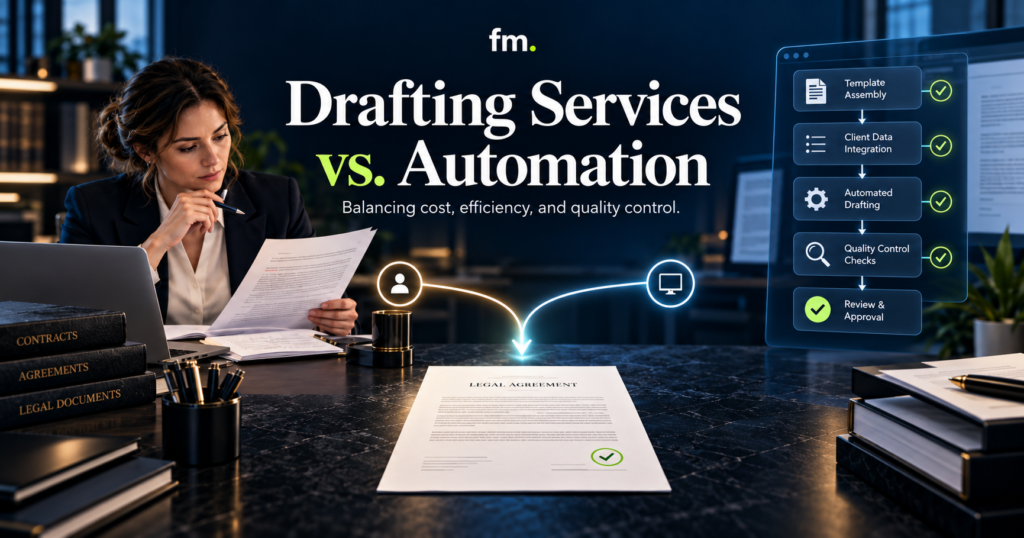
Legal document drafting services and document automation both help law firms prepare legal documents, but they solve different operational problems. The right choice depends on document volume, complexity, cost, and how the firm manages quality control.
Quick Answer
Legal document drafting services are often better suited to customized, judgment-intensive work. Document automation is generally more effective for repeatable documents that follow established rules, templates, and approval processes.
Traditional drafting services rely on people to prepare and revise documents. Automation uses structured data, reusable clauses, and conditional logic to produce drafts through a defined workflow.
Neither approach eliminates the need for attorney oversight.
For law firms handling both routine and complex matters, a hybrid system is often the most practical option. Automation can handle repeatable production while attorneys review legal substance, exceptions, and final documents.
The real decision is not simply whether human drafting or software is cheaper. It is which operating model delivers reliable documents at a sustainable cost without weakening legal control.
In This Guide
- How legal drafting services and automation differ
- The direct and hidden costs of each approach
- How to compare cost per document
- Quality-control risks in manual and automated drafting
- Where attorney review belongs in the workflow
- When to choose drafting services, automation, or both
- How to evaluate the right approach for your law firm
What Are Legal Document Drafting Services?
Legal document drafting services involve professionals preparing legal documents based on client instructions, matter information, and applicable legal requirements.
Depending on the provider, the work may be performed by attorneys, supervised paralegals, contract legal professionals, or other authorized personnel.
Common drafting assignments include contracts, agreements, estate-planning instruments, pleadings, business formation documents, and legal correspondence.
A typical drafting workflow follows several stages:
- The firm collects instructions and supporting information.
- A drafter reviews the relevant facts and requirements.
- The drafter prepares an initial document.
- An attorney reviews the legal substance.
- Corrections and revisions are completed.
- The final version is approved for execution, filing, or delivery.
This approach offers flexibility.
An experienced drafter can interpret unusual instructions, identify missing information, and adapt a document to circumstances that do not fit an established template.
However, the process may also depend on repeated communication, manual data entry, document comparison, and multiple revision cycles.
Where Traditional Drafting Works Well
Human-led drafting is especially useful when:
- The matter requires significant legal analysis.
- The document involves unusual provisions or negotiations.
- Relevant facts are incomplete or disputed.
- The legal requirements differ substantially between matters.
- Each engagement produces a largely unique document.
For example, a heavily negotiated commercial agreement may require substantial attorney involvement because the parties’ obligations, risk allocation, and negotiating positions cannot be determined from simple predefined rules.
The flexibility of manual drafting is valuable in these situations.
The limitation appears when law firms repeatedly perform the same administrative drafting steps for documents that already follow a predictable structure.
What Is Legal Document Automation?
Legal document automation uses structured information and predefined rules to generate documents from approved templates.
Instead of manually copying client names, addresses, dates, and legal provisions into multiple files, the system collects information through a structured intake process and uses it to populate relevant documents.
A well-designed automation workflow may include:
- Structured client and matter intake
- Required-field validation
- Reusable person and entity records
- Conditional clause selection
- Document generation
- Attorney review and corrections
- Approval and controlled release
For example, an estate-planning workflow may collect information about beneficiaries, fiduciaries, successor appointments, and distribution instructions.
That information can then be reused across multiple related instruments.
Conditional logic determines which approved provisions appear based on the answers provided.
This does not mean the system independently decides what legal arrangement is appropriate.
The attorney remains responsible for choosing the legal structure, approving the underlying logic, reviewing exceptions, and authorizing the final documents.
Document Automation Is Not the Same as AI Drafting
These terms are often used interchangeably, but they describe different capabilities.
Rules-based document automation generates documents from controlled templates, structured data, and established conditions.
AI-assisted drafting uses artificial intelligence to generate, summarize, revise, or suggest language based on instructions and available information.
AI may support a document workflow, but its output requires appropriate verification.
A controlled automation system can also operate without generative AI.
For law firms, this distinction matters because the quality-control requirements differ. A rules-based system must be tested for incorrect logic and template behavior. AI-generated content also requires scrutiny for unsupported statements, invented authorities, and inaccurate legal analysis.
Legal Document Drafting Services vs. Automation: Key Differences
| Factor | Drafting Services | Document Automation |
| Production method | Human-led preparation | Structured templates and rules |
| Initial investment | Often lower for occasional work | Higher setup and configuration effort |
| Ongoing cost | Labor or service fees per assignment | Platform, maintenance, and review costs |
| Customization | Flexible for unusual matters | Depends on supported rules and exceptions |
| Data consistency | Depends on manual processes and review | Can reuse validated information |
| Scalability | Requires additional production capacity | Can handle repeated production efficiently |
| Quality control | Draft review and supervision | System testing plus document review |
| Attorney involvement | Drafting, review, and approval as needed | Rule design, exceptions, review, and approval |
The central difference is how production effort is distributed.
Traditional drafting applies professional effort to each document.
Automation invests effort upfront in building a reusable production process. Once that process has been tested, the same rules can support future documents without requiring every detail to be entered again.
The appropriate approach depends on whether the document is genuinely repeatable.
Comparing the Costs of Drafting Services and Automation
Cost is often the first reason a law firm considers document automation.
However, comparing a drafting service quote with a software subscription does not provide a complete picture.
The relevant measure is the total cost of producing, reviewing, correcting, and delivering an acceptable document.
1. Costs of Traditional Drafting Services
Traditional drafting costs may include:
- External drafting fees or internal staff time
- Attorney review
- Communication and clarification
- Revision cycles
- Document formatting
- Re-entering information across related documents
- Administrative coordination
A fixed-price drafting service may look predictable, but unclear requirements or repeated revisions can create additional costs.
Internal drafting has similar considerations.
Even when a paralegal already receives a salary, repeated document preparation consumes capacity that could otherwise support other matters.
The firm should therefore examine both direct spending and internal production time.
2. Costs of Document Automation
Automation shifts a portion of the investment toward system design and ongoing management.
Common cost categories include:
- Workflow discovery and requirements
- Document template preparation
- Data models and field mapping
- Conditional legal logic
- Software licensing
- Integration with matter-management systems
- Testing and validation
- Staff training
- Maintenance and change control
- Attorney review of generated outputs
Automation does not eliminate all drafting-related costs.
Templates must remain legally current. Changes to clause logic need testing. New document types may require development.
The benefit comes from reducing repetitive production work across documents that use the same underlying structure.
3. How to Calculate Cost per Document
A useful comparison should include both recurring and one-time costs.
Manual drafting cost per document:
Drafting labor + review labor + revision labor + administrative handling
Automated drafting cost per document:
(Implementation cost allocated across expected document volume) + software cost per document + maintenance allocation + review and exception-handling labor
Consider a hypothetical firm preparing 40 similar agreements per month.
Assume the following illustrative costs:
| Cost Component | Manual Drafting | Automated Drafting |
| Initial setup | $0 | $6,000 |
| Monthly production labor | $2,400 | $400 |
| Monthly software and maintenance | $0 | $250 |
| Monthly attorney review | $1,200 | $1,200 |
| Total monthly recurring cost | $3,600 | $1,850 |
Under these assumptions, automation reduces recurring monthly production costs by $1,750.
The $6,000 implementation investment would reach a simple break-even point after approximately 3.4 months, assuming stable volume and costs.
These numbers are illustrative, not market pricing or a prediction of any firm’s results. They exclude factors such as financing, taxes, major template changes, and unexpected implementation work.
The exercise demonstrates an important principle: automation becomes more economically attractive when a firm can reuse a reliable workflow across sufficient document volume.
For a firm producing only a few highly customized documents annually, that investment may not be justified.
Quality Control: Manual Drafting vs. Automation
Cost matters, but document accuracy is a more consequential concern.
A drafting system that produces documents quickly but introduces legal errors has not improved the firm’s operations.
Both manual drafting and automation require quality control. Their failure patterns are simply different.
Quality Risks in Manual Drafting
Manual drafting can introduce errors through:
- Copying outdated clauses
- Using information from another client’s document
- Inconsistent names, dates, or definitions
- Missing required provisions
- Incorrect cross-references
- Version confusion
- Unapproved changes during revisions
Experienced professionals can catch many of these problems.
However, a process that relies entirely on individual memory and careful proofreading may become difficult to manage as document volume increases.
Standard templates, review checklists, version control, and clear approval responsibilities improve the reliability of manual production.
Quality Risks in Automated Drafting
Automation reduces some manual-entry risks but introduces different technical concerns.
Examples include:
- Incorrect conditional logic
- Missing or inconsistent intake information
- A clause appearing under the wrong circumstances
- Incorrect relationships between people or entities
- Broken template fields
- Outdated approved language
- Incomplete document packages
- A workflow releasing documents before review
One faulty rule may affect multiple generated documents.
That makes system-level testing particularly important.
An automated template should not be considered production-ready merely because it successfully generates a sample file.
The firm must verify that different combinations of facts produce the intended legal outputs.
Building a Quality-Control Framework for Automated Documents
A reliable drafting system should contain several distinct control layers.
Layer 1: Validate Input Information
Document accuracy begins with the information entering the system.
Required fields should be identified before generation. Names, dates, addresses, legal entities, and relationships should be collected consistently.
Where information is missing or contradictory, the workflow should stop or request clarification rather than silently continue.
For example, an estate-planning system should not produce conflicting fiduciary appointments because two sections collected inconsistent information about the same individual.
Layer 2: Centralize Reusable Data
The same person or entity should not require a separate manual entry in every document.
A structured data model allows information to be collected once and reused where appropriate.
This reduces duplication and makes corrections easier to manage.
When a verified address changes, the system can update the relevant document outputs from the corrected record rather than relying on staff to locate every occurrence manually.
Layer 3: Test Conditional Legal Logic
Conditional logic determines how documents respond to different facts.
Consider a system that prepares documents based on whether a client is married, has children, or has selected successor fiduciaries.
Each relevant combination needs a defined and tested outcome.
Testing should cover ordinary scenarios, missing information, conflicting answers, and unusual but valid combinations.
A useful test suite includes both expected outputs and conditions under which document generation must stop.
Layer 4: Preserve Attorney Approval
Automation should distinguish document preparation from legal authorization.
The system may assemble a document, but the attorney should retain control over substantive review and approval.
Depending on the document and risk involved, review may include:
- Confirming the client’s legal objectives
- Checking jurisdiction-specific requirements
- Reviewing selected clauses
- Confirming parties and legal relationships
- Resolving unusual circumstances
- Approving the final output
An explicit approval state helps prevent a draft from being mistaken for an authorized final document.
Layer 5: Control Revisions and Release
When an attorney requests a correction, the workflow should retain a clear record of what needs to change.
The revised document should return for appropriate review.
The system should also distinguish draft, under-review, approved, and released versions.
This prevents later edits from bypassing approval simply because an earlier version was accepted.
Firm in Motion Field Note: Structured Estate-Planning Automation
A Firm in Motion estate-planning implementation illustrates why document automation is primarily a data and logic problem, rather than a template-filling exercise.
The project used Gavel to coordinate six core legal instruments through a shared information structure.
The architecture included reusable person records, centralized identity handling, ranked fiduciary logic, successor levels, conditional provisions, and coordinated document outputs.
Instead of requiring the same client information to be manually reconstructed across separate instruments, the system organized the underlying facts and rules into a reusable workflow.
The reported preparation process changed from approximately four to five hours of manual work to around 15 minutes of structured intake.
That result reflects one specific implementation. It is not a guaranteed outcome for other firms.
The important lesson is the mechanism behind the improvement.
The system reduced repeated data handling while preserving defined legal logic and attorney control.
It did not achieve the result merely by purchasing document software.
More information about this approach is available through Firm in Motion’s document automation solutions and Systems Built.
When Should a Law Firm Choose Drafting Services?
Traditional drafting services remain useful when the documents require substantial individual attention.
They may be the better choice when document volume is low, legal requirements vary significantly, or each matter involves unfamiliar issues.
Human-led drafting is also suitable when the cost of creating and maintaining automation would exceed the time saved.
For instance, a law firm preparing one specialized commercial agreement for a unique transaction may benefit more from an experienced legal drafter than from building a reusable automation workflow.
The decision should account for professional competence, confidentiality, supervision, and applicable jurisdictional requirements.
Manual drafting is not inefficient simply because it is manual. It becomes an operational problem when predictable production work repeatedly consumes time without adding legal value.
When Should a Law Firm Choose Document Automation?
Automation is more suitable when the firm regularly prepares documents with repeatable structures.
Good candidates include standardized engagement agreements, routine legal correspondence, recurring contract packages, and suitable estate-planning or business documents.
Useful indicators include:
- The same information appears across multiple documents.
- Staff repeatedly copy information between templates.
- Document provisions follow identifiable rules.
- Multiple documents depend on shared matter facts.
- Revisions frequently involve correcting duplicated information.
- Attorneys spend time reviewing formatting and data consistency rather than legal substance.
Before automating, the firm should determine whether its drafting process is already standardized.
A collection of inconsistent templates and undocumented practices cannot be made reliable simply by connecting it to software.
The legal rules, document structure, and exception-handling requirements must first be defined.
The Hybrid Model: Automation With Human Legal Control
For many law firms, the strongest operating model combines human drafting expertise with automated production.
Under this approach, attorneys establish and maintain approved legal language.
Automation collects structured information, applies defined rules, and generates initial document packages.
The system then routes documents to appropriate reviewers.
A practical hybrid workflow looks like this:
Client intake → Data validation → Document assembly → Attorney review → Correction or approval → Controlled delivery
Each stage has a clear responsibility.
Routine data entry and document population can occur automatically.
Unusual circumstances can be flagged for individual attention.
Attorney decisions remain at the points where legal analysis, professional responsibility, or final authorization is required.
Example: Contract Production Workflow
Consider a law firm preparing recurring service agreements.
The firm may use a structured intake form to collect party details, service descriptions, dates, and approved commercial terms.
An automation system can populate the agreement and select clauses according to established conditions.
If a requested provision falls outside the approved options, the workflow can stop and require attorney involvement.
After review, the document can proceed to an approved signature process.
The goal is not to remove professional review.
It is to ensure that the attorney’s attention is directed toward legal decisions rather than repeated document assembly.
Legal Ethics and Professional Responsibility
Law firms must evaluate drafting services and automation within their applicable professional obligations.
The American Bar Association’s Model Rules provide a useful framework, although individual state requirements may differ.
Under the ABA’s competence guidance, lawyers should understand the benefits and risks associated with technology relevant to their practice.
Rules concerning confidentiality and the supervision of nonlawyer assistance also matter when firms use outside drafting providers or technology vendors.
For generative AI specifically, ABA Formal Opinion 512 addresses obligations involving competence, confidentiality, supervision, communication, reasonable fees, and other professional duties.
This reinforces a practical requirement: introducing technology into a drafting workflow does not transfer professional responsibility away from the lawyer.
Before deploying a drafting system, firms should assess access permissions, client information handling, vendor practices, accuracy controls, supervision requirements, and attorney approval procedures.
They should also verify the rules applicable in their jurisdiction.
A Practical Decision Checklist for Law Firms
Before selecting a drafting service or building automation, answer these questions:
- Document volume: How many similar documents does the firm prepare each month?
- Repeatability: Which facts, clauses, and review steps recur?
- Legal complexity: Which decisions require individual attorney analysis?
- Production cost: How much time is spent drafting, reviewing, revising, and coordinating?
- Data quality: Is client information collected consistently and stored in a reliable system?
- Exception handling: What happens when the matter falls outside standard conditions?
- Quality control: Who tests templates, verifies clauses, and authorizes release?
- Maintenance: Who will update documents when laws, policies, or firm procedures change?
A firm with high document volume and consistent drafting rules may have a strong automation opportunity.
A firm with highly customized, low-volume work may gain more value from skilled drafting services.
Where both conditions exist, the hybrid approach can separate repeatable production from professional legal judgment.
The best starting point is to map one document workflow from intake through final delivery, including the time spent at each stage.
That exercise often reveals which activities genuinely require legal expertise and which are repeated administrative handling.
Frequently Asked Questions
Are legal document drafting services cheaper than automation?
They can be cheaper for occasional or highly customized documents because they require little or no automation setup. For recurring document production, automation may reduce the cost per document after implementation and maintenance expenses are accounted for.
Can legal document automation replace an attorney?
No. Document automation can prepare drafts and manage repetitive production tasks, but it does not replace an attorney’s responsibility for legal analysis, professional judgment, and appropriate review.
Is automated legal drafting more accurate than manual drafting?
Not automatically. Automation can improve consistency by reusing validated information and approved clauses. However, incorrect rules, outdated templates, or poor inputs can produce errors across multiple documents. Accuracy depends on system design, testing, and review.
What documents are best suited for automation?
Documents with predictable structures, recurring data, approved language, and clearly defined conditions are strong candidates. Highly negotiated or unusual documents generally require greater human involvement.
Does document automation require artificial intelligence?
No. Rules-based document automation can operate through structured forms, templates, and conditional logic without generative AI. AI may be added for appropriate supporting tasks, subject to additional review and governance requirements.
How should a law firm measure automation success?
Useful measures include preparation time, attorney review time, correction frequency, cost per approved document, document consistency, and the number of manual handoffs. Firms should compare results against their original workflow rather than relying only on vendor claims.
Conclusion: Choose the Operating Model, Not Just the Drafting Method
Legal document drafting services and document automation serve different purposes.
Professional drafting provides flexibility for complex and unusual legal work. Automation provides a way to organize recurring document production around structured information, controlled rules, and repeatable processes.
The best choice depends on the firm’s document mix, production volume, legal complexity, and capacity to maintain quality controls.
For many firms, combining automation with attorney oversight offers a practical balance. Repeated administrative work can move through a defined system while legal decisions remain with qualified professionals.
The most important question is not how quickly a document can be generated. It is whether the entire process, from information collection through final approval, produces reliable legal work.
Find Out What Can Be Automated
Firm in Motion helps law firms evaluate their existing workflows, identify repetitive document production tasks, and design systems that preserve attorney control. Schedule Your Law Firm Systems Audit to identify where automation may improve your document preparation process.
Sources and Further Reading
- American Bar Association, Model Rule 1.1: Competence, Comments
- American Bar Association, Model Rule 1.6: Confidentiality
- American Bar Association, Model Rule 5.3: Responsibilities Regarding Nonlawyer Assistance
- American Bar Association, Formal Opinion 512: Generative Artificial Intelligence Tools
- Firm in Motion: Legal Document Automation
- Firm in Motion: Systems Built

