
Quick Answer
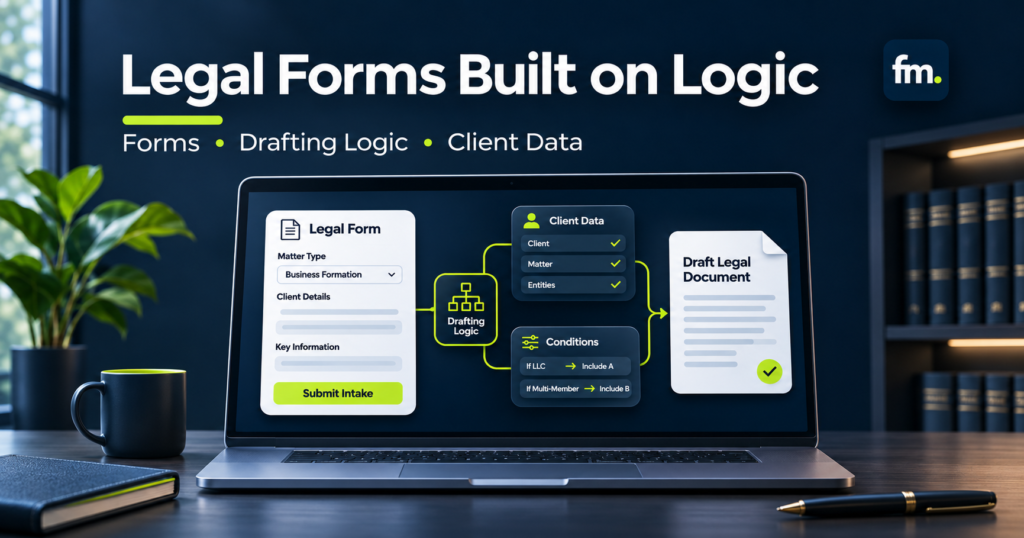
Legal form software helps law firms collect information through digital forms, organize client and matter data, and use those answers to prepare legal documents or trigger administrative workflows.
Depending on the platform, it can support conditional questions, reusable data fields, automated document assembly, integrations, and approval processes.
Tools such as Gavel, HotDocs, Clio Grow, and Lawmatics address different parts of this process. Some focus on client intake, while others provide more extensive document assembly logic.
For most law firms, the best approach is not simply converting paper questionnaires into online forms.
It is creating a connected data and document workflow where information is collected appropriately, validated, reused, and reviewed before consequential actions occur.
In This Guide
- What legal form software does
- How intake forms differ from document automation
- Essential features and platform comparisons
- Conditional questions and legal drafting logic
- Structuring reusable client and matter data
- Connecting forms with document production
- Attorney approval, confidentiality, and quality control
- Implementation costs and a practical checklist
What Is Legal Form Software?
Legal form software allows law firms to replace manual questionnaires, repetitive data entry, and certain document preparation activities with structured digital processes.
A basic application may collect contact information through an online form.
A more advanced platform can use those answers to control which questions appear, which clauses are included in a document, and which administrative tasks should happen next.
Consider a law firm preparing estate-planning documents.
A traditional process might involve a client completing a questionnaire, a paralegal transferring the information into Word templates, and an attorney checking the resulting documents.
The same names, addresses, relationships, and legal roles may appear across several documents.
If the information is copied separately, corrections become more difficult to coordinate.
Legal form software can help reduce that repeated work by collecting the information in a structured format and reusing it where appropriate.
However, generating documents accurately requires more than moving answers into blank fields.
Legal intake forms versus document automation forms
These two categories are related but serve different purposes.
| Feature | Legal intake forms | Document automation forms |
| Primary purpose | Collect prospective-client or matter information | Collect information needed to assemble documents |
| Common questions | Contact details, practice area, preliminary facts | Parties, legal roles, conditions, document-specific facts |
| Main output | Intake or CRM record | Draft legal document or document package |
| Conditional logic | Sometimes | Often essential for complex documents |
| Reusable information | Contact and matter fields | Shared variables, people, entities, and legal relationships |
| Review requirement | Intake and conflict review as appropriate | Substantive document review before authorized release |
A law firm may need both.
The intake process establishes the prospective matter and gathers appropriate preliminary information.
The document automation process uses approved and validated information to generate documents for the relevant legal work.
Connecting these stages can remove unnecessary re-entry while preserving the different controls each stage requires.
Why digital forms alone do not solve the problem
A firm can create attractive online questionnaires and still experience an inefficient production process.
For example, an intake form may collect a client’s full name, but the drafting team may enter that name again into a separate document system.
Another employee may repeat the process when preparing a retainer or opening a matter.
The problem is not the appearance of the form.
It is the absence of a shared structure connecting the data to the next task.
A useful legal form system should reduce repeated handling, not merely move data entry from paper to a screen.
Essential Features of Legal Form Software
The right feature set depends on whether the firm primarily needs intake collection, document drafting, or both.
1. Customizable questionnaires
Legal matters require different information.
An estate-planning questionnaire may ask about beneficiaries and fiduciaries. A commercial agreement workflow may ask about parties, services, payment terms, and termination conditions.
The platform should support the relevant question types, clear instructions, and appropriate validation.
Fields should be designed around the information the firm actually needs.
2. Conditional logic
Conditional logic changes the form based on previous answers.
For example, a questionnaire may ask whether a client has children.
If the answer is yes, the form can display questions about their names and other relevant details.
If the answer is no, those questions can remain hidden.
This reduces irrelevant questions and keeps the interview focused.
3. Reusable client and matter information
A connected system should allow relevant information to be used across multiple stages.
Examples include names, addresses, party roles, matter identifiers, and validated contact details.
The system should define which records own those facts and how updates are handled.
4. Document generation
For drafting workflows, collected information should populate approved templates.
More advanced implementations may include or exclude clauses, repeat sections, perform calculations, and generate coordinated document packages.
The firm should distinguish between simple field replacement and true conditional document assembly.
5. Integrations with legal software
The form platform should fit the firm’s existing technology.
This may involve connecting with Clio, other practice management systems, document repositories, e-signature tools, or workflow orchestration platforms.
The firm should verify which integrations are available natively and which require custom development.
6. Role-based access and approval controls
Not everyone needs permission to edit templates, view sensitive client information, or release generated documents.
Appropriate access controls should reflect the responsibilities of intake staff, document specialists, administrators, and attorneys.
The system should also support a process for correcting drafts and obtaining required approval.
7. Error handling and record persistence
Forms are frequently interrupted.
Clients may leave questions unanswered, enter conflicting information, or request corrections after submission.
The workflow should know how to save progress where supported, validate required details, and prevent incomplete information from silently producing final documents.
These controls are part of reliable document production, not optional finishing touches.
Comparing Legal Form Software for Law Firms
Several established platforms support legal questionnaires, intake records, or document assembly. Their capabilities overlap, but they should not be treated as interchangeable.
The comparison below focuses on each product’s documented role in a law firm’s workflow.
| Software | Main focus | Best-fit use case |
| Gavel | Guided interviews and document automation | Firms developing reusable legal document packages |
| HotDocs | Rule-driven document assembly and interviews | Firms with complex templates and established drafting requirements |
| Clio Grow | Client intake forms, contact and matter data, workflow coordination | Firms connecting intake to Clio matter management |
| Lawmatics | Client-facing forms, conditional questions, CRM data | Firms standardizing intake and follow-up processes |
This is a workflow-fit comparison rather than an overall ranking. Subscription capabilities and integration availability should be verified before purchase.
Gavel: Guided interviews and document assembly
Gavel is a legal document automation platform relevant to firms that want structured questionnaires to drive reusable legal documents.
Its practical value should be evaluated through the complexity of the firm’s existing documents, the information that needs to be reused, and the rules required to assemble each output.
For example, an estate-planning workflow may need to generate several instruments using shared information about beneficiaries, fiduciaries, and successor appointments.
A successful implementation depends on the underlying data model, the legal logic, and the quality of the generated documents.
A buyer should test how the platform handles repeated people, conditional clauses, document variations, and later corrections.
HotDocs: Complex document logic
HotDocs uses template variables, interviews, and document assembly instructions.
Its documentation describes conditional and repeating instructions, including IF and REPEAT, which allow templates to respond to collected information.
help.hotdocs.com
This model can be suitable for firms with established document libraries and sophisticated assembly requirements.
However, the system still needs properly designed interviews, validated legal rules, testing, and maintenance.
A lengthy document is not automatically difficult to automate. The more meaningful question is how many dependencies and alternative conditions it contains.
Clio Grow: Intake forms and connected matter data
Clio Grow supports customizable client intake forms and structured information collection.
Its documentation identifies question types such as text, dates, dropdowns, attachments, and checkboxes. Certain questions can also be linked to custom fields.
Clio also documents transferring relevant intake information into its matter management environment as a prospective client becomes an accepted client.
Home
+1
This can be useful when a firm’s main challenge involves collecting information once and carrying it forward.
However, intake form functionality should not be assumed to provide the full conditional legal drafting capabilities of a specialized document automation platform.
Lawmatics: Conditional forms and intake workflows
Lawmatics supports custom intake forms with conditional questions.
Its documentation explains that conditional logic can use defined answer types, including true/false and picklist fields, to determine whether other questions appear.
The platform also supports conditional form blocks and logic that extends across multiple pages.
Lawmatics Help Center
This is useful when different practice areas or matter circumstances require different questions.
For example, a family law intake process may need additional questions depending on whether children are involved.
The firm should still distinguish between collecting structured information and generating complex legal instruments from that information.
How to choose the right platform
Rather than starting with a list of popular applications, determine what the firm needs its forms to accomplish.
If the main objective is collecting and organizing prospective-client information, an intake-focused system may be sufficient.
If the objective is assembling sophisticated legal documents, the firm should prioritize advanced drafting logic and reusable data structures.
If both objectives are important, the purchasing decision should include how the systems connect.
The best legal form software is the one that supports the firm’s actual information and decision flow.
How Conditional Logic Works in Legal Forms
Conditional logic allows a legal questionnaire to respond to the information already provided.
It can simplify the client experience and improve data quality.
But conditional questions and legal drafting logic are not the same thing.
Conditional questions control the interview
Suppose an estate-planning questionnaire asks:
“Do you have children?”
If the client selects yes, the form may display additional questions.
If the client selects no, those questions can remain hidden.
This is presentation logic. It determines which information the user is asked to provide.
Drafting logic controls the document
A separate set of rules may determine which clauses belong in the generated document.
For example, the legal drafting system may use approved rules to determine which alternative provisions or successor appointment sections apply.
These rules need attorney review during development.
A client selecting an answer should not independently determine a legal conclusion unless the underlying rule has been expressly designed and authorized for that purpose.
A practical decision model
Example: Conditional Form and Drafting Flow
Client Questionnaire
Collect structured answers
Decision: Children?
Yes or no
YES
Collect Relevant Details
Names and required relationships
NO
Skip Child-Specific Questions
Continue to applicable sections
Validated Data
Structured answers passed into approved drafting rules
Attorney Review
Verify legal selections and generated documents
This is an illustrative architecture, not legal advice about estate-planning provisions.
The important separation is between information collection, rule execution, and legal review.
What happens when answers conflict?
Suppose a client selects an answer that contradicts another section of the questionnaire.
A well-designed workflow should not silently choose which answer to trust.
Instead, the system should flag the inconsistency, request clarification, or send the issue to an authorized reviewer.
The same principle applies when required information is missing.
A reliable workflow must know when to stop, not just when to continue.
Structuring Client Data for Reuse
Data architecture is one of the most important parts of a legal form implementation.
A form can collect accurate information and still create operational problems if each document stores its own independent version of those facts.
Use a single source of truth
A single source of truth is the designated record that owns a particular piece of information.
For example, a client’s verified name should have a defined source rather than being recreated independently in every template.
The goal is to reduce duplication and make corrections easier to control.
A law firm may use Clio or another matter management platform as the primary system of record.
Clio’s current documentation supports organizing additional contact and matter information through custom fields and field sets, including practice-area-specific data.
Home
+1
However, the firm must still design how those fields correspond to the variables used by its document automation software.
Design people-first data models
For document packages involving several individuals, a people-first data model may be more dependable than separate fields for every document.
Instead of repeatedly entering a person’s information, the system stores a reusable record.
For example:
| Data element | Example purpose |
| Person ID | Stable identifier for an individual |
| Legal name | Consistent use across documents |
| Relationship | Connection to the client or matter |
| Role | Beneficiary, fiduciary, representative, or other capacity |
| Address | Reusable contact or legal address |
| Status | Information needed for applicable drafting rules |
Roles should be modeled separately from identity when one person can serve in multiple capacities.
This prevents the system from confusing the person with the position they occupy in a document.
Avoid uncontrolled field duplication
A common implementation mistake is creating different fields for the same fact because separate teams or templates use different terminology.
For example, one form might use client_name, another full_legal_name, and another primary_party_name.
These variables might refer to the same individual, or they may have different legal meanings.
The system designer must clarify that distinction.
Where the information genuinely represents the same fact, it can be mapped to a shared source.
Where the concepts differ, they should remain separate.
This requires careful analysis rather than automatic field matching.
Connecting Legal Forms to Document Automation
The strongest legal form workflows use collected data to support a defined sequence of tasks.
A form submission might update a client record, initiate an attorney review, generate a draft, or request additional information.
Each action should depend on the appropriate prerequisites.
The complete form-to-document workflow
Example: Connected Legal Form System
Client Intake Form
Collect relevant information
Data Validation
Check completeness and consistency
Structured Client Record
Store reusable, controlled information
Document Assembly
Apply approved templates and conditional rules
Attorney Approval Gate
Review, revise, approve, or decline release
Approved Output
Store, sign, or deliver as authorized
Step 1: Capture information
The form collects information relevant to the legal service.
The user should not be required to provide unnecessary sensitive information.
If the form is part of prospective-client intake, appropriate limitations and notices should be considered before collecting detailed facts.
Step 2: Validate answers
The system checks required fields, expected formats, and internal consistency.
For example, a required date may be missing or a numerical response may fall outside an expected range.
Validation can identify data problems. It should not automatically make legal judgments.
Step 3: Store the structured record
Validated information moves into the designated record.
The system should preserve identifiers and distinguish between newly submitted information and previously verified information.
Conflicting updates may require review rather than automatic overwriting.
Step 4: Assemble draft documents
Approved document logic uses the structured information to populate templates.
The system may generate one document or several related instruments.
The output should be identified as a draft until the firm’s review and release conditions have been satisfied.
Step 5: Complete attorney review
The attorney or authorized reviewer checks the generated document for legal accuracy, completeness, and appropriate language.
If revisions are required, the workflow should return the document to the appropriate step.
Material changes to the input data or drafting logic should trigger the necessary revalidation.
Step 6: Store and release approved documents
Once approved, documents can be saved to the matter record, sent for signature, or delivered through an authorized process.
The system should preserve the correct version and avoid delivering an outdated draft.
The exact capabilities depend on the selected document and workflow platforms.
Firm in Motion Field Note: Reusable Data Across Legal Documents
Firm in Motion has implemented a Gavel-based estate-planning automation system involving six core legal instruments.
The project required more than transferring answers from a questionnaire into Word templates.
Its architecture used reusable person and entity records, centralized identity handling, ranked fiduciary logic, successor structures, and coordinated clause selection.
Rather than treating every document as a separate drafting task, the system organized the underlying information so it could support several outputs.
The reported workflow reduced an estimated four-to-five-hour manual preparation process to approximately 15 minutes of structured intake.
This was a project-specific outcome, not a universal promise or a benchmark for every document automation platform.
The relevant lesson is architectural.
The quality of the data model determines how effectively one form can support several legal documents.
A questionnaire may be simple for the client to complete, while the underlying system handles considerably more complex information relationships.
This is why law firms should evaluate the entire document process before selecting software.
Explore
Firm in Motion’s Document Automation
approach and the
portfolio for further implementation context.
Legal Form Software and Attorney-Controlled Workflows
A legal form workflow should distinguish between administrative automation and decisions that require professional judgment.
This is particularly important when forms support engagement agreements, legal documents, or other consequential outputs.
Automate information handling, not legal judgment
Software can help collect answers, apply approved document logic, detect missing fields, and prepare drafts.
But successful completion of a questionnaire does not necessarily establish that the resulting legal document is appropriate for a particular client.
The firm should define which outputs require attorney review and when that review must occur.
An approved template does not eliminate the need to evaluate unusual circumstances or exceptions.
Preserve explicit approval gates
An approval gate is a workflow condition requiring an authorized decision before the process continues.
For example, a system may generate an engagement agreement only after the relevant intake and representation requirements are satisfied.
A legal document might require attorney review before signature or delivery.
These controls should be part of the workflow design rather than informal instructions outside the system.
Handle revision loops
A client may correct a name, change a relevant fact, or provide additional information after the first draft is prepared.
The system should identify which documents depend on the updated information.
If a correction changes the underlying legal logic, the affected documents may need to be regenerated and reviewed again.
A reliable process should preserve the approved version and prevent an outdated document from being released accidentally.
Client Data Security and Confidentiality
Legal forms frequently collect personal and confidential information.
The firm should evaluate data security before allowing clients or staff to submit sensitive details through an online questionnaire.
For U.S. law firms, ABA Model Rule 1.6 requires reasonable efforts to prevent unauthorized access to or disclosure of information relating to client representation.
Its commentary explains that appropriate safeguards depend on factors such as information sensitivity, available protections, cost, and operational considerations.
americanbar.org
+1
ABA Model Rule 1.18 also establishes duties toward prospective clients, including certain confidentiality protections when representation does not proceed.
americanbar.org
Security questions for legal form providers
A firm should evaluate whether its selected platform supports appropriate access restrictions, secure transmission, retention controls, and administrative oversight.
It should also examine where submitted information is stored, whether third-party integrations receive sensitive details, and how records are deleted or retained.
For AI-assisted processing, the firm should confirm how client information is handled by the relevant providers.
Security claims should be verified against current vendor documentation and contractual terms.
Minimize information collection
The initial intake process should not automatically request every detail required for later document production.
A staged approach may be safer and easier for clients.
For example, the first form can collect enough information for preliminary review. More detailed questions can follow after the firm determines the appropriate next step.
This reduces unnecessary exposure of sensitive data and prevents clients from completing lengthy questionnaires before the firm is ready to handle the matter.
Legal Form Software Costs and Implementation Considerations
The software subscription is only one part of the investment.
A complete implementation may require questionnaire design, field mapping, template development, integrations, staff training, and ongoing maintenance.
| Cost category | What it includes |
| Software licensing | Platform subscriptions and required user access |
| Form development | Questions, field types, validation, and conditional sections |
| Data architecture | Reusable client records and mapping between systems |
| Document templates | Variables, clauses, formatting, and assembly logic |
| Integration | CRM connections, workflow triggers, and document storage |
| Quality assurance | Testing, attorney review, and correction paths |
| Maintenance | Updating forms, templates, logic, and integrations |
These costs depend heavily on the complexity of the workflow.
A simple contact form requires different development work from a document package containing many conditional clauses and shared data relationships.
Estimate the full investment
A useful budget should separate initial implementation costs from recurring expenses.
Total Investment=Software+Development+Integration+Training+Maintenance
Total Investment=Software+Development+Integration+Training+Maintenance
The firm should also consider internal time spent designing questions, reviewing legal rules, and testing outputs.
Measure operational results
Before implementing new software, measure the current document preparation process.
Relevant indicators include time spent entering data, repeated questions, manual document corrections, and the number of handoffs between staff members.
After implementation, the firm can compare those measurements with the new process.
The objective is not merely to generate documents faster.
It is to reduce repeated handling while maintaining appropriate accuracy, consistency, and oversight.
Practical Checklist: Choosing Legal Form Software
Use this checklist to evaluate whether a platform fits the firm’s information and document workflow.
Legal Form System Readiness
0 / 10
The platform supports the required form and question types.
Conditional questions can reflect our practice-specific requirements.
Client information can be stored in appropriately structured records.
Repeated people and matter facts can be reused where needed.
Document templates support the required drafting logic.
Relevant CRM or matter-management integrations are available.
Missing or contradictory answers trigger appropriate handling.
Attorney approval points are explicitly defined.
Client data protection and access requirements are addressed.
Templates and workflows can be tested and maintained after launch.
Before adopting a platform, test it with a representative form and document.
Include incomplete answers, unusual combinations of responses, corrections, and the process for updating a finalized template.
A successful demonstration should show not only the completed form but also where the information goes and what happens next.
Common Mistakes When Implementing Legal Forms
Treating every document as a separate project
When each form and template is developed independently, information may be duplicated across the system.
Where appropriate, create shared fields and reusable records that can support multiple documents.
Building conditional logic without attorney review
A technically correct rule may still produce an inappropriate legal result.
Attorneys should participate in defining and validating the logic that controls substantive document language.
Overcomplicating client questionnaires
A form containing every possible question may be difficult to complete.
Use conditional sections and staged information collection to ask questions when they become relevant.
Ignoring the correction process
Initial submissions are not always complete or accurate.
The system should support appropriate correction, revalidation, regeneration, and review rather than assuming that the first submission is final.
Automating document release too early
A generated document is not necessarily ready for signature or delivery.
Define the required review and approval conditions before authorizing downstream actions.
Frequently Asked Questions
What is the best legal form software for law firms?
The best software depends on whether the firm needs client intake, document automation, or both. Clio Grow and Lawmatics are relevant to structured intake, while Gavel and HotDocs are worth evaluating for more complex document assembly requirements.
Can legal form software automatically generate documents?
Yes. Some platforms use questionnaire answers to populate templates and apply predefined document logic. The available complexity varies by platform and configuration.
What is conditional logic in legal forms?
Conditional logic determines which questions or document provisions apply based on previous answers. For example, a questionnaire may display additional questions when a client indicates that a particular circumstance applies.
Can legal forms connect to Clio?
Some form and document automation platforms provide native integrations, while others may require API connections or external workflow tools. The firm should verify the specific integration and data fields supported by its chosen products.
Is legal form software secure for confidential client information?
Security depends on the platform, its configuration, the firm’s procedures, and the integrations involved. Buyers should assess access controls, information handling, retention, vendor terms, and applicable confidentiality obligations.
Can AI replace traditional legal forms?
AI may assist with collecting, organizing, or interpreting responses, but structured forms remain useful when accuracy, validation, consistency, and predictable drafting rules matter. Legal judgment and consequential approvals should remain under appropriate human control.
Conclusion: Build a Connected Legal Form System
Legal form software can help law firms move beyond manual questionnaires and repetitive document preparation.
However, the value depends on how the forms connect to the firm’s broader operating process.
A well-designed system collects relevant information, validates responses, maintains structured client data, and uses approved drafting logic to produce consistent documents.
It also recognizes when information is incomplete, a rule requires review, or the workflow must stop before proceeding.
For firms producing multiple related documents, reusable information and centralized logic can be especially valuable.
The right implementation should reduce unnecessary data entry without sacrificing legal accuracy or attorney oversight.
Before selecting software, map the complete journey from information collection to document approval and delivery.
Identify where facts are repeatedly entered, where documents depend on shared information, and which decisions require professional review.
Then choose the software and integrations needed to support that process.
Next step: Firm in Motion helps law firms build structured, attorney-controlled document automation systems.
Schedule Your Law Firm Systems Audit
to identify where forms, client data, and drafting workflows can be connected.

