
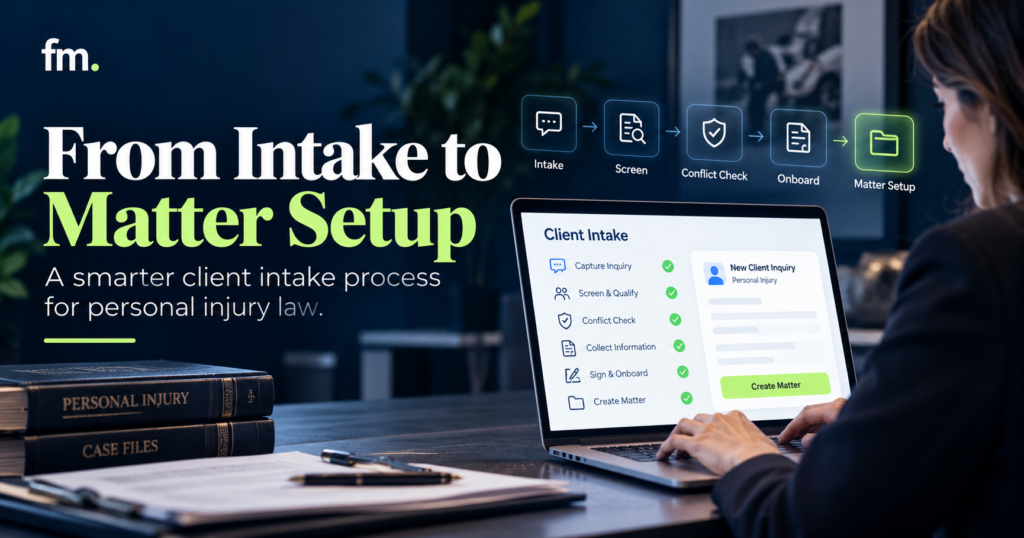
Personal injury intake involves more than collecting a prospective client’s contact information. Learn how client intake software can connect accident screening, conflict checks, attorney review, engagement agreements, evidence collection, and matter creation into one reliable workflow.
Quick Answer
Client intake software helps personal injury law firms collect prospective-client information, organize accident details, manage follow-ups, and move qualified inquiries toward attorney review and engagement.
A complete personal injury intake system should connect the first inquiry to structured case screening, conflict review, consultation scheduling, attorney approval, engagement documents, and authorized matter setup.
The software can automate repetitive tasks such as assigning leads, requesting missing information, sending appointment reminders, and transferring approved data between systems.
However, it should not independently decide whether a claim is legally viable, calculate controlling deadlines without verification, or accept representation on behalf of an attorney.
The goal is to automate the administrative work surrounding intake while preserving attorney control over legal screening and case acceptance.
In This Guide
- What client intake software does for personal injury firms
- How personal injury screening differs from general legal intake
- The complete inquiry-to-matter workflow
- Structured accident information and conflict-review requirements
- Follow-up automation and engagement agreements
- Connecting intake software with case management
- Common intake failures and implementation lessons
- How to evaluate and improve a personal injury intake system
1. What Is Client Intake Software for Personal Injury Law Firms?
Client intake software is a system for collecting, organizing, tracking, and processing information from people who contact a law firm about possible representation.
For personal injury practices, this information often relates to accidents, injuries, insurance, potentially responsible parties, and the circumstances surrounding an incident.
A general contact form may collect a name, email address, phone number, and brief message.
Personal injury intake typically requires more structured information.
The firm may need to know when and where an accident occurred, what type of incident took place, whether medical treatment was received, whether other parties were involved, and whether the prospective client already has legal representation.
This information helps the firm organize the inquiry for review.
It does not, by itself, establish that a viable legal claim exists.
Client intake software versus a basic contact form
A contact form is one entry point into the intake process.
Client intake software manages what happens after the submission.
That may include creating a lead record, assigning responsibility, sending additional questionnaires, scheduling consultations, monitoring follow-ups, and documenting review decisions.
For example, Clio Grow’s documented features include customizable intake forms, lead tracking, consultation scheduling, conflict-screening support, engagement workflows, and moving approved information into case management.
clio.com+1
The capabilities demonstrate how intake can operate as a process rather than a single form submission.
Why personal injury intake needs a structured workflow
Personal injury cases may involve multiple parties, different types of accidents, insurance information, medical records, and time-sensitive legal questions.
The firm may also receive inquiries through several channels, including website forms, telephone calls, referrals, advertisements, and email.
If these inquiries enter disconnected systems, employees may repeatedly request the same information or manually transfer records between applications.
A structured intake workflow helps establish one organized process.
The purpose is not to make every personal injury case follow the same legal analysis.
It is to standardize the repeatable administrative steps so attorneys receive useful information and can focus on the case-specific decisions.
2. The Complete Personal Injury Intake Workflow
A personal injury intake system should connect the stages between first contact and authorized matter creation.
Each stage needs a clear purpose, responsible person, and condition for progression.
REFERENCE WORKFLOW | INQUIRY TO MATTER
New injury inquiry
Website, phone, referral, or campaign
Structured accident screening
Incident details, injuries, parties, jurisdiction
Lead assignment and follow-up
Intake owner, missing information, consultation
Conflict review and attorney decision
Approve, decline, or request further review
Engagement workflow
Approved agreement, signature, necessary confirmations
Authorized matter setup
Create the case record and assign initial responsibilities
Illustrative workflow. Actual acceptance, engagement, and matter-opening rules depend on firm policy and applicable professional obligations.
Stage 1: Capture the inquiry
Every inquiry should produce a record that identifies the prospective client, contact source, matter type, and person responsible for the next action.
The system should avoid creating duplicate leads when a person submits a website form and later calls the office.
Stage 2: Collect accident information
The intake process should request enough information to support initial screening.
Detailed questionnaires may be appropriate after the initial contact, but a firm should avoid requiring unnecessary sensitive information before it can determine whether further discussion is appropriate.
Stage 3: Assign follow-up
The inquiry should receive a defined status and an intake owner.
If information is missing, the system can create a follow-up task or send an approved request.
Stage 4: Conduct conflict and legal review
An authorized reviewer evaluates possible conflicts and the legal questions relevant to accepting the matter.
Automated screening may organize the facts, but the attorney makes the substantive decision.
Stage 5: Complete engagement requirements
If representation is approved, the firm may generate the appropriate engagement documents and route them for signature.
The workflow must distinguish between sending an agreement and receiving the required executed agreement.
Stage 6: Create the authorized matter
After the firm’s required conditions are satisfied, approved information can move into the case management system.
The newly created matter should reflect the correct client, incident, assigned attorney, and initial tasks.
3. What Information Should Personal Injury Intake Forms Collect?
A useful personal injury intake form balances completeness with accessibility.
The firm needs enough information to evaluate the inquiry without overwhelming someone who may have recently experienced an accident.
Basic contact information
The initial form may collect the prospective client’s name, preferred contact method, telephone number, email address, and general location.
The firm should also identify whether the person is contacting it on their own behalf or for another person.
Where applicable, the relationship and authority to act may require clarification.
Accident information
Relevant questions may include the type of accident, incident date, location, and a short description of what happened.
The firm may also ask about other involved parties, law enforcement involvement, and existing documentation.
For a vehicle collision, information about drivers, vehicle owners, and insurance providers may be relevant.
For premises liability, the responsible property owner or business may need to be identified.
The required questions should reflect the firm’s practice areas and screening policies.
Injury and treatment information
Initial screening may ask whether injuries occurred, whether medical attention was received, and whether treatment is ongoing.
More detailed medical records can be collected through an appropriate secure process when needed.
The firm should not ask for extensive sensitive information simply because the software allows it.
Insurance and representation status
The intake process may ask whether insurance information is available, whether a claim has already been opened, and whether another attorney represents the prospective client.
These answers can help the firm identify issues requiring further review.
Potential deadlines
The incident date and location may be important for evaluating applicable limitations periods and notice requirements.
However, personal injury deadlines vary by jurisdiction, claim type, defendant, and circumstances.
Some matters may involve government entities or other special procedural rules.
The intake software should flag potentially urgent dates for attorney review rather than automatically decide that a claim is timely or untimely.
Use conditional questions
A single long questionnaire may not suit every personal injury matter.
A more useful design displays questions based on the incident type.
For example:
| Incident category | Additional screening information |
| Motor vehicle collision | Drivers, vehicles, insurance, police report |
| Slip-and-fall incident | Property location, condition, notice, witnesses |
| Workplace injury | Employer, work activity, potential workers’ compensation issues |
| Pedestrian accident | Vehicle details, intersection, traffic circumstances |
| Dog bite | Animal owner, location, injury circumstances |
These are illustrative information categories, not determinations of liability or legal eligibility.
Conditional forms can make the experience clearer while producing more organized records for the intake team.
4. Screening Personal Injury Inquiries Without Automating Legal Judgment
One of the most important design decisions is determining which parts of screening can be automated and which require attorney review.
The system can collect and categorize facts.
It should not independently decide whether the law firm ought to represent a prospective client.
Administrative screening
Administrative screening helps establish whether the inquiry fits the firm’s general operating scope.
For example, the system may identify the reported accident type, geographic location, available contact information, and whether the person has already retained counsel.
These details can guide routing and follow-up.
A firm that handles only specific categories of personal injury cases may use this information to direct inquiries to the correct team.
Legal case evaluation
Legal case evaluation may involve questions about negligence, causation, liability, damages, applicable deadlines, insurance coverage, and jurisdiction-specific requirements.
These issues often require legal interpretation.
A structured intake record helps the attorney review the relevant facts, but it does not replace the analysis.
Conflict screening
The system should collect information necessary to identify potentially adverse parties and relevant relationships.
Depending on the incident, this may include drivers, employers, businesses, property owners, insurers, and other parties.
An automated name search can help identify possible matches.
However, a possible conflict may require additional investigation and legal judgment.
ABA Model Rule 1.18 addresses duties owed to prospective clients, including restrictions involving information learned during consultations. It recognizes that these responsibilities may arise even when the firm does not accept the representation.
americanbar.org+1
The firm should therefore limit unnecessary early collection of sensitive facts and establish a controlled review process.
Explicit approve, decline, and review states
A reliable workflow should distinguish between an inquiry awaiting review and one the firm has formally accepted.
Useful states include “Screening Pending,” “Conflict Review Required,” “Attorney Review,” “Approved for Engagement,” and “Declined.”
Each should have clearly defined transition rules.
A rejected inquiry should not silently receive engagement documents or become an active client matter.
A pending inquiry should not be treated as accepted simply because the prospect completed a questionnaire.
5. Lead Assignment and Follow-Up Automation
Personal injury firms may receive inquiries at different times and through several channels.
A prospective client might submit a website form after business hours, call the next morning, and respond to a follow-up message later that day.
Without a connected record, employees may treat these as separate leads.
Create one lead record
A well-designed process should identify existing contacts before creating a new record.
The firm can use contact details, incident references, and other appropriate identifiers to help detect possible duplicates.
However, records should not be merged solely because two people share a phone number or surname.
The system should flag uncertain matches for review.
Assign a responsible intake employee
Each inquiry should have a clear owner.
Assignment rules may consider practice area, location, staff availability, language needs, or existing case responsibilities.
The system should also record when the inquiry was received and which actions have been completed.
Follow up on incomplete information
A prospective client may submit an initial form but leave important questions unanswered.
The system can send an approved reminder requesting completion or create a task for an intake employee.
Messages should avoid unnecessary disclosure of sensitive case information.
Schedule consultations
Once the firm determines that a consultation is appropriate, scheduling automation can help present available appointments and issue confirmations.
The appointment record should remain connected to the original inquiry.
Clio’s official documentation describes appointment booking, reminders, intake workflows, and task management as available components of its Grow environment.
Home
The specific configuration and availability of features should be checked against the firm’s chosen subscription.
Escalate time-sensitive inquiries
Some inquiries require prompt attention because of reported incident dates, circumstances, or other possible legal issues.
A system may identify such records for urgent attorney review.
It should not automatically tell a prospective client that a limitation period has expired or that a case is legally valid.
Those conclusions require appropriate legal analysis.
6. Engagement Agreements and Attorney Approval
A successful intake process does not end when a prospective client expresses interest in hiring the firm.
It must clearly distinguish between a potential matter and an accepted representation.
Attorney approval before engagement
The workflow should record the attorney’s decision regarding representation.
The decision might be to accept, decline, seek more information, or refer the prospective client for further consideration.
The system should not automatically issue an engagement agreement simply because a screening questionnaire meets predefined administrative criteria.
Generate engagement documents
After approval, the system may use structured information to prepare an engagement agreement.
For personal injury matters, the agreement may need to address the scope of representation, fee arrangement, expenses, and other applicable terms.
The substantive language must be approved by the firm and comply with governing requirements.
Document automation can populate approved templates. It should not independently determine the appropriate legal terms.
Track signature status
Sending an agreement and obtaining a signed agreement are separate workflow events.
The system should record whether the document was prepared, sent, viewed where supported, executed, or returned for correction.
An unsigned agreement should not be treated as completed.
Handle declined inquiries carefully
A declined inquiry requires an appropriate communication and recordkeeping process.
Depending on the circumstances, the firm may need to explain that representation has not been undertaken and address time-sensitive concerns without providing unsupported advice.
The wording and delivery rules should receive attorney approval.
The system should also protect prospective-client information according to the firm’s confidentiality and retention policies.
7. Connecting Intake Software to Personal Injury Matter Management
Once the firm authorizes representation and the required engagement conditions are satisfied, the intake record can become the foundation for an active matter.
The goal is to transfer approved information rather than recreate it manually.
Decide which system owns the record
A firm may use one platform to manage prospective clients and another to manage active cases.
The intake platform can serve as the lead-management environment.
The case management system can serve as the authoritative record after engagement.
The firm should define which information remains synchronized and which application controls later updates.
Map intake fields to matter fields
A matter-creation workflow may transfer client details, incident information, involved parties, contact preferences, assigned attorney, and relevant documents.
Not every intake field belongs in the active matter.
The mapping should reflect the firm’s recordkeeping requirements.
Check what actually transfers
Vendor integrations can have important limitations.
For example, Clio’s documentation describes converting records from Clio Grow to Clio Manage, including contacts, custom fields, notes, submitted forms, and certain attachments.
It also identifies information that does not transfer through the standard conversion process, including some task, status, assignment, and email information.
Home
This distinction matters during implementation.
A vendor’s claim that two systems integrate does not necessarily mean every required field or activity transfers automatically.
Create initial matter tasks
After authorized matter creation, the firm may establish tasks such as reviewing evidence, obtaining appropriate authorizations, requesting records, confirming applicable deadlines, and scheduling attorney follow-up.
These tasks should reflect the firm’s approved procedures.
Any legal deadline should be verified under the relevant jurisdiction’s rules and facts.
Prevent duplicate matters
The system should avoid creating multiple active matters from the same approved intake unless the firm’s process specifically requires them.
Useful controls may include unique identifiers, duplicate checks, event confirmation, and a record of successful matter creation.
The workflow should also handle interrupted transfers.
For example, if a matter is created but the integration fails before recording confirmation, retrying the action should not create another matter.
8. Essential Client Intake Software Features for Personal Injury Firms
The appropriate software depends on the firm’s intake volume, practice areas, staffing, and existing case management system.
The following features are worth evaluating.
| Feature | Operational purpose | Key question |
| Custom intake forms | Collect accident-specific information | Can questions adapt to incident types? |
| Lead pipeline | Track inquiry progress | Can every inquiry have a clear status? |
| Assignment rules | Route work to responsible staff | Who owns the next action? |
| Conflict screening | Organize relevant party information | Can attorneys review possible matches? |
| Follow-up automation | Request missing details and schedule contact | Can messages stop when circumstances change? |
| E-signatures | Complete engagement documents | Is signature confirmation recorded? |
| Matter integration | Transfer approved case information | Which records and fields actually transfer? |
| Reporting | Monitor intake performance | Are statuses and definitions consistent? |
| Security controls | Protect sensitive information | Who can access prospective-client records? |
| Error handling | Recover from failed actions | What happens when an integration fails? |
Evaluate the complete workflow, not only features
A platform may provide excellent forms and reminders but still require significant configuration to support the firm’s desired intake process.
For example, the firm may need special rules for different accident categories, attorney approvals, duplicate detection, or transfer into an existing case management system.
The required integrations and implementation work should be included in the evaluation.
Existing platforms may already provide useful capabilities
Clio Grow is one example of a platform offering legal intake, CRM functions, forms, communication tracking, and matter conversion capabilities.
clio.com
The firm’s decision should not begin with replacing software that already works.
Instead, determine whether its existing tools can support the intended workflow through better configuration, structured data, or suitable integrations.
9. Firm in Motion Field Note: Intake Is Only One Part of the Legal Service System
Firm in Motion has implemented attorney-controlled legal service workflows connecting intake, conflict review, engagement documents, payments, case management, and related operational activities.
One implementation used Gavel, Clio Manage, Make.com, Stripe, Gmail, and Google Calendar.
The important design challenge was not simply transferring information between these applications.
It was defining exactly when a workflow could progress.
The implementation challenge
The system had to distinguish between a submitted intake, a matter requiring review, an attorney-approved engagement, and a completed prerequisite.
It also needed to handle approvals, rejections, missing information, and actions that depended on external confirmation.
These conditions prevented the process from treating every successful form submission as permission to continue.
One structured data path
Information collected during intake supported later activities, reducing the need to re-enter the same details manually.
The architecture also coordinated matter updates and downstream document workflows.
Project-specific operational evidence
The documented legal service project reported a reduction in manual intake administration from an estimated 30 to 45 minutes to zero for its automated service paths.
This is a case-specific result and not a promised outcome for personal injury practices.
The implementation was not presented as a personal injury intake case study. Its relevance here is the architecture: structured intake, controlled decisions, reliable handoffs, and authorized matter creation.
The lesson is that a useful intake system must know when to move forward, when to pause, and when an attorney must make the decision.
Further implementation examples are available through Firm in Motion’s Systems Built.
10. Common Personal Injury Intake Automation Problems
Buying client intake software does not automatically produce a reliable intake process.
Several problems arise when firms automate individual tasks without defining the complete workflow.
Duplicate contact records
A prospective client may use a website form, call the office, and respond to a text message.
If each interaction creates a new record, the intake team may lose visibility into the full conversation.
The system should identify possible duplicates and support careful record reconciliation.
Incomplete accident information
Some forms collect contact details but omit essential incident information.
This may leave intake staff repeatedly contacting the prospective client for basic facts.
A structured questionnaire can improve completeness while avoiding unnecessary questions.
Automated case acceptance
A screening system may classify an inquiry as a possible match for the firm’s practice areas.
That classification should not automatically become a legal acceptance decision.
Attorney approval should remain a required control where appropriate.
Follow-ups continue after a decision
An automated sequence may continue contacting a person after the firm has declined representation or after the person has retained another attorney.
The system should use current status information to stop or modify communications.
Missing engagement prerequisites
A workflow may attempt to create a matter after sending an agreement rather than after the required agreement and approval conditions have been completed.
The distinction should be explicit.
Lost data during matter conversion
An integration may transfer contact details but omit important incident information, tasks, or communications.
The firm should test the actual fields and records rather than assuming that all information moves automatically.
No procedure for integration errors
If matter creation fails, the system needs a defined recovery path.
The responsible employee should receive an actionable notification, and the workflow should preserve information needed for a safe retry.
11. How to Implement a Reliable Personal Injury Intake System
A firm can begin with one personal injury service path before expanding its automation.
Step 1: Map the current process
Document how inquiries enter the firm, who reviews them, how consultations are scheduled, and when cases become active matters.
Identify repeated tasks, disconnected software, and unclear responsibilities.
Step 2: Define intake data
Create an approved information structure for contact details, accident type, incident date, location, involved parties, and initial case screening.
Distinguish required fields from optional or later-stage information.
Step 3: Establish workflow statuses
Define meaningful stages such as new inquiry, awaiting information, attorney review, engagement pending, hired, and declined.
Each status should represent a real operating condition.
Step 4: Configure attorney decision gates
Specify which decisions require attorney review.
The workflow should pause for conflict evaluation, legal case screening, and acceptance of representation.
Step 5: Connect engagement documents
Use approved templates to generate the required documents.
Track signature completion and any other prerequisites before allowing matter creation.
Step 6: Connect case management
Map intake fields to the active matter record.
Confirm which information transfers automatically and which requires an additional workflow.
Step 7: Test exceptions
Test incomplete submissions, duplicate inquiries, declined cases, unsigned agreements, changed information, and failed integrations.
The workflow should handle these conditions without creating inaccurate records or unauthorized actions.
Step 8: Measure results
Compare administrative handling, follow-up completion, record accuracy, and intake-to-engagement progression before and after implementation.
Use actual firm data rather than generalized performance promises.
12. Personal Injury Client Intake Software Checklist
Use this checklist when reviewing a platform or preparing an implementation scope.
Intake system readiness checklist
0 of 16
Capture inquiries from all required channels
Create a consistent lead record and detect possible duplicates
Use accident-type-specific intake questions
Record incident date, location, and involved parties
Flag potentially urgent matters for attorney review
Assign an intake owner and next action
Collect information needed for conflict review
Require attorney approval before representation
Stop follow-up sequences when lead status changes
Generate approved engagement documents
Verify required signatures and engagement conditions
Transfer approved data to case management
Prevent duplicate active matter creation
Test failed integrations and correction workflows
Protect sensitive prospective-client information
Measure intake performance against baseline data
Copy evaluation checklist
The checklist provides an operational starting point. It does not replace the firm’s professional responsibility review or technical implementation requirements.
13. Measuring Personal Injury Intake Performance
The most useful intake metrics help a firm understand whether inquiries are being handled consistently and whether the process requires unnecessary manual coordination.
First-response time
Measure how long it takes an inquiry to receive an appropriate initial response.
Different sources and inquiry types may require different handling rules.
A fast automatic acknowledgment should not be confused with a substantive intake review.
Intake completion rate
Track the proportion of inquiries that provide the information needed for the next stage.
Incomplete forms may indicate excessive questions, confusing language, or follow-up problems.
Consultation progression
Measure the proportion of relevant inquiries that reach scheduled and completed consultations.
The firm should define what counts as a qualified inquiry before interpreting conversion figures.
Engagement progression
Track movement from attorney approval to completed engagement requirements.
This can reveal delays caused by missing documents, unsigned agreements, or unclear handoffs.
Administrative handling time
Measure how much employee time is spent transferring data, requesting repeated information, updating statuses, and manually creating matter records.
Reducing this handling may create additional capacity for staff to support clients and attorneys.
Record accuracy and workflow errors
Track duplicate leads, incomplete matter records, failed integrations, and corrections after matter creation.
These indicators help measure whether the system is reliable, not merely fast.
A firm’s reporting should distinguish marketing-generated inquiries, screened prospects, attorney-approved engagements, and authorized matters.
Those are different stages and should not be treated as interchangeable.
14. Frequently Asked Questions
What is the best client intake software for personal injury law firms?
The best client intake software depends on the firm’s screening requirements, intake volume, staffing, and case management platform. Firms should evaluate conditional forms, lead tracking, conflict-review support, engagement workflows, and data transfer capabilities rather than choosing based on a feature list alone.
Can personal injury intake be automated?
Many administrative activities can be automated, including lead capture, assignment, follow-up reminders, appointment scheduling, document preparation, and transfer of approved information. Legal case evaluation, conflict decisions, and acceptance of representation should remain under appropriate attorney control.
What information should a personal injury intake form collect?
A typical form may collect contact information, accident type, incident date and location, involved parties, basic injury details, treatment status, insurance information, and existing representation. The precise questions should reflect the firm’s practice areas and data-minimization requirements.
Can intake software identify personal injury cases that are worth accepting?
Software can help organize facts and flag inquiries based on predefined administrative criteria. It should not independently determine liability, damages, legal viability, or whether representation should be accepted. Those decisions require attorney judgment.
Can client intake software connect with case management systems?
Yes, some platforms support native integrations or structured data transfer into case management software. The firm should confirm which fields, documents, notes, tasks, and statuses are included. Not every integration transfers every type of information.
Does personal injury intake software help with follow-up?
Yes. It can support reminders, requests for missing information, appointment confirmations, and tracking of outstanding engagement steps. The firm should ensure automated messages follow approved communication rules and stop when the lead’s status changes.
Should a law firm automate matter creation?
Matter creation can be automated or supported through integration once the required attorney approvals and engagement conditions have been satisfied. Controls should prevent premature creation, duplicate records, and incomplete information transfer.
Conclusion: Build a Personal Injury Intake System That Carries Information Forward
Client intake software is most valuable when it connects the full process from initial inquiry to authorized matter setup.
For personal injury firms, that means more than collecting accident details through an online form. The workflow must organize screening information, identify responsible employees, coordinate follow-ups, support conflict review, and preserve attorney decisions.
After approval, the system should move information into engagement documents and case management without requiring employees to recreate the same records.
The strongest approach begins with the firm’s actual operating process.
Identify which details must be collected, which decisions require legal judgment, which actions can be automated, and what should happen when a workflow cannot continue.
A reliable intake system should know when to progress, wait, request correction, or stop.
The goal is not to automate the decision to represent an injured person. It is to reduce repetitive administrative handling so attorneys can evaluate potential cases with clear information and appropriate control.
Firm in Motion builds connected, attorney-controlled legal workflows across intake, documents, approvals, and matter management.
Explore our Legal Workflow Automation approach, or Schedule Your Law Firm Systems Audit to identify where your firm’s intake process can be improved.
Sources and Further Reading
- Clio Grow: Client Intake and Legal CRM. Vendor documentation covering intake, screening, CRM workflows, and engagement.
- Clio: Set Up Intake Form Templates. Custom forms, contact information, and intake data collection.
- Clio: Convert Matters from Grow to Manage. Matter conversion, transferred fields, and limitations.
- ABA Model Rule 1.18: Duties to Prospective Clients. Professional duties concerning information received from prospective clients.
- ABA Model Rule 1.6: Confidentiality. Requirements concerning the protection of client information.
- ABA Model Rule 1.4: Communication. Professional duties concerning client communication.
- Firm in Motion: Systems Built. Project-specific implementation examples.
The workflow examples are educational and should be adapted to applicable jurisdictional rules, the firm’s professional obligations, and its existing technology. Product features should be reconfirmed before implementation.

