
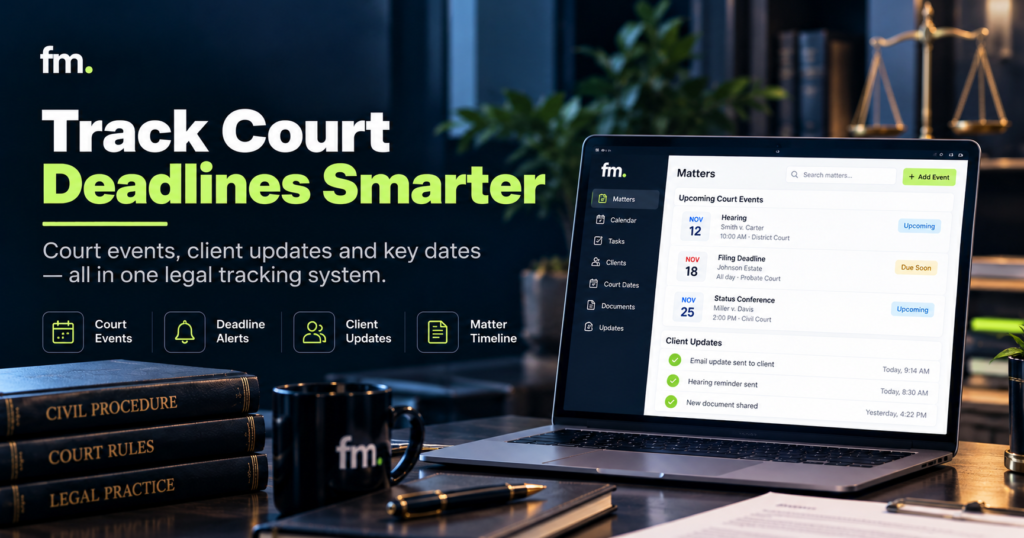
Legal tracking software should do more than store court dates and send reminders. Learn how law firms can connect court events, deadline management, matter records, and client communications into a reliable workflow while preserving attorney control.
Quick Answer
Legal tracking software helps law firms organize court events, monitor deadlines, manage matter progress, and coordinate client updates.
The most useful system does not simply place dates on a calendar. It connects verified events to responsible attorneys, required tasks, related deadlines, matter records, and appropriate communications.
A court order, for example, may require several actions. An attorney must review the order, determine its legal implications, confirm applicable deadlines, assign work, and decide what information the client should receive.
Software can help coordinate those actions, but it should not independently interpret court orders, make legal decisions, or assume that an automatically calculated deadline is correct.
The goal is to automate routine coordination while keeping legal interpretation, deadline verification, and consequential client communications under appropriate attorney supervision.
In This Guide
- What legal tracking software does
- How court events, deadlines, and matter statuses connect
- The difference between calendaring and complete workflow management
- How to design attorney-controlled deadline tracking
- When client updates can be automated
- Essential features to evaluate in legal tracking software
- Common implementation failures and how to prevent them
- A practical framework for building a reliable tracking system
1. What Is Legal Tracking Software?
Legal tracking software helps law firms monitor events, dates, tasks, and progress throughout a legal matter.
Depending on the platform, it may include court calendars, deadline calculations, matter timelines, task assignments, reminders, document records, and client communication tools.
The purpose is to make important information visible and ensure that required actions are assigned and completed.
However, legal tracking can refer to several different functions.
Court event tracking
Court event tracking records procedural developments such as scheduled hearings, conferences, orders, filings, and other relevant events.
The software may display these events in a matter timeline or calendar.
The important question is not merely whether an event is recorded, but whether someone is responsible for reviewing its significance.
For example, receiving notice of a hearing does not automatically establish that every related deadline has been identified.
Legal deadline tracking
Deadline tracking focuses on dates by which a required action must be completed.
Some deadlines may be calculated from court rules, filing dates, service dates, orders, or other triggering events.
The correct calculation can depend on the jurisdiction, rule version, applicable order, method of service, holidays, and other case-specific circumstances.
Deadline software can assist with the calculation and organization of dates, but attorneys must ensure that applicable requirements are correctly interpreted.
Matter progress tracking
Matter progress tracking describes where a legal matter stands in its lifecycle.
For example, a matter might be awaiting documents, pending attorney review, preparing for filing, waiting for a hearing, or ready for closing.
These statuses help employees understand what work remains.
A status becomes more useful when it is connected to actual events and verified conditions rather than manually changed without supporting information.
Client communication tracking
Client communication tracking records what information has been shared, when it was sent, and whether follow-up is required.
It can also support automated administrative reminders and updates.
The ABA Model Rule 1.4 requires lawyers to keep clients reasonably informed about the status of their matters and respond appropriately to requests for information. Applicable jurisdictional rules govern the lawyer’s actual duties.
americanbar.org
A structured communication workflow can support these responsibilities without replacing the attorney’s judgment about what must be explained.
2. Why Calendars Alone Are Not Enough
A calendar tells a law firm when something is scheduled.
It does not necessarily tell the firm what must happen before or after the event.
Consider a hearing scheduled for a particular date.
The calendar might contain the hearing time, courtroom, and assigned attorney. However, the firm may also need to prepare documents, communicate with the client, confirm attendance, review filing requirements, and complete internal preparation tasks.
If those activities are tracked separately, employees must coordinate them manually.
The issue is not the calendar itself. It is the missing relationship between the event and the work it creates.
A court event can create several workflow actions
A complete event workflow might involve:
REFERENCE WORKFLOW | COURT EVENT TO CLIENT UPDATE
Court event or notice received
Official notice, order, or verified court information
Attorney verification
Confirm meaning, dates, rules, and next actions
Deadlines
Verified dates and reminders
Tasks
Assigned work and ownership
Matter record updated
Current status, source, and approved event details
Communication approval
Determine what the client should be told
Client notification and record
Send approved update and retain communication history
Illustrative architecture. A real workflow must also define rejection, correction, failure, and escalation paths.
A connected system makes these relationships visible.
It can assign tasks after an event is verified, schedule reminders for approved deadlines, and create a draft client update for appropriate review.
This reduces the need for employees to remember every administrative handoff.
Calendar events and workflow states are different
A calendar entry represents a scheduled date or time.
A workflow state represents the condition of the matter or task.
For example, a filing deadline may appear on the calendar while the related task is still marked “Draft awaiting attorney review.”
That distinction is important.
The system should not assume a deadline has been satisfied merely because a document was prepared or the calendar date passed.
A reliable process requires confirmation of the actual filing or other required action.
3. How Court Event Tracking Should Work
Court event tracking begins with identifying the source of an event.
A law firm may receive information through an electronic filing system, court notices, orders, emails, docket services, or manual entry.
Not every source is equally authoritative.
A well-designed workflow should distinguish between unverified information and confirmed court events.
Capture the source
Each event should include enough information to establish where it came from.
Useful fields may include the matter identifier, court or jurisdiction, event type, relevant date, source document, source reference, and employee responsible for verification.
Recording the source makes later review and correction easier.
Verify the event
An authorized employee or attorney should confirm that the event belongs to the correct matter and that its details are accurate.
Where the event affects legal deadlines or client obligations, attorney review may be required.
The workflow should not automatically convert every incoming email or extracted date into an authoritative deadline.
Identify dependent actions
After verification, the system can associate the event with required tasks.
A hearing might require internal preparation assignments. A court order may require attorney analysis and new deadline calculations.
These tasks should have clear owners and completion criteria.
Update the matter record
The verified event should be reflected in the appropriate system of record.
The firm should define whether the case management platform, docketing system, or another approved database owns the authoritative event information.
This avoids conflicting records across applications.
Handle changed or canceled events
Court schedules can change.
A hearing may be rescheduled, a deadline may be modified, or an order may supersede earlier instructions.
The system must distinguish a new event from a correction to an existing event.
It should preserve relevant history, identify affected tasks, and require re-verification of dependent deadlines when necessary.
An event-tracking workflow is only reliable when it knows how to update, pause, correct, and recover, not just create new calendar entries.
4. Legal Deadline Tracking: Automation With Verification
Deadline management is one of the highest-consequence parts of legal operations.
A missed filing deadline can create serious consequences for a matter and the client.
This makes deadline automation valuable, but also demands careful controls.
How rules-based calendaring works
Some legal calendaring systems allow users to select a jurisdiction, triggering event, and applicable rule set.
The software then generates associated dates for review.
For example, Clio’s Court Rules functionality supports rules-based calendaring, including calculated events and reminders, within supported jurisdictions and eligible plans. Its October 2026 documentation describes court-rule coverage in 50 U.S. states and approximately 2,200 jurisdictions.
Home
LawToolBox similarly documents a workflow in which users select the relevant jurisdiction and rule set, enter a triggering event, calculate deadlines, and review them before adding them to a calendar.
Calculate deadlines : LawToolBox Support
These capabilities can reduce repetitive manual calculation, but the underlying selections and resulting dates still need appropriate verification.
What attorneys must verify
A deadline workflow should confirm the legal basis for each consequential date.
That includes the applicable jurisdiction and rules, trigger event, service method where relevant, court orders, calculation conventions, weekends, holidays, and any exceptions.
The system should also identify who approved the date and when that approval occurred.
Dependent deadlines
Some deadlines depend on another date.
If the underlying event changes, related deadlines may also need to change.
Clio’s documentation distinguishes parent deadlines calculated from trigger dates and child deadlines calculated from parent events. It also notes that dependent deadlines should be reviewed after certain calendar changes.
Home
The practical lesson is that changing one date should initiate a review of the connected deadline structure.
It should not silently alter every date without confirmation that the revised calculations are legally correct.
Multiple reminders and responsibility
A reliable deadline system should support more than one reminder where appropriate.
For example, the firm may establish internal preparation milestones ahead of a verified filing deadline.
These reminders are operational buffers. They do not change the actual court-imposed deadline.
The system should also identify the responsible attorney and supporting employees.
A reminder delivered to an unmonitored inbox does not provide meaningful accountability.
Completion must be confirmed
A task marked complete is not necessarily proof that a filing occurred.
The workflow may require a filing confirmation, receipt, accepted submission, or another appropriate record.
When completion evidence is missing, the system should escalate rather than silently close the task.
5. Connecting Matter Statuses to Court Events and Deadlines
Matter statuses are most useful when they reflect verified conditions.
A status such as “Awaiting Hearing” should be supported by an actual scheduled event.
A status such as “Filing Complete” should depend on appropriate completion evidence rather than an assumption.
Design meaningful matter states
Useful states depend on the firm’s practice area and service model.
Examples may include awaiting evidence, draft in preparation, attorney review required, filing pending, filing confirmed, awaiting court action, and ready for closing.
Each state should have a clear definition.
Define state transitions
A transition describes what must occur before a matter moves from one state to another.
For example, a matter might move from “Draft in Preparation” to “Attorney Review Required” when the draft is ready for review.
It should move to “Filing Confirmed” only after the firm has verified the required filing event.
These rules help prevent premature progress through the workflow.
Record who made the decision
For consequential changes, the system should retain information about the reviewer, decision, date, and supporting record.
That history can help attorneys understand what happened when a matter is revisited later.
Avoid automatic assumptions
A court event, payment, document upload, or passage of time does not necessarily mean a matter should advance.
The workflow needs explicit conditions.
This is the difference between an automated checklist and a governed legal operations system.
6. Automating Client Updates Without Automating Legal Judgment
Client communication is a natural candidate for workflow automation because many updates are routine and repetitive.
However, not every change in a matter should trigger an automatic client message.
The system must distinguish between verified administrative information and developments that require legal explanation.
Administrative updates
Certain communications may be suitable for automation after the appropriate conditions have been defined.
Examples include appointment confirmations, requests for missing documents, reminders about scheduled meetings, and notifications that a document is ready for review.
These updates usually communicate a known administrative fact rather than interpret legal consequences.
Substantive legal updates
Other communications require attorney involvement.
For example, a new court order may affect legal strategy, the client’s obligations, or the expected next steps.
A generic automated message may fail to explain the significance of the event or may create an incorrect impression.
ABA Model Rule 1.4 requires more than simply sending status notifications. It also addresses consultation and explaining matters sufficiently for clients to make informed decisions.
americanbar.org+1
A system can help prepare and route these communications, but the attorney must determine what should be communicated.
A governed client update workflow
A reliable process can follow these stages:
- A verified event is recorded in the matter system.
- The workflow checks whether the event is eligible for a standard notification.
- Routine communications follow approved templates and delivery rules.
- Events requiring legal explanation are routed to an attorney.
- The approved message is delivered through an appropriate channel.
- The system records the communication and any required follow-up.
This approach supports consistency without treating every event as suitable for automatic publication to the client.
Communication channels and confidentiality
Law firms may communicate through secure client portals, email, telephone, or other approved channels.
The correct method depends on the sensitivity of the information, client preferences, and applicable professional duties.
For example, Clio’s client portal supports matter-specific conversations and document sharing. Its documentation describes maintaining communication within the matter record.
Home
Regardless of the platform, firms should establish appropriate access controls and communication procedures.
ABA Model Rule 1.6 addresses confidentiality and requires reasonable efforts to prevent unauthorized disclosure or access to information relating to representation.
americanbar.org
The software should support those obligations rather than create additional exposure.
7. What Features Should Legal Tracking Software Include?
A law firm should evaluate legal tracking software according to its actual operating requirements.
The following capabilities are especially relevant when connecting court events, deadlines, and client updates.
| Feature | Why it matters | Evaluation question |
| Matter-linked calendar | Connects dates to the correct case | Can each event be traced to its matter? |
| Deadline calculation | Assists with court-rule calculations | Can attorneys verify the rule and trigger? |
| Task assignments | Gives actions clear ownership | Who is responsible for completion? |
| Event history | Preserves changes and corrections | Can users see what changed and why? |
| Approval workflows | Protects consequential decisions | Can the process pause for attorney review? |
| Client communications | Supports timely updates | Are sensitive updates appropriately controlled? |
| Integrations | Connects records between platforms | Which system owns authoritative information? |
| Monitoring and recovery | Addresses failed automations | How are errors detected and corrected? |
Court-rule calendaring
Rules-based calendaring can help generate sets of deadlines from defined triggers and jurisdictions.
However, coverage varies by platform, subscription, and jurisdiction.
The firm should test its actual practice areas and courts, rather than assuming that broad coverage claims include every applicable local rule or order.
Matter and calendar integration
A platform should connect scheduled events to the relevant matter.
Clio Manage, for example, documents support for matter calendars, task due dates, court rules, and certain Google and Microsoft calendar synchronization functions.
Home
The presence of a calendar integration does not establish that every event field, deadline dependency, or approval state will synchronize automatically.
Those details must be verified.
Reporting and visibility
Managers and attorneys should be able to identify upcoming deadlines, unresolved tasks, matters awaiting approval, and workflow errors.
Reporting should be based on reliable underlying records.
A dashboard cannot compensate for inconsistent event data or unclear task ownership.
Security and access permissions
The firm should control which employees can view matters, edit deadlines, approve changes, and send client communications.
Permissions should reflect operational responsibilities.
A staff member who can enter an unverified event may not need authority to approve its legal significance or release a sensitive client update.
8. Firm in Motion Field Note: Connecting Court Status to Workflow Actions
Firm in Motion has implemented attorney-controlled legal service workflows connecting intake, matter management, document production, payments, and court-related status changes.
The implementation used tools including Gavel, Clio Manage, Make.com, Stripe, Gmail, and Google Calendar.
The project illustrates an important distinction between recording a court event and designing what should happen afterward.
Court status as a workflow trigger
In the legal service system, court-related developments could initiate defined administrative actions.
These included updating matter information and coordinating client notifications.
However, the architecture needed to distinguish between an event being recorded and the conditions required for further action.
A system cannot assume that every new status permits the same response.
Attorney-controlled decisions
The broader implementation preserved attorney approval and decline gates for consequential decisions.
The same principle applies to court-event workflows.
Routine coordination may be automated, but legal interpretation and authorization must remain with the appropriate professional.
The importance of workflow states
The system was designed around conditions that determined whether work should continue, wait, loop, stop, or require additional review.
This matters when a court status changes unexpectedly.
A workflow may need to pause because information is incomplete, an approval has not occurred, or an external action failed.
The lesson from the implementation is that reliable automation depends less on the number of connected applications and more on the accuracy of the operating rules between them.
This is a description of one Firm in Motion project, not a claim that all court events or legal communications can be automated.
More examples are available through Firm in Motion’s Systems Built.
9. Common Legal Tracking Software Implementation Problems
The most serious problems often arise when software is configured without a clear workflow design.
Duplicate calendar entries
An event may be entered manually and also imported through an integration.
If the system does not identify duplicates, employees may receive conflicting reminders or misunderstand which record is authoritative.
The workflow needs a reliable method of matching events and identifying corrections.
Incorrect trigger information
A rules-based deadline calculator depends on accurate inputs.
Selecting the wrong jurisdiction, service method, event type, or trigger date can produce incorrect results.
The software should expose the underlying assumptions for review.
Failed synchronization
An event may update in the case management system but fail to reach a connected calendar.
A reliable integration should detect the failure and notify the responsible person.
Silent synchronization errors are especially problematic for consequential dates.
Automatic notifications before verification
A system may detect a court event and immediately send a client message.
If the event is incorrect, superseded, or requires substantive explanation, that message may be inappropriate.
Notification rules should distinguish routine approved events from those requiring review.
Missing completion evidence
A task may be marked complete even though the required filing or other action has not occurred.
The workflow should distinguish internal task completion from verified external completion.
No recovery process
A real production system must account for canceled hearings, changed orders, incomplete records, failed messages, and delayed approvals.
The implementation should specify what happens when the normal workflow cannot continue.
10. How to Build a Reliable Court Tracking Workflow
A law firm does not need to automate its entire matter lifecycle at once.
A focused implementation can begin with one recurring event type and expand after its controls are tested.
Step 1: Identify the event source
Choose the official or otherwise approved source for the event.
Determine how the information will enter the system and who will verify its accuracy.
Step 2: Define the data structure
Each event should have a consistent record.
Useful fields include the matter identifier, event type, source, court, relevant date, verification status, assigned attorney, and connected tasks.
Step 3: Establish attorney review conditions
Determine which events require attorney interpretation before deadlines, matter statuses, or client communications can be changed.
The workflow must pause at those points.
Step 4: Connect verified deadlines and tasks
After approval, the system can create or update assigned tasks and reminders.
Deadlines should remain traceable to their underlying legal authority and triggering events.
Step 5: Define client communication rules
Separate routine administrative notices from substantive developments.
Identify which messages may follow approved templates and which require case-specific attorney review.
Step 6: Test normal and exceptional conditions
Testing should include correct events, incomplete data, duplicate entries, revised dates, canceled hearings, failed synchronization, and declined approvals.
The firm should confirm that the workflow behaves correctly in each case.
Step 7: Monitor performance after launch
Track whether events are verified, deadlines are assigned correctly, reminders reach the responsible people, and client updates occur under the proper conditions.
Review errors and update the workflow when court procedures or firm practices change.
The goal is not merely to create a functioning automation. It is to maintain a dependable process.
11. Legal Tracking Software Evaluation Checklist
Use this checklist when comparing platforms or reviewing a proposed implementation.
Tracking system readiness
0 of 14
Court events are linked to the correct matter
Event sources and supporting documents are recorded
Attorneys can verify consequential dates and rules
Deadline changes trigger review of dependent dates
Tasks have assigned owners and completion criteria
Reminders and escalations are configured
Duplicate events and synchronization errors are detected
Matter statuses reflect verified conditions
Client notifications follow approved communication rules
Attorney approval is required for substantive legal updates
Access permissions protect confidential matter information
The system retains event history and approval records
Staff know how to handle errors and exceptions
Workflow changes can be tested before deployment
Copy evaluation checklist
This checklist is a starting point for evaluating operational readiness. It does not replace an attorney’s review of deadline procedures or applicable professional obligations.
12. Frequently Asked Questions
What is legal tracking software?
Legal tracking software helps law firms monitor court events, deadlines, matter progress, tasks, and client communications. Some platforms provide court-rule calendaring and integrations with case management systems. Features vary by provider.
Can legal tracking software calculate court deadlines automatically?
Some platforms can calculate dates using selected jurisdictions, rules, and triggering events. However, attorneys must verify that the correct legal requirements and case-specific circumstances were applied. Automated calculations should not be treated as independent legal determinations.
Can court dates automatically update a law firm’s calendar?
Yes, some platforms support automatic or integrated calendar updates. The firm should verify exactly which events synchronize and how corrections, canceled hearings, duplicate records, and integration failures are handled.
Can clients receive automatic case updates?
Yes, routine administrative updates can be automated when the underlying facts are verified and the communication follows approved rules. Substantive developments that require legal interpretation should remain subject to appropriate attorney review.
What is the difference between legal tracking and case management software?
Legal tracking focuses on events, dates, tasks, and status changes. Case management software generally covers a broader set of matter activities, such as documents, contacts, communications, billing, and workflow records. Some platforms combine both functions.
Can AI be used for court event tracking?
AI may assist with extracting information from notices, classifying documents, or preparing draft summaries. Its output should be verified before it affects authoritative court records, legal deadlines, or client communications. The firm should also evaluate confidentiality and accuracy risks.
How should law firms measure tracking software performance?
Useful measures include verification time, unresolved deadline exceptions, duplicate event rates, synchronization failures, overdue tasks, and the time required to prepare approved client updates. Firms should use their own baseline measurements rather than assume that software adoption guarantees specific results.
Conclusion: Build a System That Connects Events to Actions
Legal tracking software is most valuable when it connects court events, verified deadlines, matter progress, and client communications into one understandable operating process.
A calendar can show when something is scheduled, but it cannot independently determine the legal significance of an event or ensure that the resulting work has been completed.
Reliable tracking requires structured information, clear task ownership, verified dates, appropriate attorney approvals, and defined responses when information changes or an automation fails.
Law firms should therefore evaluate more than reminders and dashboard features. They should examine how each platform handles source records, deadline dependencies, communication controls, and integration with existing matter systems.
The goal is not to remove attorneys from important decisions. It is to reduce the repetitive coordination surrounding those decisions.
A well-designed workflow helps the firm keep work moving while preserving the legal oversight clients depend on.
For a closer look at connecting court events, case management, and attorney-controlled workflows, explore Firm in Motion’s Legal Workflow Automation approach.
To identify where manual tracking and disconnected handoffs affect your firm, Schedule Your Law Firm Systems Audit.
Sources and Further Reading
- Clio: Court Rules Documentation. Court-rule calendaring, triggers, related dates, and reminders.
- Clio: Calendar Setup and Settings. Matter calendars, tasks, and calendar synchronization.
- LawToolBox: Calculating Deadlines. Jurisdiction and trigger-based deadline calculation.
- ABA Model Rule 1.4: Communication. Professional obligations relating to client communications.
- ABA Model Rule 1.6: Confidentiality. Protection of information relating to client representation.
- Clio for Clients: Client Messaging. Matter-linked client portal communication.
- Firm in Motion: Systems Built. Project-specific examples of governed legal workflow automation.
Product capabilities and coverage should be confirmed with vendors before purchase. Any deadline-calculation process should be reviewed against the relevant court rules, orders, and jurisdiction-specific requirements.

