
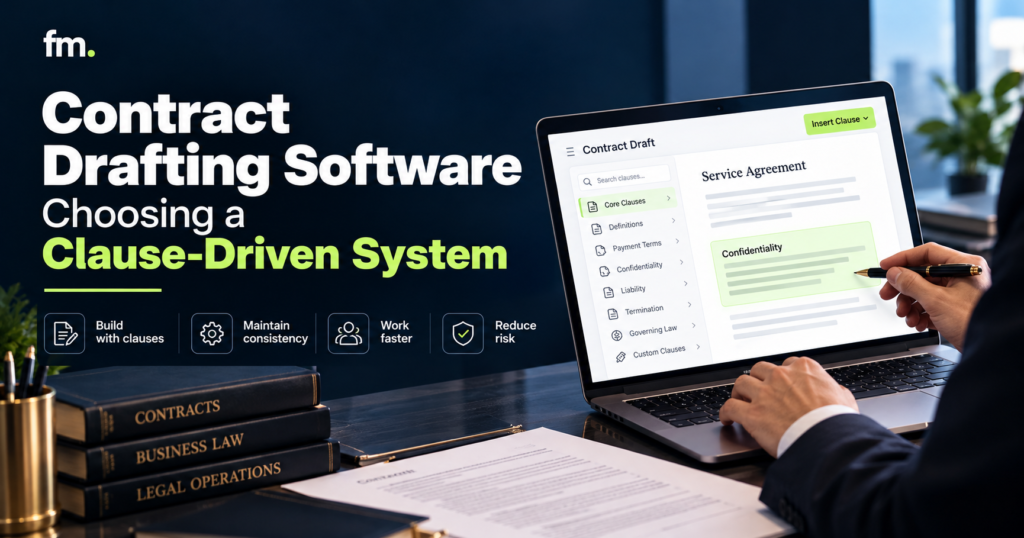
.Contract Drafting Software for Law Firms: Choosing a Clause-Driven System
Contract drafting software should do more than fill in names and dates. Learn how clause-driven document automation works, which features matter, and how law firms can choose a system that produces consistent contracts while preserving attorney control.
Quick Answer
The best contract drafting software for law firms is not necessarily the platform with the most templates or AI features. It is the system that can reliably turn approved legal language, structured client information, and defined drafting rules into accurate, reviewable contracts.
A clause-driven system uses reusable contract provisions, conditional logic, and structured questionnaires to determine which language belongs in a document. Instead of manually copying clauses between precedent files, the system assembles the appropriate provisions based on the information supplied.
When choosing software, law firms should evaluate clause management, conditional drafting, data reuse, Microsoft Word compatibility, version control, integrations, and attorney approval workflows.
The central principle is simple: automate repetitive drafting operations while keeping legal judgment with attorneys.
In This Guide
- What contract drafting software does and how it differs from basic templates
- How clause-driven document automation works
- Essential features to evaluate before choosing a platform
- How reusable data and conditional logic support drafting consistency
- Contract drafting software options for law firms
- Common implementation problems and how to prevent them
- A practical framework for selecting and testing a drafting system
- Where AI belongs in attorney-controlled document production
1. What Is Contract Drafting Software for Law Firms?
Contract drafting software helps legal professionals create agreements using reusable templates, structured information, drafting rules, and document assembly technology.
Traditional contract preparation often begins with an existing Word document. An attorney or staff member copies the file, changes the parties’ names, updates dates, removes irrelevant provisions, and inserts clauses from other agreements.
This process is familiar, but it becomes difficult to manage when a firm produces similar contracts repeatedly.
The same information may appear in several places. Clauses may have multiple versions. Optional provisions must be added or removed manually, and details such as defined terms, pronouns, and cross-references must remain consistent.
Contract drafting software attempts to organize these repetitive activities into a more reliable process.
From static templates to intelligent documents
A static template contains standard language and placeholders.
For example, a service agreement might include fields for the client name, service description, payment amount, and effective date.
A clause-driven template goes further.
It can ask whether the engagement involves recurring services, whether payment will occur in installments, and whether additional parties are involved.
Depending on those answers, the system may insert different provisions, calculate values, or generate additional schedules.
The document is assembled according to predefined instructions rather than relying entirely on manual editing.
Contract drafting software versus document management
Drafting software and document management software serve different purposes.
Contract drafting software focuses on producing document content. Document management software focuses on storing, organizing, retrieving, and managing documents.
A document management system may provide version history, collaboration tools, and access permissions. It does not necessarily determine which legal clauses should appear in a contract.
Some platforms combine these functions, but the firm should distinguish document creation from document storage when evaluating its technology stack.
Contract drafting software versus AI drafting tools
Traditional document automation follows defined rules and approved templates.
Generative AI drafting tools can propose new language, rewrite provisions, summarize documents, or assist with review.
These capabilities can complement each other, but they are not interchangeable.
Rule-based assembly offers predictable outputs when the same approved information and conditions are used. Generative AI may produce different language and therefore requires appropriate verification.
Thomson Reuters describes this distinction in its legal drafting guidance, separating questionnaire-driven document automation from AI-assisted drafting and modification.
Thomson Reuters
For repeatable law-firm contracts, a combination may be useful: structured assembly for standard documents and attorney-reviewed AI assistance for research, analysis, or proposed revisions.
2. How a Clause-Driven Contract Drafting System Works
A clause-driven system treats contract language as organized components rather than one large document that must be edited manually.
The firm defines approved language, the circumstances in which each provision applies, and the data needed to produce the document.
ILLUSTRATIVE CLAUSE-DRIVEN ARCHITECTURE
Structured questionnaire
Parties, agreement type, commercial terms, key conditions
Reusable data
Names, dates, entities, values
Clause rules
Conditions, options, exclusions
Contract assembly
Approved provisions + matter-specific data
Attorney review and approval
Review legal meaning, exceptions, and final document
Approved document release
Signature, delivery, and matter storage when authorized
Conceptual workflow. The exact architecture depends on the document platform and firm requirements.
Step 1: Collect structured information
The drafting process begins with a questionnaire or data collection interface.
Instead of asking staff to edit an entire agreement, the system requests the specific information needed to prepare it.
For example, a commercial agreement questionnaire might collect the parties’ legal names, service type, payment structure, contract term, and applicable optional provisions.
Questions can be conditional.
If an agreement does not involve subcontractors, the questionnaire may skip questions that apply only to subcontracting arrangements.
This helps keep the interview focused while collecting the facts needed for document production.
Step 2: Apply approved clause rules
The system evaluates the answers against predefined drafting logic.
Consider an illustrative agreement containing different payment provisions.
| Questionnaire response | Corresponding drafting action |
| Fixed-fee engagement | Include approved fixed-fee payment clause |
| Monthly recurring fee | Include approved recurring billing clause |
| Installment arrangement | Include approved installment provisions |
| Additional guarantor | Insert approved guarantor provisions and required details |
| No guarantor | Exclude guarantor-specific provisions |
These are examples of routing logic, not recommendations for substantive contract language.
An attorney must determine which provisions are legally appropriate and which conditions should control their use.
Step 3: Assemble the document
After the rules are evaluated, the software combines the relevant approved language with the collected data.
The resulting document may contain fixed provisions, conditional clauses, calculated values, repeated sections, and schedules.
The assembly engine should also handle formatting, headings, numbering, and defined terms where supported by the platform.
Step 4: Route the draft for attorney review
Document generation should not automatically mean a contract is ready for execution.
Attorneys may need to verify the selected provisions, confirm client instructions, review negotiated terms, and address unusual circumstances.
The system should support these review activities without forcing the attorney to repeat routine formatting or data-entry work.
Step 5: Approve, deliver, and retain records
Once the required review is complete, the firm may send the contract for signature or delivery.
The final document and relevant approval information should be stored according to the firm’s matter management and record-retention practices.
This creates a repeatable drafting process with visible control points.
3. Why Clause Libraries Matter More Than Template Quantity
A clause library is a structured collection of reusable contract provisions.
Each provision can be associated with a defined purpose, approved wording, relevant contract types, and conditions for use.
For law firms producing recurring agreements, the quality of the clause library can matter more than the total number of available templates.
The problem with scattered precedent language
Imagine a firm with several attorneys preparing the same type of commercial agreement.
Each attorney has a preferred Word document, and the firm maintains several versions of similar clauses.
One agreement contains an older notice provision. Another uses updated terminology. A third includes a clause modified for an unusual client transaction.
Without a reliable system for managing approved language, staff may struggle to determine which version should be used.
A structured clause library helps reduce this uncertainty.
What a well-managed clause library should contain
A useful clause record may include:
- A clear clause name and identifier
- The approved provision text
- The legal owner or approving attorney
- Relevant practice area and document types
- Conditions that determine when the clause applies
- Alternative provisions or exclusions
- Version history and approval dates
- Notes explaining relevant drafting restrictions
These elements provide context that a folder of disconnected Word documents may lack.
Clause relationships and dependencies
Some clauses cannot be selected independently.
For example, a contract provision may refer to a defined term established elsewhere in the agreement. Another clause may depend on the presence of a particular schedule or representation.
A drafting system should account for these relationships.
If one provision requires another, the logic should ensure that the necessary supporting language appears.
If two provisions conflict, the system should prevent them from being inserted together or route the document for review.
This is where clause-driven drafting becomes more than a simple collection of text blocks.
Clause maintenance and governance
Contract language changes as a firm updates its drafting standards, responds to legal developments, or revises internal policies.
The firm should establish who may edit approved clauses and who must authorize changes.
A clause update should also trigger appropriate testing of the templates that depend on it.
Otherwise, changing one provision can unintentionally affect several documents.
A reliable clause library is a maintained legal drafting resource, not simply a database of copied language.
4. Essential Features to Look for in Contract Drafting Software
Before choosing a platform, law firms should evaluate how well its capabilities support their actual drafting process.
Conditional logic and branching
Conditional logic determines what happens when a particular answer or condition is present.
The platform should support the firm’s required levels of complexity, including nested conditions where necessary.
For example, an agreement may require a specific clause only when the client selects a particular service and a separate condition is satisfied.
A system must handle these combinations predictably.
Reusable variables and structured data
Names, addresses, entity details, dates, and financial information frequently appear throughout a contract.
The software should allow these values to be collected once and reused consistently.
More complex workflows may need reusable records for multiple people, companies, signatories, or beneficiaries.
Structured records are generally more maintainable than a large set of unrelated text fields.
Microsoft Word compatibility
Many law firms rely on Microsoft Word for substantive drafting and revision.
The selected system should support the firm’s required output format and allow attorneys to review and edit generated documents effectively.
Testing should include paragraph formatting, numbering, tables, defined terms, headers, footers, and tracked revisions where applicable.
Document packages
Some legal matters require several related documents.
For example, one transaction might involve a primary agreement, an authorization, an exhibit, and related supporting documents.
A coordinated assembly process can reuse the same data across the package while applying document-specific rules.
Version control and approval
The firm should be able to identify which template and approved clause versions produced a document.
Version management is particularly important when several attorneys contribute to document standards.
The platform should also fit the firm’s required review and approval process.
Integrations and document delivery
Contract drafting rarely operates in isolation.
A firm may need to retrieve matter information from case management software, generate documents, route approvals, collect signatures, or store the completed agreement.
Integration requirements should be evaluated at the level of actual data fields and workflow events, not simply the existence of a vendor integration logo.
Exception handling and testing
The system should handle missing answers, contradictory data, unsupported selections, and document-generation errors.
A drafting workflow that only succeeds with perfect inputs is not ready for dependable use.
5. Comparing Contract Drafting Software Options for Law Firms
Several legal technology platforms support structured document generation and automation, but they differ in their implementation approaches and supported workflows.
The comparison below focuses on documented capabilities rather than an unsupported ranking.
| Platform | Relevant capabilities | What to evaluate |
| Gavel | Word templates, questionnaires, conditional logic, calculations, document generation | Complex data modeling, document packages, integration needs |
| Contract Express | Guided questionnaires, document assembly, Word-based drafting, authoring and review tools | Precedent migration, approvals, contract workflow requirements |
| HotDocs | Variables, conditional provisions, computed values, repeated sections, interviews | Template development, maintenance, deployment approach |
Gavel
Gavel supports document automation using existing Word templates, guided data collection, conditional logic, and calculations.
Its approach can be useful where the firm needs structured questionnaires and reusable information to drive document assembly.
The official platform documentation describes conditional branching and rule-based generation for customized documents.
AI Contract Review & Document Automation
For a firm considering Gavel, the practical evaluation should focus on how its existing templates translate into workflows, how complex conditions are maintained, and how generated outputs interact with the firm’s other systems.
Contract Express
Thomson Reuters Contract Express provides document automation through guided questionnaires, template authoring, and document assembly.
Its published functionality includes Microsoft Word-based drafting, document previews, workflow management, and tools for authoring and reviewing templates.
Thomson Reuters
It may be relevant to firms with established contract precedents that want to make document production more structured.
The evaluation should include template governance, approval requirements, collaboration needs, and the specific features included in the proposed package.
HotDocs
HotDocs supports document assembly using templates that contain variables, conditional content, calculations, and repeated sections.
Its documentation explains that templates can combine formatted text, embedded document logic, and dynamic interviews that collect the required information.
help.hotdocs.com
For firms evaluating HotDocs, important considerations include the complexity of existing templates, the skills needed to maintain them, deployment requirements, and compatibility with current document workflows.
How to choose between these options
The appropriate platform depends on the work the firm needs to automate.
A law firm should test its actual agreements rather than rely exclusively on a feature demonstration.
Useful selection questions include whether the software can handle the firm’s most complicated clause dependencies, reuse data correctly, preserve formatting, and support required attorney approvals.
A platform that performs well on a simple nondisclosure agreement may still require significant configuration for a complex agreement package.
The right choice is the one that can support the firm’s drafting logic reliably and remain maintainable after implementation.
6. Firm in Motion Field Note: Complex Document Automation Requires Data Architecture
In a Firm in Motion estate-planning document automation project, the challenge was not simply replacing names and dates in existing templates.
The system needed to coordinate several related legal instruments while maintaining consistent information about people, roles, fiduciaries, successors, and distributions.
A conventional collection of independent templates would have required repeated information entry and careful manual coordination.
Instead, the implementation used a structured, people-first data model.
One person, multiple document roles
The architecture represented people and entities as reusable records.
Those records could then be assigned different roles within the relevant legal documents.
This avoided treating the same person as a completely separate entry every time that person appeared in another instrument or capacity.
Centralized conditional logic
The system also included ranked fiduciary structures, successor levels, acting-mode resolution, and context-specific clause outputs.
The important design principle was to centralize shared decisions wherever practical.
When a rule affects several documents, maintaining it in one well-defined location can reduce the likelihood of inconsistent outputs.
Coordinated document generation
Stable variables passed into Word templates allowed the system to produce related legal instruments using a common information structure.
The project coordinated six core instruments and reduced a reported four-to-five-hour manual preparation process to approximately 15 minutes of structured intake.
That result is specific to the documented project and does not guarantee equivalent savings for other firms.
Although this example involved estate-planning documents rather than commercial contracts, the underlying architecture is relevant to clause-driven drafting.
When multiple documents depend on shared people, facts, conditions, and approved language, data architecture becomes as important as the templates themselves.
More implementation examples are available through Firm in Motion’s Systems Built.
7. Common Problems When Implementing Clause-Driven Drafting
Even capable contract drafting software can produce unreliable results if the underlying workflow is poorly designed.
Automating inconsistent templates
A firm may have several versions of the same contract with different clauses, terminology, and formatting.
Turning those documents directly into automated templates can preserve the inconsistencies rather than resolve them.
Before automation, attorneys should review the existing precedents, identify approved language, and determine which differences are intentional.
Creating too many independent variables
A questionnaire may contain separate fields for the same information.
For example, a client’s legal name might be collected independently for the agreement heading, signature block, and notice section.
This creates opportunities for conflicting values.
A better design collects the information once and references the same structured record throughout the document.
Scattering clause logic across templates
When the same rule is written separately into several templates, every future change requires multiple updates.
This increases maintenance effort and creates opportunities for inconsistent behavior.
Shared logic should be centralized where the platform and document structure allow it.
Ignoring conflicting conditions
A clause-driven system must account for combinations of answers, not simply evaluate individual questions.
For example, two selected options may require mutually exclusive provisions.
The system should detect that conflict, request clarification, or direct the matter to the appropriate reviewer.
Failing to test document outputs
A generated agreement may contain all the expected provisions but still have broken numbering, missing definitions, or incorrect cross-references.
Testing must include the finished document, not only the questionnaire and underlying rules.
Treating automation as final legal review
Document assembly can follow predefined legal drafting instructions. It cannot independently determine that every resulting contract is appropriate for the client’s particular situation.
Attorneys must retain responsibility for substantive legal review and approval.
The objective is to reduce repetitive production tasks so legal professionals can concentrate on legal analysis, negotiation, and judgment.
8. Where AI Fits Into Contract Drafting Software
AI-assisted drafting can be useful, but its role should be clearly defined within the document production process.
Appropriate uses of AI-assisted drafting
Depending on the platform, its capabilities, and applicable professional obligations, AI may assist with clause comparison, summarizing contract provisions, identifying potential inconsistencies, proposing alternative wording, and organizing drafting notes.
These functions can support attorney work, especially when reviewing existing agreements or evaluating proposed changes.
However, generated content should be checked against reliable legal sources, applicable law, client instructions, and firm-approved drafting standards.
Why deterministic clause logic still matters
A deterministic system follows predefined rules.
If a specific combination of answers requires an approved provision, the same inputs should ordinarily produce the same intended clause selection.
This predictability matters when firms repeatedly generate standard legal documents.
Generative AI operates differently. It may create or revise wording based on a prompt and surrounding context.
That flexibility can be useful, but it also introduces a need for additional review and verification.
For high-volume, repeatable agreements, predefined clause logic can provide a stable drafting foundation.
AI can then assist where interpretation, comparison, or language development is genuinely useful.
Keep attorney approval visible
A governed drafting workflow should identify where human approval is required.
For example, AI may suggest modifications to an indemnification provision. An attorney should review those modifications before they are included in approved contract language.
The system should not silently replace an approved clause with AI-generated wording.
A useful principle for law-firm drafting systems is:
Use structured automation for repeatable assembly. Use AI for appropriate assistance. Keep legal judgment and consequential approvals human-controlled.
9. A Practical Framework for Choosing Contract Drafting Software
A law firm can make a more informed software decision by testing its own drafting requirements in a controlled pilot.
Step 1: Select a representative contract
Choose a document the firm prepares regularly.
The ideal pilot contract should contain enough variation to test the software meaningfully, including optional clauses, repeated information, and at least one conditional decision.
Avoid selecting only the simplest available template.
Step 2: Identify the source data
List the information the firm must collect to generate the agreement.
Determine which details already exist in case management software and which must be collected through a questionnaire.
Identify duplicate fields and information that should be reusable.
Step 3: Build a clause map
Create a table describing the required provisions and their conditions.
For example:
| Clause | Inclusion condition | Required approval |
| Standard confidentiality | Approved agreement type requires it | Template approval |
| Recurring payment | Recurring billing selected | Approved payment terms |
| Guarantor provision | Guarantor arrangement authorized | Attorney review |
| Special termination language | Nonstandard termination terms requested | Attorney approval |
This provides a clear foundation for implementing drafting logic.
Step 4: Test multiple scenarios
Generate documents using different combinations of answers.
Include ordinary cases, unusual cases, missing information, and conflicting conditions.
Check whether each output contains the correct provisions and whether formatting remains intact.
Step 5: Test the attorney review process
The firm should confirm how reviewers receive drafts, request edits, approve changes, and authorize release.
Determine whether the platform’s workflow capabilities are sufficient or whether additional tools are needed.
Step 6: Evaluate maintainability
Ask the person responsible for maintaining the system to update an approved clause or modify a condition.
Observe whether the change is straightforward and whether affected templates can be tested efficiently.
A system that is difficult to maintain may create long-term operational costs even if initial document generation is successful.
Step 7: Compare total implementation requirements
Finally, compare software subscriptions, template development, data migration, integrations, training, maintenance, and support.
Do not treat the lowest subscription price as the lowest overall cost.
The objective is to select a system that performs the firm’s drafting work reliably at a sustainable operating cost.
10. Contract Drafting Software Evaluation Checklist
Use this checklist when reviewing potential platforms or preparing a vendor demonstration.
Software evaluation checklist
0 / 12
Supports approved reusable clauses and template language
Handles conditional and nested drafting logic
Collects structured data through guided questionnaires
Reuses people, entities, and matter information
Produces editable Word documents where required
Maintains numbering, references, and formatting
Supports related documents and document packages
Provides suitable template and clause version controls
Fits attorney review and approval workflows
Connects with required matter management systems
Handles incomplete inputs and conflicting conditions
Allows staff to maintain and test templates reliably
Copy evaluation checklist
A vendor’s demonstration should answer these questions using realistic documents and conditions.
Where a capability is essential, request confirmation that it is included in the proposed subscription and implementation scope.
11. Frequently Asked Questions
What is the best contract drafting software for law firms?
The best software depends on the firm’s document complexity, clause requirements, existing templates, and approval processes. Platforms such as Gavel, Contract Express, and HotDocs support structured document automation, but firms should test their actual drafting requirements before choosing a solution.
What is clause-driven contract drafting?
Clause-driven drafting uses approved contract provisions and predefined rules to assemble documents. Based on structured information, the system selects applicable clauses, excludes irrelevant provisions, and populates required details. Attorneys remain responsible for determining whether the resulting language is legally appropriate.
Can contract drafting software replace attorneys?
No. Contract drafting software can automate repetitive document preparation, data insertion, and rule-based clause selection. It does not replace the legal analysis, negotiation, risk assessment, and professional judgment attorneys provide.
Can contract drafting software generate multiple documents at once?
Some document automation platforms support generating related documents from a shared set of answers. The exact capabilities depend on the software and template configuration. Firms should test whether information can be reused consistently across their required document packages.
Is AI necessary for contract automation?
No. Rule-based document automation can generate customized contracts without generative AI. AI may assist with language suggestions, comparisons, and review, but it is not required for structured questionnaires, conditional clauses, or template-based document assembly.
How long does it take to implement contract drafting software?
Implementation time depends on the number of templates, complexity of clause logic, quality of existing precedents, required integrations, and testing scope. A straightforward document may require limited configuration, while a coordinated set of complex agreements may involve substantial data modeling, development, and quality assurance.
How should a law firm measure drafting automation success?
Useful measures include the time needed to prepare first drafts, frequency of manual corrections, consistency of generated documents, ease of maintaining approved clauses, and time spent on repetitive data entry. Firms should compare results against their own documented processes rather than rely on generalized performance claims.
Conclusion: Choose a Drafting System That Reflects How Your Firm Works
Contract drafting software for law firms should support accurate, consistent, and maintainable document production without removing attorneys from decisions that require legal judgment.
The strongest drafting systems do more than populate templates. They organize approved clauses, structure client and matter information, apply conditional rules, and coordinate the documents produced from that information.
Choosing the right platform therefore requires examining the underlying drafting process before comparing software features.
A firm should understand which clauses are reusable, which conditions determine their inclusion, how information moves between documents, and where attorneys must review the result.
It should also consider long-term maintenance. Templates and approved language will change, and the system must remain understandable and reliable as those changes occur.
For firms already using document tools, the next improvement may not require another application. It may require better architecture around existing templates, data, and approvals.
Explore Firm in Motion’s Legal Document Automation approach to understand how structured data, reusable drafting logic, and attorney-controlled workflows can work together.
For a practical evaluation of your firm’s current drafting process, Schedule Your Law Firm Systems Audit.
Sources and Further Reading
The following official resources support the product capability descriptions and distinctions discussed in this article.
- Gavel: Legal Document Automation. Word-based templates, conditional rules, calculations, and document workflows.
- Thomson Reuters: Contract Express. Guided questionnaires, contract assembly, template authoring, and integrations.
- HotDocs: Templates Overview. Variables, conditional paragraphs, embedded template logic, and interactive questionnaires.
- Thomson Reuters: Legal Drafting and Document Management. Differences between document automation and AI-assisted drafting.
- Firm in Motion: Systems Built. Project-specific examples of structured document and legal workflow automation.
The selection framework, clause examples, and evaluation checklist are educational guidance, not endorsements or claims that any particular product is suitable for every firm. Product capabilities should be confirmed with vendors before purchase or implementation.

