
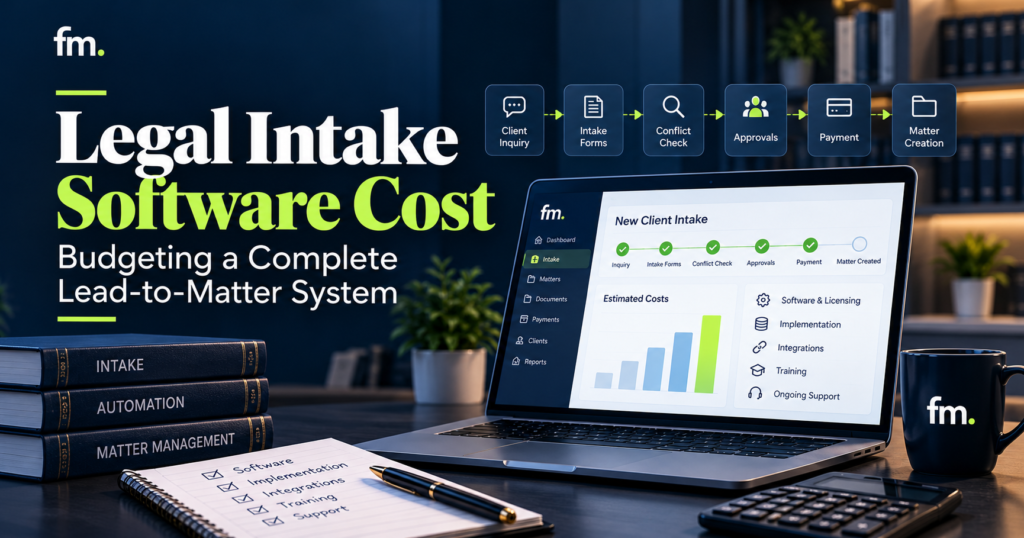
Legal intake software pricing is only one part of the investment. Learn how to budget for a complete lead-to-matter system, from the first inquiry through conflict review, engagement, payment, and matter creation.
Quick Answer
Legal intake software cost depends on more than the monthly subscription. A complete lead-to-matter system may require intake forms, lead tracking, automated follow-ups, conflict-review workflows, appointment scheduling, engagement documents, payment processing, case management integrations, and ongoing maintenance.
The total budget has three main components: software subscriptions, initial implementation, and ongoing operating costs.
The most useful approach is to map the entire intake process before comparing software prices. A low-cost platform can become expensive if staff must manually transfer information, chase approvals, or correct records across disconnected systems.
For law firms, the goal is not simply to purchase intake software. It is to build a reliable system that moves prospective clients toward engagement while preserving attorney control over representation decisions.
In This Guide
- What determines legal intake software costs
- The components of a complete lead-to-matter system
- Subscription fees, implementation, and integration expenses
- Sample budgeting scenarios for different law firms
- Hidden expenses that affect total ownership cost
- How to calculate operational value and return on investment
- How to build and implement a realistic intake software budget
1. What Determines Legal Intake Software Cost?
Legal intake software pricing varies because law firms do not all need the same operating model.
A solo attorney who manages a few inquiries each week may only need a structured form, basic contact management, and appointment scheduling. A multi-attorney firm receiving inquiries from several marketing channels may need automated lead assignment, conflict-review checkpoints, follow-up sequences, payment handling, and direct case management integration.
These requirements influence both subscription costs and the work necessary to configure a reliable system.
Firm size and user requirements
Many legal software providers structure subscriptions around users, service tiers, or access to advanced features.
A firm should identify how many people require access and what each person needs to do.
For example, an intake coordinator may need to update lead records, while attorneys may only need access to conflict-review information and approval decisions.
Not every employee necessarily requires the same permissions or software package.
Intake volume and workflow complexity
Lead volume affects the level of automation a firm needs.
A firm receiving 20 inquiries monthly may be able to handle follow-ups manually. A firm processing 300 inquiries may need automated reminders, assignment rules, duplicate detection, and reporting.
However, volume alone does not determine complexity.
A practice handling fewer but more complicated matters may require detailed questionnaires, several approval stages, or specialized document requirements.
Features and integrations
Legal intake software may offer features such as contact forms, lead pipelines, scheduling, communications, document generation, and reporting.
Some capabilities may be included in the base subscription. Others may require upgraded plans or additional services.
A firm must also determine whether its intake platform needs to connect with existing case management, email, payment, or document systems.
The more independently these tools operate, the more important integration architecture becomes.
Implementation and customization
Subscription pricing usually does not describe the full cost of designing a firm’s intake process.
Implementation may involve configuring workflows, mapping data fields, developing conditional logic, connecting platforms, testing exceptions, and training employees.
A firm with straightforward requirements may need limited configuration. A firm with several practice areas and complex engagement rules may require a substantial implementation project.
The distinction matters: software pricing describes access to technology. Implementation pricing describes the work required to make that technology operate according to the firm’s actual process.
2. What Should a Complete Lead-to-Matter System Include?
A lead-to-matter system connects the administrative steps that occur between a prospective client’s first inquiry and the opening of an authorized client matter.
Rather than treating intake as a single form, the system should manage information, actions, and decisions across the full process.
REFERENCE WORKFLOW | LEAD TO MATTER
New inquiry received
Website, phone, referral, or campaign
Structured intake and lead record
Capture details, assign owner, track follow-up
Conflict review and attorney decision
Approve, decline, or request more information
Engagement and payment
Retainer, signature, and required payment confirmation
Authorized matter creation
Transfer approved information to the system of record
Illustrative architecture. Actual representation, payment, and matter-opening conditions depend on the firm’s policies and applicable obligations.
Lead capture and structured intake
The system should collect the information needed to identify the prospective client, understand the general matter type, and determine the next administrative action.
Forms may include conditional questions based on practice area.
For example, a family law inquiry may require different information from a business formation inquiry.
The goal is to collect useful information once and reuse it where appropriate, rather than repeatedly requesting the same facts.
Lead management and follow-up
After submission, the inquiry needs a visible status, a responsible owner, and a defined next action.
A lead management system might track stages such as:
New inquiry, awaiting information, consultation scheduled, under attorney review, declined, or engagement pending.
Automated follow-ups can remind prospective clients to complete forms or attend scheduled appointments.
However, automated communications should not imply that the firm has accepted representation before the required decision has occurred.
Conflict review and attorney approval
Conflict review is a critical control point in intake architecture.
The system can collect relevant names, organize information, and route the record for review. It should not independently make a final legal determination about whether representation is appropriate.
A properly designed workflow can pause until an authorized reviewer approves, declines, or requests additional information.
This control also affects cost. Approval interfaces, conditional routing, records of decisions, and exception handling must be included in the implementation scope.
Engagement documents and payment
Once the appropriate approvals have occurred, the workflow may generate an engagement agreement, route it for signature, and initiate required payment steps.
The system should distinguish between sending a payment request and confirming payment.
A failed transaction, unsigned agreement, or incomplete prerequisite should not silently trigger the next workflow stage.
Matter creation and data transfer
The final stage transfers approved information into the firm’s matter management system once the required conditions have been satisfied.
This may include contact details, matter type, responsible attorney, documents, and relevant administrative fields.
An effective integration should also prevent duplicate matters and preserve a clear record of what information was transferred.
The result is a connected process rather than several isolated staff tasks.
3. The Main Cost Categories in a Legal Intake System
A realistic budget separates recurring software expenses from initial build costs and ongoing operational support.
| Cost category | What it covers | Cost structure |
| Intake software | Forms, lead tracking, follow-up features | Recurring subscription |
| Case management | Client and matter records | Recurring subscription |
| Scheduling | Calendar and appointment coordination | Included or additional subscription |
| E-signatures | Engagement agreement execution | Subscription or usage-based |
| Payments | Payment processing and confirmations | Transaction-based or platform fees |
| Integrations | Data movement between applications | Setup plus possible usage fees |
| Implementation | Workflow design, configuration, testing | One-time project |
| Data migration | Importing and cleaning existing records | Usually one-time |
| Training | Staff onboarding and procedures | Initial and periodic |
| Maintenance | Monitoring, fixes, adjustments | Recurring or as-needed |
Not every firm requires a separate product for every category. A platform may combine multiple capabilities.
The budgeting question is whether the selected arrangement supports the complete workflow without unnecessary duplication.
Software subscriptions
Subscription costs are the most visible part of legal intake budgeting.
Before comparing packages, firms should determine whether the quoted price includes all required users and features.
Annual billing discounts can make subscriptions appear less expensive, but firms should also consider contract length, cancellation terms, and the cost of changing plans.
Integration and automation costs
Integrations allow information and workflow events to move between platforms.
For example, an intake submission may create a lead record, send a confirmation email, and schedule an internal review task.
Once an attorney approves engagement, a separate event may allow the system to generate documents or progress toward matter creation.
Building these connections involves more than transferring fields.
The implementation must determine which system owns each piece of information, what triggers the next action, and how to handle incomplete or unsuccessful steps.
Configuration and development
Customized intake systems may require conditional forms, workflow stages, reusable document templates, communication rules, and specialized integrations.
Development costs increase when a system must manage several service types, complex conditions, or unusual exceptions.
A firm should ask implementation providers to separate standard configuration from custom development in their estimates.
Training and operational support
A technically functional system can still fail operationally if employees do not understand how to use it.
Training should cover routine intake, record corrections, approval requests, declined leads, failed payments, and escalation procedures.
The budget should also include time for testing, documentation, and adjustments after launch.
4. How Much Does Legal Intake Software Cost in Practice?
There is no single reliable market-wide price for a complete legal intake system. Published subscription prices provide a starting point, but they do not establish what an integrated implementation will cost.
The figures below distinguish verified vendor subscription examples from hypothetical planning budgets.
Published software pricing examples
The following examples are from official vendor pricing information reviewed in October 2026.
| Platform | Published pricing example | Budget consideration |
| MyCase | Basic: $50/user/month annually or $60 monthly | Basic does not include the Pro tier’s legal CRM and intake forms |
| MyCase Pro | $100/user/month annually or $120 monthly | Includes intake forms, legal CRM, and workflow automation |
| MyCase Advanced | $130/user/month annually or $150 monthly | Includes additional advanced functionality, including open API access |
| Lawmatics | Custom quote required | Pricing depends on plan, users, contact limits, and add-ons |
MyCase pricing is confirmed in its official documentation, while Lawmatics offers Essential, Premium, and Enterprise plans through a quote-based pricing model.
MyCase+2
These figures should not be treated as a complete system quote. For example, MyCase Pro includes several intake capabilities, but a firm’s requirements may still involve additional configuration, integrations, or external services.
Likewise, Lawmatics Premium lists workflow and marketing automation, advanced conflict-checking features, reporting, and other capabilities, but firms must verify the actual quoted costs and add-on terms.
MyCase+1
Three sample budgeting scenarios
The following are hypothetical planning scenarios, not vendor quotes, industry averages, or guaranteed implementation prices. They demonstrate how to structure an annual budget based on different operating requirements.
| Budget item | Basic intake | Connected intake | Complex workflow |
| Monthly software and services | $150 | $500 | $1,200 |
| Initial implementation | $1,500 | $6,000 | $18,000 |
| First-year support and training | $600 | $2,400 | $6,000 |
| Illustrative first-year total | $3,900 | $14,400 | $38,400 |
All values are in USD. Transaction fees, taxes, unusual data migrations, and additional custom development are excluded.
The scenarios represent different scopes.
Basic intake: A small firm uses structured forms, lead tracking, simple reminders, and limited configuration. Complex cross-platform automation is outside the initial scope.
Connected intake: A firm connects lead capture with scheduling, review gates, engagement documents, payment confirmation, and matter creation. Multiple platforms may need to share information.
Complex workflow: A firm requires several practice-area pathways, conditional forms, advanced permission structures, multiple integrations, and structured exception handling.
The important budgeting lesson is that subscription cost alone does not reveal the total investment.
5. Calculate Your Complete First-Year Intake Budget
A useful budgeting model separates ongoing fees from implementation and support.
First-YearCost=(M12)+I+T+S+V
Where:
- M = monthly software and service costs
- I = one-time implementation expense
- T = training and migration
- S = first-year maintenance and support
- V = variable costs such as usage and transaction fees
For example, consider a firm with $450 in recurring monthly fees, a $5,000 implementation, $1,000 in onboarding, $1,800 in annual support, and an estimated $600 in variable costs.
Interactive first-year budget estimator
Adjust these hypothetical amounts to model your firm’s expenses. USD.
Monthly subscriptions ($)
Implementation ($)
Training and migration ($)
Annual support ($)
Annual variable costs ($)
ESTIMATED FIRST-YEAR TOTAL
$13,800
Includes $5,400 in annual subscription costs.
Subscriptions
$5,400
Implementation
$5,000
Training
$1,000
Support
$1,800
Variable costs
$600
Copy budget breakdown
A firm can use this model to compare different proposals without overlooking costs that fall outside the software subscription.
For multi-year planning, recurring license increases, expected changes in user count, additional integrations, and maintenance should be evaluated separately.
6. Hidden Costs That Can Increase the Budget
Some of the most important legal intake expenses are not obvious when comparing vendor pricing pages.
Duplicate data entry
Suppose an intake coordinator collects information through an online form but must manually copy it into a separate case management system.
The firm pays for software while continuing to pay staff for repetitive handling.
Over time, duplicate entry also creates opportunities for inconsistent records.
A connected data model can reduce this work by determining which fields should be stored, reused, and synchronized.
Unclear responsibility for lead follow-up
An automated reminder has limited value when nobody knows who should respond to a lead requiring attention.
A reliable workflow needs defined ownership, follow-up rules, and escalation conditions.
These operational decisions should be established before automation is configured.
Incomplete integration testing
An integration might work correctly when every field is completed and every transaction succeeds.
Real intake processes are less predictable.
A prospective client may submit incomplete information, an attorney may decline representation, an agreement may remain unsigned, or a payment may fail.
Each of these outcomes requires an appropriate workflow response.
Testing only the successful path can create future correction expenses.
Changes to existing workflows
Law firms evolve.
They introduce practice areas, modify fee arrangements, update engagement documents, and change staff responsibilities.
A system with scattered, undocumented rules may be expensive to adjust.
Maintainable architecture, clear documentation, and centralized configuration can reduce the difficulty of future changes.
Data security and access controls
Prospective clients may provide sensitive information before a formal attorney-client relationship begins.
Access permissions, secure storage, retention policies, vendor security review, and appropriate communication controls should be considered during planning.
Where AI capabilities are involved, lawyers must also consider professional obligations concerning confidentiality, competence, communication, and supervision.
The American Bar Association’s Formal Opinion 512 provides relevant guidance for lawyers using generative AI.
americanbar.org+1
These responsibilities should be addressed in the system design rather than postponed until after implementation.
7. Firm in Motion Field Note: The Cost of Disconnected Intake
In one Firm in Motion legal service automation implementation, intake was treated as part of a complete service workflow rather than an isolated data collection task.
The architecture connected tools including Gavel, Clio Manage, Make.com, Stripe, Gmail, and Google Calendar.
The system included structured intake, conflict-review controls, attorney approval decisions, engagement and payment steps, document generation, and updates to the case management record.
The key implementation challenge was not simply transferring data between applications. It was determining when work should progress and when it needed to stop.
For example, a submitted inquiry could not automatically become an accepted client matter. The process required the appropriate review and authorization.
Similarly, a workflow waiting for payment could not assume that sending a payment link meant the transaction had succeeded.
These controls required explicit workflow states and conditions.
The documented project reported a reduction in manual intake administration from an estimated 30 to 45 minutes to zero for the specific automated service paths. That estimate reflects this implementation and should not be treated as a general savings guarantee.
The broader lesson is that intake software cost should be evaluated against the manual coordination the complete system can actually eliminate.
The value comes from designing the connection between intake, decisions, documents, payments, and matter records.
Readers can explore related implementation examples in Firm in Motion’s Systems Built.
8. How to Evaluate the Return on Investment
The return on a legal intake system should be measured through observable changes in the firm’s workflow.
A firm may benefit through reduced administrative handling, fewer repeated data entries, improved follow-up consistency, and clearer visibility into pending engagements.
However, these outcomes should be measured rather than assumed.
Measure current administrative effort
Begin by documenting the average time employees spend on repeatable intake activities.
Include tasks such as reviewing submissions, entering contact information, requesting missing details, scheduling consultations, preparing engagement documents, and creating matter records.
Separate necessary attorney decisions from repetitive administrative handling.
The objective is not to eliminate professional review. It is to reduce manual work surrounding that review.
Calculate potential handling-time savings
Consider a hypothetical firm that processes 120 inquiries each month.
If an improved workflow reduces repeatable administrative handling by 12 minutes per inquiry, the monthly capacity calculation is:
1201260=24hours
At an illustrative loaded administrative labor cost of $30 per hour, the equivalent capacity value is:
\[ 24\times\$30=\$720\text{ per month} \]
That equals $8,640 in annual capacity value.
This does not automatically mean the firm will save $8,640 in cash. The benefit may instead appear as additional capacity, faster processing, or reduced need for overtime.
Track more than saved time
Other useful indicators include the percentage of inquiries receiving timely responses, the number of incomplete lead records, lead-to-consultation progression, the time between approval and engagement, and the number of manual corrections required.
A firm should compare these measurements before and after implementation.
Changes in conversion rates or revenue should not automatically be attributed to intake software. Marketing quality, practice mix, staffing, and client demand may also influence results.
Calculate cost against measurable benefits
A basic financial evaluation can use:
ROI=AnnualBenefits-AnnualCostsAnnualCosts100
The firm should distinguish between direct financial savings, additional capacity, and possible revenue opportunities.
A useful estimate should account for implementation expenses during the first year and recurring costs in later years.
The strongest business case is one that uses the firm’s actual workflow measurements rather than generic vendor promises.
9. How to Build a Realistic Legal Intake Software Budget
A reliable budget begins with the workflow the firm needs, not a shopping list of software features.
The following approach helps law-firm owners and operations managers avoid unnecessary purchases and unclear implementation costs.
Step 1: Map the current intake process
Document what happens from the moment a prospective client makes contact until the firm opens an authorized matter.
Identify where information enters the process, which employees handle it, where decisions occur, and which applications store the information.
Pay particular attention to manual handoffs.
Step 2: Identify required and optional features
Separate capabilities into two categories.
Required capabilities are necessary for the process to function reliably. They may include structured intake, lead ownership, attorney review, engagement documentation, and controlled matter creation.
Optional capabilities improve convenience or support future growth. Examples may include advanced marketing reports, additional communication channels, or more sophisticated lead segmentation.
This distinction prevents the firm from paying for features that do not address its immediate operating problems.
Step 3: Audit existing software
Before purchasing another platform, determine what existing tools can already accomplish.
The firm may have access to useful intake, document, scheduling, or workflow functionality through its current subscriptions.
The question is whether those capabilities can be configured and connected effectively.
Adding a new platform may be necessary, but it should be a deliberate decision rather than the default response.
Step 4: Define the target workflow
Create a clear description of the future process.
For each stage, specify the required information, responsible person, triggering event, and conditions for progression.
Document the points where attorney approval is necessary.
Also define what happens when information is missing, approval is declined, or an external system fails.
Step 5: Request detailed implementation proposals
An implementation proposal should explain the actual work included in the price.
Ask for defined deliverables covering configuration, integrations, workflow logic, testing, documentation, training, and post-launch support.
Clarify whether additional revisions, integration failures, or changes to the original scope will result in separate charges.
Step 6: Establish acceptance criteria
Before work begins, define what the completed system must demonstrate.
For example, the firm may require a test showing that an approved lead produces the correct engagement documents and creates a matter only after all required conditions are satisfied.
The firm should also test rejection, incomplete submissions, unsigned agreements, duplicate records, and failed transactions.
A system should be accepted because its operating rules work, not merely because the applications are connected.
10. Legal Intake Software Budget Checklist
Use this checklist when comparing vendors or reviewing an implementation proposal.
Budget readiness checklist
0 of 12
Map the complete lead-to-matter workflow
Count required users and permission levels
Confirm which intake features are included
Identify existing tools that can be reused
List all necessary integrations and API requirements
Define conflict-review and attorney approval gates
Include engagement, signature, and payment steps
Estimate setup, migration, and staff training costs
Budget for maintenance, monitoring, and future changes
Test failed payments, incomplete records, and declined leads
Assign ownership of records and workflow errors
Measure current administrative effort before launch
Copy checklist
A completed checklist does not replace a technical requirements document. It provides a practical starting point for identifying costs that may otherwise be overlooked.
11. Frequently Asked Questions About Legal Intake Software Cost
How much does legal intake software cost per month?
Monthly costs depend on the platform, number of users, and required capabilities. For example, MyCase Pro lists $100 per user per month with annual billing and $120 per user with monthly billing. Some other legal intake vendors use custom pricing. A complete budget should also account for implementation, integrations, and support.
MyCase+1
Is legal intake software worth the investment for a small law firm?
It can be worthwhile when the software reduces repeated administrative work, improves visibility into prospective clients, or prevents missed follow-up tasks. The firm should compare its existing workload and operating costs against the total investment rather than relying only on the subscription price.
Can legal intake software connect with case management systems?
Yes, some platforms provide native integrations or API-based connectivity. However, availability and access vary by vendor and subscription tier. Firms should confirm whether the required fields, documents, statuses, and workflow events can move between the selected systems before purchasing.
What is the difference between legal CRM and legal intake software?
Legal intake software focuses on collecting prospective-client information and managing the steps toward engagement. Legal CRM software often includes broader lead relationship management, communications, follow-up activities, and marketing functions. Some products combine both capabilities, so the distinction depends on the platform.
Can a law firm automate the entire intake process?
Many administrative steps can be automated, including data collection, reminders, scheduling, document preparation, and certain record updates. However, professional decisions such as conflict resolution and acceptance of representation require appropriate attorney control. A reliable system preserves these decision points.
Are setup and implementation fees always required?
No. Some providers include standard onboarding or guided implementation. Custom integrations, migration, workflow development, and specialized configuration may still involve additional costs. Firms should request a written scope describing exactly what is included.
What is the biggest mistake when budgeting for legal intake software?
A common mistake is comparing only subscription prices without evaluating the complete operating workflow. A less expensive product may require substantial manual coordination, while a more comprehensive system may cost more initially but reduce repeatable administrative effort. The appropriate choice depends on the firm’s actual requirements.
Conclusion: Budget for the System, Not Just the Software
Legal intake software cost should reflect the complete process required to move a prospective client from an initial inquiry to an authorized matter.
Subscription fees are important, but they represent only one part of the investment. Integrations, implementation, training, attorney approval controls, and ongoing maintenance determine whether the technology becomes a reliable operating system.
The most effective budgeting process begins by mapping current intake activities, identifying repeated manual work, and defining the decisions that must remain under attorney control.
From there, a firm can evaluate existing tools, compare software options, and create an implementation budget based on specific requirements.
The goal is not necessarily to purchase more technology. It is to ensure that the information, decisions, documents, and handoffs between existing tools are properly designed.
A connected intake system allows routine administrative work to progress predictably while attorneys retain control over consequential decisions.
For firms considering a more connected intake process, Firm in Motion can help identify where existing workflows depend on manual coordination and which steps may be suitable for automation.
Schedule Your Law Firm Systems Audit to examine your current lead-to-matter workflow and identify opportunities for improvement.
Sources and Further Reading
The following sources support the published pricing and professional-responsibility information referenced in this article.
- MyCase: Official Pricing and Plan Features. Published pricing and feature comparisons.
- MyCase Help Center: Subscription Pricing. Billing plans and subscription terms.
- Lawmatics: Official Pricing. Quote-based plan descriptions and add-on information.
- American Bar Association: Formal Opinion 512. Ethical obligations relating to lawyers’ use of generative AI.

