
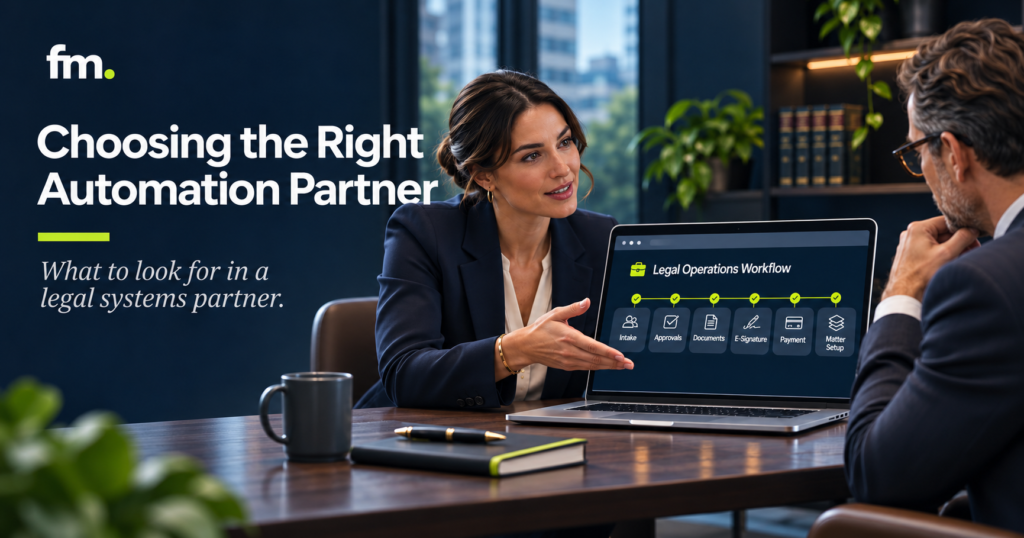
Hiring a legal automation consultant should involve more than finding someone who knows how to connect software.
A law firm may already use practice management software, document automation platforms, payment processors, and client communication tools. Yet staff may still spend hours transferring information, following up on approvals, recreating documents, and checking whether routine tasks have been completed.
The problem is often not the individual applications. It is the lack of a reliable operating system connecting them.
A capable legal automation consultant helps law firms identify these gaps, design structured workflows, and build reliable connections between existing tools while preserving attorney control over legal decisions.
Selecting the right partner requires evaluating systems thinking, technical experience, legal workflow knowledge, security practices, and long-term maintainability.
This guide explains how to assess those capabilities before committing to an automation project.
Quick Answer: How Do You Choose a Legal Automation Consultant?
Choose a legal automation consultant who can understand how your firm operates before recommending technology.
The right partner should demonstrate experience with legal workflows, system integrations, structured data, attorney approval processes, and exception handling.
Look for someone who can:
- Map your existing workflows and identify operational bottlenecks.
- Explain which activities can be automated and which require human judgment.
- Connect your existing legal software without unnecessary replacements.
- Protect confidential information through appropriate access and security controls.
- Test workflows against real-world errors and unusual situations.
- Provide documentation, training, and ongoing maintenance options.
The strongest selection criterion is not how many tools a consultant knows. It is whether they can design a reliable system that works across your firm.
In This Guide
This article covers the responsibilities of a legal automation consultant, the difference between technical implementation and systems architecture, the capabilities to evaluate, questions to ask before hiring, warning signs to recognize, and a practical framework for comparing potential partners.
What Does a Legal Automation Consultant Actually Do?
A legal automation consultant analyzes how work moves through a law firm and identifies opportunities to replace repetitive manual handling with structured processes.
The work may involve intake, conflict screening, retainers, billing, document generation, matter updates, client communications, and administrative coordination.
For example, consider a firm that receives inquiries through its website.
A potential client completes a form. An assistant reviews the submission, manually enters the information into a practice management system, forwards it for conflict review, prepares an engagement agreement, and sends payment instructions.
Once the client signs and pays, another staff member creates the matter and begins the next administrative process.
Each step may involve a different application.
A consultant should examine the entire process rather than simply automate one isolated action.
An improved workflow might collect structured information once, route the inquiry for conflict review, require attorney acceptance, generate the appropriate engagement documents, and create the matter after the required conditions are met.
The consultant’s responsibility is to design the logic that determines when each step happens.
This includes identifying the information each system needs, the events that trigger actions, and the circumstances that require the workflow to stop.
Legal Automation Consultant vs. Software Implementer
Not every technology professional provides the same type of service.
| Role | Primary responsibility | Typical focus |
|---|---|---|
| Software vendor | Supplies a product | Features, licenses, product support |
| Software implementer | Configures a particular application | Setup, customization, training |
| Automation developer | Builds integrations and automations | APIs, triggers, data transfers |
| Legal systems architect | Designs the operating workflow across applications | Data, rules, approvals, exceptions, reliability |
These roles can overlap. A skilled consultant may perform several of them.
The distinction matters because technical connectivity alone does not solve unclear responsibilities or inconsistent processes.
A law firm may successfully connect its CRM to a document automation platform while still depending on someone to remember when a document should be generated.
A systems-oriented consultant addresses that missing decision logic.
Why Law Firms Need a Systems-First Approach
Automation projects frequently begin with a request to connect two applications.
A partner might ask, “Can we send information from the intake form into Clio?”
That is a useful technical question, but it does not explain the entire operating requirement.
Before building that connection, the firm should decide whether an inquiry has been accepted, whether conflict review is complete, and which information belongs in the prospective client record.
If these conditions remain undefined, automation may move incomplete or inappropriate information more efficiently.
Start with the operating process
A systems-first consultant begins by mapping the existing workflow.
That means identifying where work enters the firm, who handles it, what information is required, and which decisions determine progression.
The consultant should distinguish routine administrative handling from actions requiring professional judgment.
For example, preparing a draft engagement agreement may be automated under approved rules.
Deciding whether to represent a particular client must remain under the appropriate attorney’s control.
Design around shared information
Repeated data entry creates opportunities for inconsistencies.
A client’s name, contact information, matter details, and relevant parties may be entered independently into multiple applications.
A well-designed system identifies the authoritative source for each field and determines how that information is reused.
This reduces unnecessary re-entry while giving staff a clear way to correct inaccurate records.
Account for exceptions
A workflow should not assume every client will respond immediately, every payment will succeed, or every document will be approved on its first review.
The system must know what happens when something goes wrong.
For example, if a client does not sign an agreement, the workflow should wait or follow an approved reminder process rather than proceeding as though the agreement were complete.
This is an important distinction between a demonstration and a dependable production system.
Seven Capabilities to Look for in a Legal Automation Consultant
A firm’s choice should be based on evidence of relevant capabilities rather than broad claims about automation expertise.
1. Understanding of law firm operations
A consultant should understand the sequence of activities involved in delivering legal services.
Relevant areas include intake, conflict review, engagement agreements, payment collection, matter management, document production, and matter closure.
The consultant does not need to be a practicing attorney, but must recognize where professional judgment, regulatory requirements, and client confidentiality create operational boundaries.
A useful evaluation question is:
“How would you design an intake workflow that cannot create an active client matter before our attorney approves representation?”
A strong response should discuss decision gates, record states, required data, and exception handling.
It should not assume that every submitted form automatically becomes a client.
2. Experience connecting legal technology
Most firms do not need to replace every application before improving their workflows.
A consultant should be able to assess existing software and explain whether native integrations, APIs, or automation platforms are appropriate.
Depending on the firm’s technology environment, relevant applications may include Clio Manage, Gavel, Make.com, Stripe, Microsoft 365, Gmail, Google Calendar, and DocuSign.
The objective is not to use as many platforms as possible.
It is to establish a reliable connection between the systems required for a particular workflow.
Ask prospective partners to explain the limitations of the integrations they recommend.
3. Structured data and system-of-record design
A system of record is the application designated to maintain the authoritative version of specific information.
For example, a law firm may use its practice management system as the primary record for client matters while another platform manages document generation.
The consultant should determine how information moves between those systems and what happens when records change.
This includes handling duplicate contacts, missing fields, updates to client information, and conflicting values.
A strong partner should explain how data consistency is maintained without requiring staff to compare every application manually.
4. Attorney-controlled automation
Automation should support professional work without taking over decisions that require legal judgment.
The American Bar Association’s Model Rule 1.1 commentary addresses lawyers’ responsibility to understand the benefits and risks associated with relevant technology.
Law firms must apply the professional conduct requirements of their own jurisdictions.
A capable consultant should design systems that preserve attorney review where appropriate, including decisions about representation, substantive legal work, and the release of legal documents.
The system can prepare information and route tasks. The authorized attorney remains responsible for the legal decision.
5. Security and confidentiality practices
Legal automation systems may handle client identities, financial information, confidential communications, and legal documents.
A consultant should explain who can access that information and how it is protected.
The ABA’s Model Rule 1.6 requires reasonable efforts to prevent unauthorized access to or disclosure of information relating to representation.
The firm’s obligations do not disappear because an outside provider manages the technology.
Before granting access, discuss:
- Role-based permissions and least-privilege access
- Authentication and credential management
- Storage and retention of client information
- Logging, backups, and recovery procedures
- Third-party subprocessors and data sharing
- Security incident notification and response
The consultant should be able to describe actual safeguards rather than relying on broad assurances that the tools are secure.
6. Testing and exception handling
A successful demonstration proves that a workflow can perform an expected action.
It does not prove that the system can handle unusual or failed conditions.
A production-ready workflow should be tested against situations such as incomplete intake data, duplicate submissions, declined representation, unsuccessful payments, rejected documents, and integration interruptions.
The consultant should explain how failed actions are identified, whether retries can create duplicate records, and how staff can recover without damaging existing information.
This requires clear workflow states, logging, and recovery procedures.
7. Documentation and long-term support
A firm should not become dependent on one individual who understands how the entire system works.
The consultant should document the workflow architecture, integration connections, important fields, decision rules, and administrative responsibilities.
Staff should understand how to operate the system and handle ordinary exceptions.
Before hiring, ask who will maintain the automation when software updates, internal procedures change, or new practice areas are introduced.
The firm should also understand the terms for accessing, modifying, or transferring its workflow configuration.
Questions to Ask Before Hiring a Legal Automation Consultant
An interview should test how a consultant approaches real operational problems.
Use the following questions to evaluate both technical competence and systems thinking.
| Question | What a strong answer should demonstrate |
|---|---|
| How do you evaluate our existing workflow? | Process mapping before recommending software |
| How do you decide what to automate? | Clear distinction between repeatable handling and legal judgment |
| How will our systems share information? | Defined data sources, mappings, and integration limitations |
| What happens when an automation fails? | Error detection, recovery procedures, and assigned responsibility |
| How do you protect confidential data? | Documented security controls and appropriate access restrictions |
| How do you test the system? | Normal-path and exception testing with acceptance criteria |
| What happens after deployment? | Documentation, training, monitoring, and maintenance arrangements |
Ask for a demonstration of a relevant completed system where confidentiality and client permissions allow it.
A process diagram, anonymized workflow, or detailed technical walkthrough may be more informative than a general presentation about software features.
The consultant should be able to explain why a particular workflow was designed in a certain way.
How to Evaluate Security and Professional Responsibility
Selecting an automation provider also involves vendor due diligence.
Under the ABA’s Model Rule 5.3, lawyers with managerial or supervisory responsibilities have duties concerning nonlawyer assistance.
The rule and its comments address oversight of outside nonlawyer service providers as well as internal staff.
The applicable requirements depend on jurisdiction and circumstances.
Review the consultant’s data access
Determine whether the consultant requires access to production client records during development.
Where possible, testing should begin with synthetic or appropriately anonymized information.
Production access should be limited to authorized purposes and revoked when no longer needed.
Evaluate third-party dependencies
An automation may involve multiple services, even when the firm hires only one consultant.
The firm should understand which providers process information and how responsibilities are allocated.
The NIST Cybersecurity Framework 2.0 supply chain guidance offers a useful framework for defining supplier security requirements and evaluating third-party risk.
NIST also published a technology supplier due-diligence guide in July 2026. It provides considerations for assessing supplier practices and resilience.
These resources are not legal ethics rules, but they can support a more disciplined vendor evaluation.
Apply additional scrutiny to AI workflows
If a consultant recommends generative AI for legal research, drafting, document review, or communication, the firm should examine the intended use carefully.
The ABA’s Formal Opinion 512 guidance addresses relevant ethical responsibilities involving competence, confidentiality, supervision, communication, and fees.
A consultant should explain how outputs are reviewed, how confidential information is handled, and which decisions remain with attorneys.
AI assistance should not be presented as a substitute for professional review.
Warning Signs When Choosing an Automation Partner
Some warning signs indicate that a project may lack sufficient planning or governance.
Recommending tools before understanding the workflow
A consultant who immediately recommends a new CRM or automation platform without examining the firm’s existing process may be solving the wrong problem.
Software recommendations should follow an assessment of requirements.
Promising complete automation of legal decisions
A proposal that removes attorney oversight from consequential legal decisions deserves careful examination.
The consultant should distinguish automated administration from professional judgment.
Ignoring failed transactions
If a proposal focuses exclusively on successful workflow scenarios, ask how errors, duplicates, and interrupted processes will be handled.
Failure recovery is part of implementation, not an optional addition.
Offering no documentation or training
Without sufficient documentation, the firm may struggle to maintain the system after the original developer leaves.
The handoff should include enough information for authorized personnel or a qualified successor to understand the architecture.
Making unsupported savings claims
Automation may reduce repetitive work, but outcomes vary according to workflow complexity, transaction volume, staff practices, and implementation quality.
A consultant should explain the assumptions behind projected savings rather than promising universal results.
A Practical Scorecard for Comparing Consultants
When reviewing proposals, law firms can use a weighted evaluation scorecard.
The following model places greater emphasis on operational understanding, reliability, and professional controls than on presentation quality or the number of software products mentioned.
| Evaluation criterion | Suggested weight |
|---|---|
| Legal workflow and operational understanding | 20% |
| Systems architecture and integration capability | 20% |
| Security, confidentiality, and attorney controls | 20% |
| Testing, reliability, and exception handling | 15% |
| Relevant implementation evidence | 10% |
| Documentation and ongoing support | 10% |
| Pricing clarity and commercial fit | 5% |
| Total | 100% |
Rate each candidate from 1 to 5 in each category.
Multiply the rating by the category weight to create a comparable score.
For example, a consultant rated 4 out of 5 for systems architecture earns 16 of the 20 available points in that category.
This framework is a suggested decision aid, not an industry certification or standardized scoring system.
Security and professional responsibility concerns should remain independent disqualification factors. A high total score cannot compensate for unacceptable confidentiality practices.
The purpose of the scorecard is to make the selection process more consistent and evidence-based.
What a Strong Legal Automation Implementation Should Include
A consulting engagement should produce a functioning operational improvement, not merely a set of connected applications.
The project should move through clearly defined stages.
Phase 1: Discovery and workflow mapping
The consultant documents the existing process, including entry points, staff responsibilities, information sources, approvals, and failure points.
The firm identifies the most valuable workflow to improve.
The deliverable is a current-state process map and a defined automation opportunity.
Phase 2: Architecture and requirements
The consultant designs the target workflow.
This includes selecting systems of record, defining data relationships, setting triggers, and establishing attorney approval gates.
The firm should review and approve the planned process before development begins.
Phase 3: Development and integration
The consultant builds the required workflow components and connects supported platforms.
Configurations should reflect the agreed operating rules.
Sensitive information should be handled using the approved security and access arrangements.
Phase 4: Testing and quality assurance
The system is tested using representative transactions.
Tests should cover both expected and exceptional conditions.
For example, if a payment event advances a workflow, the project should verify that repeated payment notifications do not create duplicate matters.
If an attorney declines an inquiry, the system should stop the representation workflow and follow the appropriate approved procedure.
Phase 5: Deployment and handoff
After acceptance testing, the system is released to authorized users.
The consultant provides operational documentation, staff training, and instructions for responding to failures.
The firm should know who owns the system and how changes will be managed.
Phase 6: Monitoring and improvement
The firm reviews workflow performance after launch.
Monitoring may reveal missing fields, repeated manual corrections, or changes needed as the firm grows.
A maintenance arrangement can address these issues without requiring an entirely new project.
How to Define Project Success Before Signing a Contract
The consultant and law firm should agree on acceptance criteria before implementation.
Acceptance criteria are observable conditions that determine whether the delivered system meets the agreed requirements.
Consider an intake-to-matter automation project.
The firm might define success through these conditions:
- A complete intake submission creates the appropriate prospective client record.
- Duplicate submissions do not create unnecessary duplicate contacts.
- Conflict review and attorney approval are required before representation advances.
- An approved engagement agreement uses the correct client and matter information.
- The workflow does not advance past a required signature or payment event prematurely.
- Failed integrations create a visible exception for authorized staff.
- Approved matter information reaches the designated system of record.
- Staff can follow documented procedures to recover from ordinary failures.
These requirements are more useful than a vague contractual promise to automate client intake.
They allow the firm to test whether the implementation meets its operational needs.
The agreement should also specify project scope, deliverables, responsibilities, milestones, change requests, access rights, documentation, support, and termination arrangements.
Before signing, clarify which systems and workflow configurations the firm will control after the engagement ends.
Firm in Motion Field Note: What Real Legal Workflow Architecture Requires
Firm in Motion has designed attorney-controlled legal workflow automation involving Clio Manage, Gavel, Make.com, Stripe, Gmail, and Google Calendar.
Its implementation experience includes structured intake, conflict review, attorney approval gates, document generation, payment-triggered progression, matter creation, and client notifications.
One recurring lesson from this work is that connecting applications is often the simpler part of the project.
The more difficult task is defining what should happen when information is missing, a decision is delayed, a document needs correction, or a required condition has not been satisfied.
For example, an intake workflow should not automatically create an active matter just because someone completed a form.
The process may first require conflict review, an attorney acceptance decision, a signed agreement, or another firm-defined prerequisite.
A dependable system must recognize those conditions.
It must also handle the alternative outcomes, including declined representation, incomplete submissions, unsuccessful payments, and delayed responses.
These requirements help determine whether automation reduces administrative work or simply creates another process that staff must constantly monitor.
Firm in Motion’s systems-built portfolio illustrates its broader approach to connected legal operations, document workflows, and governed automation.
The lesson for firms selecting a consultant is straightforward: evaluate the decision logic and recovery paths, not just the successful demonstration.
Should a Law Firm Hire a Freelancer, Agency, or Systems Architect?
The appropriate provider depends on the scope of the work.
A focused automation developer may be suitable for a small, clearly defined task with minimal risk.
For example, a firm might need a routine notification after an administrative status changes.
A larger implementation involving several departments, legal approval requirements, confidential information, and multiple software platforms generally requires deeper architectural planning.
An agency may offer a broader implementation team, while an individual specialist may provide more direct involvement.
Neither structure automatically guarantees better results.
Evaluate the actual people who will perform the work, their technical capabilities, their experience with legal workflows, and their willingness to document decisions.
The scope of the problem should determine the type of partner.
A firm should not pay for enterprise-scale architecture when a simple configuration is sufficient.
Equally, it should not treat a complex client-service workflow as a collection of unrelated shortcuts.
Frequently Asked Questions
What does a legal automation consultant do?
A legal automation consultant helps law firms design and implement systems that reduce repetitive administrative work. Responsibilities may include workflow analysis, software integration, document automation, structured data management, and approval processes.
Does a legal automation consultant need to be a lawyer?
Not necessarily. A technical consultant can design and implement automation without practicing law. However, legal decisions and professional responsibilities must remain with appropriately authorized attorneys, and the firm must provide suitable supervision.
How much does legal automation consulting cost?
Costs depend on the number of workflows, integration complexity, data requirements, security considerations, testing needs, and support arrangements. Firms should request a defined scope and deliverables rather than comparing hourly rates alone.
Can a consultant integrate software the firm already uses?
Yes, where supported by the applications’ capabilities, permissions, and integration options. A qualified consultant should assess native integrations and APIs before recommending additional tools or custom development.
How long does a legal automation project take?
The schedule depends on complexity, the readiness of the firm’s data, the number of systems involved, and required approvals. A single administrative workflow may be much smaller in scope than an integrated intake-to-matter process. A credible proposal should explain dependencies and milestones.
What should a firm receive after an automation project?
The agreed deliverables should include the configured or developed workflow, test results, operational documentation, appropriate administrative access, and training. Maintenance and support responsibilities should also be defined.
Conclusion: Choose a Partner Who Understands How Legal Work Moves
Selecting a legal automation consultant is an operational decision, not simply a software purchasing decision.
The right partner should understand how information moves through the firm, where professional judgment is required, and how routine work can progress without unnecessary manual handling.
Technical experience matters, but it should be supported by clear workflow architecture, appropriate security practices, defined approval points, and dependable error recovery.
Before hiring, examine how the consultant approaches discovery, what evidence they can provide, and how they plan to test the finished system.
Establish clear deliverables and acceptance criteria so the firm can evaluate the work against its actual needs.
Most importantly, choose a partner who can improve the systems your firm already depends on rather than recommending technology without understanding the operating problem.
The objective is a maintainable legal workflow that continues to function as staff, matters, and requirements change.
Schedule Your Law Firm Systems Audit
Firm in Motion designs connected, attorney-controlled automation systems that help law firms reduce repetitive coordination across intake, documents, payments, matter management, and other operations. Schedule Your Law Firm Systems Audit to identify operational bottlenecks, evaluate your existing technology, and determine which workflows are suitable for reliable automation.

